| This document is very much a work in progress. |
1. Intro
c-xrefactory is a software tool and a project aiming at restoring the sources of that
old, but very useful, tool to a state where it can be enhanced and be the foundation for
a highly capable refactoring browser.
It is currently in excellent working condition, so you can use it in your daily work. I do. For information about how to do that, see the README.md.
1.1. Caution
As indicated by the README.md, this is a long term restoration project. So anything you find in this document might be old, incorrect, guesses, temporary holders for thoughts or theories. Or actually true and useful.
Especially names of variables, functions and modules is prone to change as understanding of them increases. They might also be refactored into something entirently different.
This document has progressed from non-existing, to a collection of unstructured thougths, guesses, historic anecdotes, ideas and a collection of unstructured, pre-existing, wiki pages, and is now quite useful. Perhaps it will continue to be improved and "refactored" into something valuable for anyone who venture into this project.
The last part of this document is an Archive where completely obsolete descriptions have been moved for future software archeologists to find.
1.2. Background
You will find some background about the project in the README.md.
This document tries to collect the knowledge and understanding about how c-xrefactory
actually works, plans for making it better, both in terms of working with the source,
its structure and its features.
Hopefully over time this will be the design documentation of c-xrefactory, which, at
that time, will be a fairly well structured and useful piece of software.
1.3. Goal
Ultimately c-xrefactory could become the refactoring browser for C, the one that
everybody uses. As suggested by @tajmone in GitHub issue #39, by switching to a general
protocol, we could possibly plug this in to many editors.
However, to do that we need to refactor out the protocol parts. And to do that we need a better structure, and to dare to change that, we need to understand more of the intricacies of this beast, and we need tests. So the normal legacy code catch 22 applies…
Test coverage is starting to look good, coming up to slightly above 80% at the time of writing this. Many "tests" are just "application level" execution, rather than actual tests, but also this is improving.
2. Context
c-xrefactory is designed to be an aid for programmers as they write,
edit, inspect, read and improve the code they are working on.
The editor is used for usual manual manipulation of the source
code. C-xrefactory interacts with the editor to provide navigation
and automated edits, refactorings, through the editor.
Failed to generate image: PlantUML preprocessing failed: [From <input> (line 2) ]

@startuml
Unresolved directive in guidebook.adoc - include::diagrams/structurizr-SystemContext.puml[]
^^^^^
 Syntax Error?

Unresolved directive in guidebook.adoc - include::diagrams/structurizr-SystemContext.puml[]
3. Functional Overview
c-xrefactory helps a programmer navigate, understand, and safely improve C and Yacc
source from within the editor. This chapter catalogues that functionality and sketches how
the server serves a request; the project’s origins are in History at the end.
3.1. Main functionality
A programmer constantly needs to navigate, understand and improve the source code in order to lessen the cognitive load for understanding and making changes.
c-xrefactory provides two sets of functions for this directly from
within the editor
-
navigation, searching and browsing symbols
-
automated refactorings, i.e. non-behaviour changing edits
C and Yacc source code is supported.
3.1.1. Navigation
A user can navigate all references of a symbol, limited to the semantic scope of that symbol, by "Goto Definition" and then navigate using "Next/previous Reference". This is a fast way to inspect where a symbol is used.
| This also applies to non-terminals and semantic attributes in Yacc grammars! |
3.1.2. Browsing
It is also possible to search for definitions or symbols containing a string, including possible wildcards. This will present various forms of "menues" where filters can be applied and a found symbol be inspected.
3.1.3. Completion
As c-xrefactory have information about symbols and their semantic scope,
it can also provide semantically informed completions and suggestions.
3.1.4. Automated refactorings
In his book "Refactoring" Martin Fowler describes a large number of refactorings, changes to source code that does not change the behaviour, but improves it structure and readability. For each refactoring they describe step by step which edits to make to apply the refactoring manually.
The natural next step was of course to attempt to automate this in editors or IDEs, which started to happen.
In an article from 2001 Martin pronounces Xref, the ancestor to c-xrefactory, to be
the first tool to cross "Refactorings Rubicon", being able to extract a function
semantically correct.
The term "automated" means that some software can examine the source
code and quickly and safely modify it using patterns from the list of
possible refactorings, without user interaction. Many refactorings in
the book, and on the website, are applicable mostly for OO-languages,
but many also apply to C. c-xrefactory can perform some of
them. More are considered for implementation.
-
"Rename Symbol" - change the name of a variable, type, function only for the semantic scope of the symbol
-
"Extract Macro/Function" - a region of the code can be extracted to a new function or macro
-
"Organize Includes" - clean up a list of #include directives by particioning and sorting them
-
"Rename Included File" - rename the file in the #include directive and update all other #include directives of that file
-
"Move Function To Other File" - move a function to another file, automatically add an extern declaration in an appropriate header file and ensure that is included in the file where the function originally was
Using these automated refactorings it is much easier and safer to continuously maintain and improve the quality of any code base.
3.2. Configuration
A project is configured by a .c-xrefrc file in the project root, found by upward search
from the file being worked on; it records the source roots, include paths, and defines.
(The older user-central ~/.c-xrefrc with per-project sections still works.) See
Principles (Project Scope) for how project boundaries are
determined.
3.3. Operational model at a glance
c-xrefactory runs as a long-lived server that the editor drives one request at a time.
Per request:
-
The editor sends the operation (navigation, search, completion, or refactoring) along with the contents of any buffers it has open, as preloads.
-
Before anything else, the server refreshes the in-memory reference table — reparsing whatever changed since the last request, so the table reflects current reality.
-
The operation runs against that table, and the server replies — positions to jump to, a menu, or edits to apply.
Two design points to carry forward:
The table is refreshed whole, before every operation. Each operation simply trusts that the references it reads are current; it never decides what to refresh. (One could argue an extract, say, strictly needs only the edited unit’s references fresh — but that is a latent optimization, not how the system is wired: the refresh layer owns correctness, and operations stay ignorant of it.) The mechanism is Entry Refresh; the principle is in Principles.
Parsing serves two masters. The parser both populates the reference table and collects information specific to the current operation — the symbol under the cursor, the region to extract, the context for a completion. Keeping those roles distinct matters: an operation-specific parse must still leave the table correct.
3.4. LSP
The LSP protocol is a common protocol for language servers such as
clangd and c-xrefactory. It allows an editor (client) to interface
to a server to request information, such as reference positions, and
operations, such as refactorings, without knowing exactly which server
it talks to.
Recent versions of c-xrefactory have an initial implementation of a
very small portion of the LSP protocol. The plan is to fully integrate
the functionality of c-xrefactory into the LSP protocol. This will
allow use of c-xrefactory from not only Emacs but also Visual Studio
Code or any other editor that supports the LSP protocol.
3.4.1. LSP Protocol Limitations
The LSP protocol was designed for single-shot, non-interactive operations. This creates constraints for `c-xrefactory’s advanced refactorings:
Interactive Refactorings: c-xrefactory’s extract/parameter operations
require multi-step user input (names, positions, declarations). LSP’s
`textDocument/codeAction can offer a refactoring, but has no standard way
to ask the user for input while it runs.
Symbol Browsing: c-xrefactory provides interactive symbol browsers
with filtering and keyboard navigation. LSP returns flat reference lists
with no standard for interactive UI.
How much of this can still reach LSP editors, and what each editor would need in its own extension, is covered in Roadmap: Reaching refactorings.
3.5. History
The c-xref program was, historically, a mish-mash of features in one program — a major cause of the source-level mess being untangled (see Roadmap). It was:
-
a generator for persistent cross-reference data
-
a reference server for editors (cross-reference, navigation, completion)
-
a refactoring server — the first tool to cross the "Refactoring Rubicon"
-
an HTML cross-reference generator (removed)
-
a C macro generator for structure-fill and similar functions (removed)
The first three are the unique value of the project. The HTML generator — likely the
original purpose, the root of the ancestor Xrefactory — was superseded by tools like
Doxygen and removed; the macro generator was a hack that obstructed modern building and
refactoring and was removed. The other capabilities were originally bolted on without
re-architecting the C sources, which is the tail this project is still grooming.
4. Quality Attributes
The most important quality attributes are
-
correctness - a refactoring should never alter the behaviour of the refactored code
-
completness - no reference to a symbol should ever be missed
-
performance - a refactoring should be sufficiently quick so the user keeps focus on the task at hand
5. Constraints
TBD.
6. Principles
6.1. Reference Database and Parsing
The persisted snapshot (.cx files) stores all file-scope and wider symbols — including
static functions and variables. Only block-local symbols (variables inside function
bodies, labels) are excluded. The visibility boundary is VisibilityLocal in
getSymbolCxrefProperties(): block-locals get VisibilityLocal, everything else
(including file-scope statics) gets VisibilityGlobal.
Block-local symbols are reconstructed by reparsing the file of interest.
| The in-memory reference table holds all symbols encountered during parsing, including block-local ones. The snapshot excludes only block-locals because they can always be reconstructed by reparsing. |
6.2. Memory As Truth
After startup, the in-memory referenceableItemTable is authoritative. The .cx
files are a snapshot for surviving process restarts, not a tiebreaker. No operation
reads from .cx after loadSnapshotFromStore() returns.
The server is long-lived and the only writer of its .cx files. A disk read
post-startup means either re-reading our own output or preferring a stale snapshot
over fresh in-memory state — neither is correct. Earlier in the project several
disk-as-truth code paths silently produced some answer, just not the right one;
those bugs were hard to find precisely because the disk read succeeded.
6.2.1. Enforcement: the disk-read tripwire
scanCxFile() is the only entry point that opens a .cx file for reading. It
asserts that snapshotLoadComplete (a static flag in cxfile.c set at the end of
loadSnapshotFromStore()) is still false. Any later call aborts with a message
pointing here.
Writes — periodic save, save on exit — are not affected; the tripwire is on the read path only. A future feature that requires post-startup disk access means this principle has to be revisited.
6.3. Editor Buffers Are the Content Source
In server mode the parser never reads a source file from disk more than once.
Every file the server parses is backed by an in-memory EditorBuffer. Its text
is loaded from disk exactly once — lazily, the first time the file is parsed
(findOrCreateAndLoadEditorBufferForFile creates the buffer and calls
loadFileIntoEditorBuffer). After that the buffer’s textLoaded flag is set and
the parser always reads the buffer; the disk file is never consulted again.
"Reparsing" a file re-parses its buffer content, not the current contents of the
file on disk.
The only thing that refreshes an existing buffer is the client. When the editor
sends -preload <file> <tmpfile>, openEditorBufferFromPreload compares the temp
file’s modification time against the buffer’s and reloads the buffer from the temp
file if they differ. There is no disk polling and no background filesystem sync:
the editor is the source of truth for file content, and the server mirrors it
through preloads.
Consequences:
- Editor-open files stay current
-
Files the user is editing are sent as preloads, so their buffers track the editor in real time. This is the case the design optimizes for.
- Saved or closed files re-sync from disk
-
When the user saves or closes a file the editor stops preloading it; ghost-buffer cleanup (
closeEditorBuffersNoLongerPreloaded) frees the now-stale buffer and re-reads the file from disk, so the saved content is picked up. - Behind-the-back changes are not detected (known limitation)
-
A file the server has buffered but the editor does not have open — a header reached through
#include, or a file visited by an earlier browse — is never re-preloaded, so a change to it on disk alone is invisible. This bites real workflows:git switch, regenerated files (*.tab.[ch],lexem.c), scripts that write sources. It is a limitation of the current model, not a deliberate exclusion; the likely fix is a per-request disk-mtime recheck for non-preloaded buffers (extending the re-sync above to fire on mtime, not only on un-preloading). Deferred.
A test that changes a file’s content on disk between requests without
sending a matching -preload is exercising this behind-the-back case, not a real
editing scenario. To simulate an edit, send the new content as a preload.
|
6.4. Continuously Fresh References
The reference table must be kept fresh on every request. This is the central design challenge in a request/response architecture where:
-
The server is long-lived, holding state across many requests
-
Source files change between requests (user edits, saves, closes buffers)
-
Each operation (navigation, refactoring, completion) depends on accurate references
-
The server cannot know when changes happen — it only discovers them at request time
The principle is: before each operation, detect the staleness the editor reports and the structural changes the scan discovers. Changes the editor never reports — a buffered file altered behind its back — are a known blind spot (see Editor Buffers Are the Content Source). There is no single mechanism for this; instead, multiple complementary strategies cooperate:
- Editor edits and saves
-
Unsaved changes arrive as preloads; on save the editor stops preloading and ghost-buffer cleanup re-reads the file from disk. Detection is editor-driven — the preload and un-preload transitions — not a disk poll.
- Editor buffer divergence
-
The user’s editor may hold unsaved changes. The client transmits these via
-preload, and their modification time is tracked separately from the disk file. - Editor buffer disappearance
-
The user saves or closes a buffer. The client stops sending
-preloadfor it. The server must detect this absence and discard the stale in-memory copy ("ghost buffer pruning"), falling back to the disk file. - New files and deleted files
-
Files may be added to or removed from the project between requests. The lightweight scan discovers new compilation units;
markMissingFilesAsDeleted()handles removals. - Refactoring side effects
-
A refactoring modifies editor buffers in memory, but the disk files and mtimes are unchanged. Modified buffers must be explicitly marked stale so that subsequent operations see fresh references.
- Include graph changes
-
A stale header affects all compilation units that include it, transitively. Reparsing a stale CU refreshes its include references, which then allows discovering other CUs affected by the same header change.
Each of these is handled by a specific mechanism in the entry refresh algorithm (see Entry Refresh in the Algorithms chapter). The key insight is that all of them must run before the operation dispatches — there is no lazy or deferred refresh. The cost is paid up front so that every operation sees a consistent view of the codebase.
6.5. Minimal Reparse Set
Full freshness does not require full reparsing. Parsing is the most expensive operation the server performs, so the system must determine the minimal set of compilation units that need reparsing to make the reference table consistent.
The strategies, in order of increasing scope:
- Only stale files
-
If a
.cfile changed, only that file needs reparsing. No other CU is affected unless they share headers. - Include-graph-directed propagation
-
If a header changed, only CUs that include it (transitively) need reparsing — not all CUs in the project. The include structure (
TypeCppIncludereferences) provides the reverse lookup. - Sibling CU discovery
-
On cold start, not all CUs have been parsed. Rather than parsing the entire project up front (which can take tens of seconds on large codebases), the server discovers which unparsed CUs share headers with the request file and parses only those. CUs unrelated to the current request remain unparsed until needed.
- Skip already-fresh files
-
Mtime comparison avoids reparsing files that haven’t changed since their last parse, even if they were discovered as potential candidates.
Reparsing only a subset is safe because an edit clears the edited file’s
references. When a file arrives as a preload, removeReferenceableItemsForFile
strips that file’s references, whatever its type. Re-creating them is a separate
step whose target depends on the file: a compilation unit is reparsed directly; a
header is only stripped, and its including CUs (found through the reverse-include
graph) are reparsed to re-emit its declarations. In both ordinary cases the edit
invalidates and the reparse rebuilds: an edited compilation unit strips and rebuilds
its own references; an edited header is stripped and its including CUs reparse to
re-emit them.
There is one case the strip does not cover. Which declarations a compilation unit emits into an included header can depend on the CU’s own preprocessor state, so a header-position reference can be left stale by an includer’s edit alone — even though the header itself was never touched.
For example, a header declares a function under #ifdef FEATURE. A CU that defines
FEATURE and includes the header records that declaration at the header’s position.
If the CU later removes the #define and is reparsed, removeReferenceableItemsForFile
strips only the CU’s own positions — not the header position it emitted into. The
header was never edited, so nothing strips the orphaned declaration, and the reparse
gates it out rather than re-emitting it. The reference lingers.
Closing this gap requires reparsing by include structure — stripping and rebuilding the affected header’s contributions — gated so the cost is paid only when an edit actually changes what a CU emits, not on every edit.
The goal is interactive-speed response times: the user should not wait for the entire project to reparse when they changed one file. On a large codebase (e.g. ffmpeg with 2600+ CUs), the difference between "reparse everything" and "reparse the 7 CUs that share the edited header" is the difference between minutes and milliseconds.
6.6. Preserve Parsed Work
Parsing is the most expensive operation the server performs. On large codebases, a full parse can take tens of minutes. Some operations — like a project-wide search on cold start — may require parsing thousands of CUs. The user may abort (Ctrl-g) or the server may crash during such long-running operations.
The principle is: parsed work is valuable — save it incrementally so that progress survives interruption.
During long-running parse operations, the server periodically saves the reference table to the persisted snapshot. If the operation is interrupted, the next startup restores the snapshot and only the remaining unparsed CUs need processing.
The snapshot save is safe at any point because the staleify mechanism
(markPreloadedFilesAsAncient) ensures that editor buffer state is not persisted — only
disk-file-derived references are saved, and mtime-based validation remains correct at
next startup.
Measured cost: On ffmpeg (2600+ CUs), a full snapshot save takes approximately 1 second. This is acceptable at intervals (e.g. every 100 CUs) within a long-running parse loop — a ~1% overhead that prevents losing minutes of work on interruption.
6.7. Project Scope
A project is defined by a .c-xrefrc configuration file. The directory containing
this file is the project root. On auto-detection, the server walks upward from the
request file to locate the nearest .c-xrefrc.
- Source coverage
-
All compilation units under the project root are discovered by the lightweight scan. Headers are discovered transitively through
#includedirectives in those compilation units. Additional source directories can be listed in the configuration file to include files outside the root (e.g. shared libraries, multi-repo layouts). - Include paths
-
The
-Ioption in the configuration file adds directories that the preprocessor searches for#includedirectives — the same semantics as the compiler flag. Files resolved through include paths are parsed as part of the project and available for navigation. - Project identity during navigation
-
When the user navigates to a file outside the project root, the server must determine whether the file belongs to the current project. A file is considered in-scope if it resides under the project root, an additional source directory, or a configured include path. Without this, navigating into an included header outside the project tree would be misinterpreted as leaving the project.
The include-path check is broad: any file under an -I directory is accepted,
not only files that were actually included. A compilation unit that happens to reside
next to included headers will be treated as in-scope even if the project never references
it. This is a known simplification; a precise check would require distinguishing
"encountered during parsing" from "registered by a transient request," which the current
file table does not support.
|
6.8. Terminology
The following terms are used throughout the documentation and codebase. Preferred terms are listed alphabetically; terms to avoid are noted to reduce ambiguity.
- Cold start
-
Server startup with no persisted snapshot available. All compilation units must be fully parsed to populate the reference table. Same code path as warm start, just more work.
- Compilation unit (CU)
-
A source file that is directly compiled (
.c,.y). Discovered by globbing the project directory. Distinguished from header files, which are included transitively and not compiled independently. - Expanding CU
-
A compilation unit that expands a given macro. Browsing from inside a macro body needs one, because the identifiers there are not symbols until the macro is expanded. A CU can only expand a macro if it includes the file that defines it, so the candidates are the includers of that file, found in the include graph without parsing anything (
collectCompilationUnitsExpandingTheMacro()). Each one is parsed, and every meaning the identifier gets becomes a referent of its own (ADR-0027). - Include structure
-
The graph of
#includerelationships between files, represented in the reference table asTypeCppIncludereferences. Cheap to build (text scanning for#includelines). Separate from symbol references, which require full parsing. - Initialization
-
Discovering the project, loading options, interrogating the compiler, restoring the snapshot and scanning project structure. Happens once per session. Not the same as cold start — initialization happens on every session, cold start describes the absence of a snapshot.
Today it is split in two.mainTaskEntryInitialisations()discovers a project at process start, fromcwdwhen the command line names no file, and reads that project’s options. The first request that names a file does the rest. The direction is to move all of it into-getproject, so that process start knows nothing about any project. - Lightweight scan
-
Discovery of project structure by globbing for compilation units and text-scanning
#includelines, without full parsing. Populates the file table and include structure. Replaces-createand thecallXref()pre-refactoring pattern (ADR 22). - Persisted snapshot
-
The
.cxfiles on disk. A point-in-time copy of the reference table from a previous session, loaded at startup to avoid a full parse. May be stale — reconciled against the filesystem via mtime comparison.
Avoid "disk db", "cache", "reference database" when referring to the.cxfiles. A snapshot is not queryable (no search operations on disk), has no invalidation semantics (unlike a cache), and is not the source of truth (unlike a database). - Preload
-
Editor-buffer content the client sends for files the user has modified but not yet saved, via
-preload <filename> <tmpfile>arguments. The server reads the temp file into anEditorBufferwith its modification time. Preloaded buffers persist across requests; on each preload the server compares the new temp file’s mtime against the existing buffer’s to decide whether to reload content. Entry refresh then reparses any buffer whose mtime has advanced pastlastParsedMtime. Unmodified files are not preloaded — the server reads disk directly. - Project
-
A set of source files governed by a single
.c-xrefrcconfiguration file. Defines which files are parsed, which include paths are searched, and where the persisted snapshot is stored. Identified by the section name in the configuration file. - Project root
-
The directory containing the
.c-xrefrcconfiguration file. All compilation units under this directory are discovered by the lightweight scan; headers are discovered transitively through#includedirectives. On auto-detection, the project root is found by walking upward from the request file. - Reference table
-
The authoritative in-memory state during a running session. Comprises the
referenceableItemTable(symbol references), the file table (file entries with modification tracking), andTypeCppIncludereferences (include structure). Populated by parsing, snapshot restoration, and lightweight scanning.
Avoid "in-memory db", "memory db". It is the live working set, not a database in the traditional sense. - Restoring
-
Loading a persisted snapshot into the reference table at startup. After restoration, mtime comparison determines which entries are fresh and which need reparsing.
Avoid "loading the database". - Saving / persisting
-
Writing the current reference table state to
.cxfiles. Only disk-file-derived references are persisted; references from unsaved editor buffers are excluded so that mtime-based validation remains correct at next startup.
Avoid "writing the database". - Staleness
-
A file is stale when its content has changed since it was last parsed. Detected by comparing
lastParsedMtimeagainst the current file modification time (from disk or editor buffer). Stale files trigger reparsing during the entry refresh (ADR 20). - Steady state
-
The server is initialized and processing requests. Staleness detection and incremental reparsing happen per-request. The reference table is authoritative.
Avoid "hot start" — ambiguous. - Symbol references
-
The detailed reference information (positions, usage types) for identifiers, created by full parsing. Expensive to produce. Distinguished from include structure, which is cheap.
- Entry refresh
-
The per-request mechanism that ensures the reference table is up-to-date before executing an operation. Covers both staleness (content was known but is now outdated) and unknown content (file discovered by scan but never parsed). Uses the include structure to determine what needs reparsing. Runs on every request in
callServer().
See Server Mode Flow in Code for implementation details. - Warm start
-
Server startup with an existing persisted snapshot. Most compilation units are fresh (snapshot mtime matches disk mtime); only stale ones need reparsing. Same code path as cold start, less work.
7. Software Architecture
7.1. Container View
Failed to generate image: PlantUML preprocessing failed: [From <input> (line 2) ]

@startuml
Unresolved directive in guidebook.adoc - include::diagrams/structurizr-ContainerView.puml[]
^^^^^
 Syntax Error?

Unresolved directive in guidebook.adoc - include::diagrams/structurizr-ContainerView.puml[]
7.2. Containers
At this point the description of the internal structure of the containers are tentative. The actual interfaces are not particularly clean, most code files can and do include much every other module.
| There is still ongoing work is to try to identify modules/components, which are not always directly mapped to source files, but based on higher level responsibilites. |
7.2.1. CxrefProgram
Failed to generate image: PlantUML preprocessing failed: [From <input> (line 2) ]

@startuml
Unresolved directive in guidebook.adoc - include::diagrams/structurizr-CxrefProgram.puml[]
^^^^^
 Syntax Error?

Unresolved directive in guidebook.adoc - include::diagrams/structurizr-CxrefProgram.puml[]
cxrefProgram is the core container. It does all the work when it comes
to finding and reporting references to symbols, communicating
refactoring requests as well as storing reference information for
longer term storage and caching.
Although c-xref can be used as a command line tool, which can be
handy when debugging or exploring, it is normally used in "server"
mode. In server mode the communication between the editor extension
and the 'cxrefProgram` container is a back-and-forth communication using a
non-standard protocol over standard pipes.
The responsibilities of cxrefProgram can largely be divided into
-
parsing source files to create, maintain the references database which stores all inter-module references
-
parsing source files to get important information such as positions for a functions begin and end
-
managing editor buffer state (as it might differ from the file on disc)
-
performing symbol navigation
-
creating and serving completion suggestions
-
performing refactorings such as renames, extracts and parameter manipulation
At this point it seems like refactorings are performed as separate
invocations of c-xref rather than through the server interface.
7.2.2. EditorExtension
Failed to generate image: PlantUML preprocessing failed: [From <input> (line 2) ]

@startuml
Unresolved directive in guidebook.adoc - include::diagrams/structurizr-EditorExtension.puml[]
^^^^^
 Syntax Error?

Unresolved directive in guidebook.adoc - include::diagrams/structurizr-EditorExtension.puml[]
The EditorExtension container is responsible for plugging into an
editor of choice and handle the user interface, buffer management and
executing the refactoring edit operations.
Currently there is only one such extension supported, for Emacs,
although there existed code, still available in the repo history, for
an extension for jEdit which hasn’t been updated, modified or checked
for a long time and no longer is a part of this project.
There is a proof of concept implementation of a rudimentary LSP adapter which
would make it possible to use c-xrefactory from a wide range of editors and IDEs, at
least for many operations.
|
7.2.3. ReferencesDB
The References database stores crossreferencing information for symbols visible outside the module it is defined in. Information about local/static symbols are not stored but gathered by parsing that particular source file on demand.
Currently this information is stored in a somewhat cryptic, optimized text format.
This storage can be divided into multiple files, probably for faster access. Symbols are then hashed to know which of the "database" files it is stored in. As all crossreferencing information for a symbol is stored in the same "record", this allows reading only a single file when a symbol is looked up.
8. Algorithms
The code does not always explain the algorithms that it implements. This chapter tries to describe essential algorithms used by c-xrefactory.
8.1. Lightweight Include Structure Scanning
Before the server can keep references fresh, it needs to know the project’s structure:
which files are compilation units, and how they relate through #include directives.
The lightweight scan (scanProjectForFilesAndIncludes) discovers this without full
parsing.
8.1.1. Why Not Full Parsing?
Full parsing (running the C parser with preprocessor, semantic actions, and reference creation) is expensive — seconds per file on complex codebases. On a cold start with thousands of CUs, parsing everything up front would block the user for minutes.
The include structure, however, can be determined by simple text scanning: find lines
matching #include "…" and resolve the paths. This is orders of magnitude faster
(e.g. ffmpeg: 2619 CUs scanned in under 1 second vs. minutes for full parsing).
8.1.2. The Algorithm
scanProjectForFilesAndIncludes(projectDir, includeDirs):
  │
  ├─ 1. Glob for compilation units
  │     listFilesInDirectory(projectDir, recursive)
  │     Filter to CU extensions (.c, .y)
  │     → discoveredCUs (StringList)
  │
  ├─ 2. For each CU, scan for includes
  │     scanFileForIncludes(cuPath):
  │       Read file line by line
  │       Match #include "filename" (quoted includes only)
  │       For each match:
  │         resolveIncludePath(filename, includerDir, includeDirs)
  │         addIncludeReference(includedFileNum, includerPosition)
  │         Recurse into the included file (transitive)
  │
  └─ 3. Return discoveredCUs for deletion detection
8.1.3. Include Path Resolution
resolveIncludePath() tries directories in order:
-
Includer’s directory —
#include "foo.h"in/project/src/bar.clooks for/project/src/foo.hfirst -
Include directories — walks
options.includeDirs(from compiler interrogation or.c-xrefrc) -
Fallback — includer-relative (same as step 1, for robustness)
This matches standard C compiler behavior for quoted includes.
8.1.4. What It Produces
The scan populates the same data structures that full parsing would:
TypeCppIncludereferences withUsageUsed-
Created by
addIncludeReference(). Each reference records which file includes which, with the includer’s position. These are the edges that Entry Refresh Pass 2 queries to find includers of stale headers. TypeCppIncludereferences withUsageDefined-
Identity references (a file "defines" itself as an includable entity). Created by
addFileAsIncludeReference(). - File table entries
-
New files discovered during include resolution are added to the file table.
The key insight is that the scan produces the same TypeCppInclude references that
full parsing creates. Code that queries the include graph (like
collectIncludersOfStaleHeader() in Entry Refresh) doesn’t care whether the references
came from scanning or parsing.
8.1.5. Current Limitation: Angle-Bracket Includes
The scan only captures #include "…" (quoted includes), not #include <…> (angle-bracket
includes). This is deliberate: without the header-filtered sibling optimization (see
Entry Refresh Pass 3 limitations), scanning <string.h> and similar ubiquitous system
headers would cause near-full-project sibling explosions.
Full parsing does discover <…> includes. On the first request after cold start, Pass 1
reparses the request CU with the full parser, which finds the <…> edges. Pass 3 may
then discover additional siblings via those edges — this is the cause of the "double
progress bar" on cold start.
8.1.6. Deletion Detection
After scanning, markMissingFilesAsDeleted() iterates the file table and marks entries
whose files no longer exist on disk. This handles the case where a user deletes a source
file between sessions. Marked files have their references purged via
removeReferenceableItemsForFile() so that navigation doesn’t point to deleted files.
Only CUs are checked (they are glob-discoverable). Header files are not checked because they might legitimately be absent if they’re generated or live outside the project tree.
8.2. Entry Refresh
Entry refresh is the per-request mechanism that ensures the reference table is
up-to-date before any operation executes. It runs at the top of callServer(), before
the operation dispatches. See Principles for why this is
necessary.
8.2.1. Overview
The refresh covers two distinct concerns:
-
Buffer-driven refresh (Passes 1 and 2) handles modifications the client has signaled via preload — any preloaded editor buffer whose
modificationTimehas advanced pastlastParsedMtime. It iterates the editor-buffer table. Pass 1 reparses stale CU buffers; Pass 2 cascades from stale header buffers to their includer CUs. -
Request-relative coverage (Pass 3) handles what the request needs to see. It iterates the file table to find sibling CUs of the request file that need parsing — either never parsed yet, or stale on disk.
Both run before the operation dispatches, but they’re answering different questions and live in separate calls. Within buffer-driven refresh, Pass 1 must precede Pass 2; see Pass 2 for the rationale.
callServer():
  │
  ├─ loadAllOpenedEditorBuffers()
  ├─ closeEditorBuffersNoLongerPreloaded()   ← ghost buffer pruning
  │
  ├─ IF projectContextInitialized:
  │   reparseStalePreloadedFiles(baseArgs)            ← buffer-driven
  │   │
  │   ├─ Pass 1: reparse stale CUs
  │   │   FOR each editor buffer WHERE fileNumberIsStale():
  │   │     IF isCompilationUnit: reparseStaleFile()
  │   │
  │   └─ Pass 2: reparse includers of stale headers
  │       FOR each editor buffer WHERE fileNumberIsStale():
  │         IF NOT isCompilationUnit (i.e. header):
  │           collectIncludersOfStaleHeader() → list of CU file numbers
  │       FOR each collected CU: reparseStaleFile()
  │
  ├─ IF projectContextInitialized AND hasInputFile AND auto-detect path:
  │   parseUnparsedSiblingCUs(requestFileNumber, baseArgs)   ← request-relative (Pass 3)
  │   │
  │   └─ Find CUs sharing headers with the request file that need parsing
  │       (never parsed, or mtime past lastParsedMtime)
  │       FOR each: reparseStaleFile()
  │
  └─ dispatch operation
8.2.2. What Refresh Covers
Between them, the passes and the cleaning concern below cover the ways the codebase can change from one request to the next:
| Change since last request | Detected by | Stale references cleaned by |
|---|---|---|
Edited CU body (no preprocessor change) |
Pass 1 — mtime stale |
the CU’s own strip + rebuild |
Edited header (declaration added / changed / removed) |
Pass 2 — reverse-include graph |
header strip, then includer re-emit |
New |
Pass 1 (includer is stale) · scan / Pass 3 |
n/a — additive |
CU deleted from the project |
|
|
Includer toggles a macro gating a header declaration |
Pass 1 — the CU is stale |
not covered — see Cleaning Stale Emissions |
Every row but the last fits the invalidate-then-rebuild model cleanly. The last is the gap the next section addresses.
8.2.3. Pass 1: Reparse Stale CUs
The simplest case: the user edited and saved a .c file, or the client sent a
-preload with newer content. The CU itself is stale.
Detection: fileNumberIsStale() returns true when:
-
lastParsedMtime == 0— explicitly marked stale (e.g. after refactoring), OR -
The file has a preloaded editor buffer whose
modificationTimeexceedslastParsedMtime
Action: reparseStaleFile() removes all existing references for the file
(removeReferenceableItemsForFile), then parses it fresh (parseFileWithFullInit).
Side effect: Reparsing a CU also refreshes its TypeCppInclude references (the
include edges). This is essential for Pass 2.
8.2.4. Pass 2: Reparse Includers of Stale Headers
If the user edited a header file, all CUs that include it (transitively) have stale references — even though those CUs themselves haven’t changed.
Detection: Same fileNumberIsStale() check, but filtered to non-CU files (headers).
Discovery: collectIncludersOfStaleHeader() walks the reverse include graph:
-
Find all
TypeCppIncludereferences whereusage == UsageUsedandposition.file == includerFileNumber— these are include edges -
For each includer, if it’s a CU, add it to the reparse list
-
If it’s another header, recurse (transitive closure)
Why Pass 1 must come first: When a user adds a new #include "foo.h" to bar.c,
both bar.c (the includer) and foo.h (the includee) may be stale. Pass 1 reparses
bar.c, which creates the new TypeCppInclude reference for the bar.c → foo.h edge.
Pass 2 can then find this edge when looking for includers of foo.h. Without Pass 1
first, the edge wouldn’t exist yet.
8.2.5. Pass 3: Parse Unparsed Sibling CUs
On cold start (no snapshot, or snapshot doesn’t cover everything), many CUs have never been parsed. If the user navigates to a symbol defined in a header, the server needs references from other CUs that include that header — otherwise navigation only shows the definition, not all usage sites.
Discovery: parseUnparsedSiblingCUs() uses a forward-include lookup:
-
Iterate all files in the file table that have
TypeCppIncludereferences -
For each, check if the request file is among its includers
-
If so, collect CUs that also include the same headers ("siblings")
-
Filter to CUs with
lastParsedMtime == 0(never parsed)
Scope control: Only CUs sharing headers with the request file are parsed — not
the entire project. This keeps cold-start latency proportional to the local
neighborhood of the file being worked on. That relies on every file that references a
symbol including the header that declares it; an extern written directly in a .c file
is deliberately not followed (ADR-0013).
Current limitation: The sibling lookup is based on all shared headers, not just
the header containing the navigated symbol. This can over-parse on projects with
widely-shared utility headers (e.g. avutil.h in ffmpeg pulls in ~978 siblings).
A future optimization would filter to sibling CUs sharing the specific header that
defines the symbol being navigated to.
8.2.6. Project-wide Operations: Parse All
Pass 3 follows includes from a position. Some operations have no position to start from, or are about the whole project by definition, so no include-based subset can make their answer complete. For those, after Pass 3, the server counts the CUs that have never been parsed and, if there are any, asks "N of M compilation units need reparsing. Parse all before …?" (see Blocking confirmation under Interactive Dialogs below). Answering yes parses every one of them, saving the snapshot after every 100 CUs so that progress survives an interrupt or a crash. That is a save interval, not a limit.
| Operation | Status |
|---|---|
Search ( |
Asks |
Unused globals ( |
Asks |
Push by name ( |
Does not ask yet, so on a cold start it answers "No symbol found." Pinned by the
suspended |
A related consequence: on a cold start the symbol menu at filter level 0 (all symbols with the name) only lists symbols from CUs parsed so far. A same-named static in a file not connected through includes appears only once that file has been parsed. This is left as is: the menu offers other symbols with the same name, so a missing entry does not make the selected symbol’s references wrong, and a menu filter change is too cheap an operation to put a parse-all dialog behind.
Operations that do not need every CU, and why:
- Rename’s safety check
-
Rename does not look up whether the new name exists somewhere. It renames in the buffers, reparses, pushes on the new name at the definition and compares the references with the renamed occurrences; any difference means some reference would bind to a different symbol. Collisions that matter at compile time happen only in a CU that sees both declarations. Such a CU includes the renamed symbol’s header, so include-based discovery parses it. What escapes is a clash with a global defined in a module that shares no header, which only appears when linking. That is the same trade-off as ADR-0013, and the linker reports it.
test_rename_global_collision_through_includespins both cases.
8.2.7. Staleness After Refactoring
Refactoring operations (rename, move-function, etc.) modify editor buffers in memory. The disk files and their mtimes are unchanged, so the normal mtime-based staleness detection doesn’t trigger.
After serverPerformRefactoring() completes, markModifiedEditorBuffersAsStale()
iterates all editor buffers with modifiedSinceLastQuasiSave == true and sets their
file’s lastParsedMtime = 0. This causes fileNumberIsStale() to return true on
the next request, triggering a reparse via Pass 1.
This is called before quasiSaveModifiedEditorBuffers(), which clears the
modifiedSinceLastQuasiSave flag and updates the buffer’s modificationTime.
8.2.8. Cleaning Stale Emissions
Reparsing a CU strips its old references and adds its current ones — but "old" means
only references at position.file == CU. removeReferenceableItemsForFile is
position-scoped. For everything a CU emits into itself that is complete: stripped,
then rebuilt.
A CU also emits references into the headers it includes — the declarations it records at header positions while walking the included text — and which declarations it emits can depend on the CU’s own preprocessor state. The position-scoped strip does not reach those.
For example, a header declares a function under #ifdef FEATURE. A CU that defines
FEATURE records that declaration at the header’s position. If the CU later removes the
#define and is reparsed, the strip clears only the CU’s own positions; the header was
never edited, so nothing clears the now-orphaned declaration, and the reparse gates it
out rather than re-emitting it. The reference lingers.
This gap is real and confirmed (test_preprocess_edit_removes_ifdef_define), and at
present open: the orphan survives until the header is reparsed for some other reason.
The chosen fix — not yet implemented — is to reparse by include structure, stripping and
rebuilding the affected header’s contributions, gated on a cheap per-CU fingerprint of
the CU’s header emissions so the cost is paid only when an edit actually changes what a
CU emits. Per-CU provenance (recording which CU emitted each header-position reference)
was considered and rejected as too costly at scale; see
ADR-0025.
8.3. Editor Buffers and Incremental Updates
This section describes how c-xrefactory handles the reality that source code exists in
two places: on disk as files, and in memory as editor buffers. It also explains the
different update strategies and how references flow through the system.
8.3.1. Editor Buffer Abstraction
The Duality of Source Code
When a user edits code in Emacs, the source code exists in two forms:
-
Disk files: The saved state on the filesystem
-
Editor buffers: The current (possibly unsaved) state in the editor
For code analysis to be useful during active editing, c-xrefactory must treat editor
buffers as the source of truth when they exist.
The Preloading Mechanism
When the Emacs client sends a command to the c-xref server (like PUSH or NEXT), it uses
the -preload option to transmit modified buffers:
-preload <original-file> <temp-file>
For example:
-olcxnext -olcursor=5 /project/foo.c -preload /project/foo.c /tmp/emacs-xxx.tmp
The process:
-
Emacs creates a temporary file containing the current buffer content
-
The temp file’s modification time represents when the buffer was last modified
-
The server loads this into an
EditorBufferstructure -
When parsing, the server reads from the temp file (buffer content) instead of the disk file
This ensures that the server analyzes what the user sees in the editor, not the potentially stale disk file.
EditorBuffer Lifecycle
EditorBuffer {
    char *name;                    // Original filename
    char *preLoadedFromFile;       // Path to temp file with buffer content
    FileTimestamp modificationTime; // When buffer was last modified
    bool modified;                 // Content changed (by refactoring)
    bool modifiedSinceLastQuasiSave;  // Dirty flag for quasi-save
    bool preloadedThisRequest;     // Was this buffer preloaded on this request?
    ...
}
Editor buffers have different origins and lifetimes:
- Preloaded buffers
-
Created by
openEditorBufferFromPreload()when the client sends-preload. These havepreLoadedFromFileset to the temp file path. They persist across requests as long as the client keeps sending the preload. - Refactoring buffers
-
Created by editor operations during refactoring (e.g.
findOrCreateAndLoadEditorBufferForFile). These havepreLoadedFromFile == NULLandmodified == true. They persist becausebufferIsCloseable()returns false for modified buffers. - Transient buffers
-
Created during normal request processing (parsing). These have
preLoadedFromFile == NULLandmodified == false. They are destroyed bycloseAllEditorBuffersIfClosable()at the end of each request.
8.3.2. Preload Protocol and Ghost Buffer Pruning
The Emacs client sends -preload for all modified buffers on every request. This
is not an optimization — it is a protocol invariant that the server depends on:
-
Presence of
-preload: "This buffer is modified in the editor; use this content." -
Absence of
-preload: "This buffer is no longer modified; the disk file is current."
The server uses this to detect when a user saves or closes a file:
server() request loop:
  │
  ├─ clearPreloadedThisRequestFlags()     ← reset all flags to false
  ├─ initServer(pipedOptions)             ← parses options, sets flags on preloaded buffers
  │   └─ openEditorBufferFromPreload()
  │       └─ buffer->preloadedThisRequest = true
  │
  └─ callServer()
      └─ closeEditorBuffersNoLongerPreloaded()
          FOR each editor buffer:
            IF preLoadedFromFile != NULL AND NOT preloadedThisRequest:
              removeReferenceableItemsForFile(buffer->fileNumber)  ← purge stale refs
              deregisterEditorBuffer + freeEditorBuffer             ← close buffer
Without ghost buffer pruning, a stale preloaded buffer would persist indefinitely. The server would keep parsing from the old content even though the user saved the file and the disk version is newer.
Reference cleanup is essential: Simply closing the buffer is not enough. The reference
table still contains entries from the stale parse. removeReferenceableItemsForFile() must
be called before closing the buffer, so that the next parse (from the disk file) populates
the table with fresh references without duplicates.
Navigation sessions are safe: Sessions store Reference structs (position-based), not
EditorMarker pointers. Closing a buffer does not create dangling pointers in the
browsing stack.
8.3.3. Modification Time Tracking
To implement incremental updates, c-xrefactory tracks when each file/buffer was last parsed.
The Fields
Each FileItem in the file table has:
-
lastParsedMtime- The modification time when we last parsed this file (any update mode) -
lastFullUpdateMtime- The modification time when we last did a FULL update (including header propagation)
These are FileTimestamp values (struct timespec with nanosecond precision).
Dual Semantics
The lastParsedMtime field has dual semantics depending on context:
-
For disk files: Stores the file’s mtime when it was parsed
-
For editor buffers: Stores the buffer’s mtime (from the preloaded temp file)
This works because editorFileModificationTime() abstracts over both:
FileTimestamp editorFileModificationTime(char *filename) {
    EditorBuffer *buffer = getEditorBuffer(filename);
    if (buffer != NULL && buffer->preLoadedFromFile != NULL) {
        return buffer->modificationTime;  // Buffer time
    } else {
        return fileModificationTime(filename);  // Disk time
    }
}
The abstraction is seamless: code can check "has this file changed?" without caring whether it’s a disk file or editor buffer.
Change Detection
To determine if a file/buffer needs reparsing:
if (!fileTimestampsEqual(editorFileModificationTime(fileItem->name), fileItem->lastParsedMtime)) {
    // File/buffer has changed since we last parsed it
    reparse(fileItem);
    fileItem->lastParsedMtime = editorFileModificationTime(fileItem->name);
}
8.3.4. Reference Lifecycle
References flow through multiple stages in c-xrefactory, with different storage
locations and ownership models at each stage.
Stage 1: Parsing
When a file is parsed:
-
Symbols are discovered (functions, variables, types, etc.)
-
For each symbol, a
ReferenceableItemis created or looked up in thereferenceableItemTable -
Each usage of that symbol creates a
Referencewith a position -
The reference is added to the referenceable’s reference list
Storage: cxMemory (a custom arena allocator)
Lifetime: Lives until the next update that reparses that file
Stage 2: The ReferenceableItemTable
The canonical storage for all references.
ReferenceableItem {
    char *linkName;        // Symbol identifier
    Type type;             // Function, variable, macro, etc.
    Reference *references; // Linked list of all uses
    ...
}
Key properties:
-
Allocated in
cxMemory -
Persistent across multiple server operations
-
Updated incrementally as files are reparsed
-
References are not individually free’d - they’re arena-allocated
Stage 3: Session Stacks
When a user performs a PUSH operation (browsing a symbol), a session is created:
SessionStackEntry {
    BrowsingMenu *menu;      // Selected symbols
    Reference *references;   // COPY of references for navigation
    Reference *current;      // Current position in navigation
    ...
}
Key properties:
-
The
referenceslist is a copy (viamalloc) of references from the referenceableItemTable -
Each reference is individually allocated with
malloc(seeaddReferenceToList) -
When the session is destroyed, references are individually
free’d (see `freeReferences) -
Sessions are snapshots in time - they don’t automatically update when the table changes
Why Separate Storage?
Memory ownership:
-
Table references: Arena-allocated, freed in bulk
-
Session references: Individually allocated, individually freed
If sessions pointed directly to table references, we’d have:
-
Dangling pointers when the table is updated
-
Double-free errors when sessions are destroyed
-
Memory corruption from mixed allocation strategies
Snapshots vs. live data:
-
The table is the "live" source of truth
-
Sessions are working copies for a specific browsing operation
-
Users expect their navigation stack to be stable during browsing
The Staleness Problem
The separation causes a problem: session references can become stale.
Scenario:
-
User PUSHes symbol
foo→ Session created with references at lines 10, 50, 100 -
User edits a file, adding lines
-
User navigates with NEXT → Session still points to lines 10, 50, 100 (wrong!)
Solution: needsBrowsingStackRefresh flag + updateSessionReferencesForFile()
When entry refresh reparses a file, it sets needsBrowsingStackRefresh = true on that
file’s FileItem. When NEXT/PREVIOUS operations occur, gotoNextReference() checks this
flag on the current and next reference’s file:
-
Saves the current navigation position
-
Calls
updateSessionReferencesForFile()to rebuild the session’s reference list from the updated table -
Clears the flag
-
Restores the navigation position to the nearest reference
This keeps navigation working correctly with live-edited code.
Trade-offs of the Incremental Approach
Advantages:
-
Minimal latency - only reparses changed buffers
-
Uses editor buffer content (user’s current view)
-
Preserves navigation position naturally
Limitations:
-
Only updates the current session (other sessions on the stack remain stale)
-
Only happens during NEXT/PREVIOUS (not other operations)
For typical usage (navigating within files being actively edited), these limitations rarely matter. A fresh PUSH creates a new session with fresh references.
8.3.5. Summary
The key insights:
-
Editor buffers are the source of truth when they exist (via preloading)
-
Modification times are tracked uniformly for files and buffers
-
Ghost buffer pruning detects when the client stops preloading a buffer and discards the stale copy
-
References live in two places: canonical table (arena memory) and session copies (malloc)
-
Sessions are snapshots that can become stale, requiring incremental rebuilding during navigation
8.4. Server-Side Refactoring
Refactoring runs as a server operation (OP_REFACTORY): the editor sends a refactoring
command to the running server, which performs the operation using its already-populated
reference table.
8.4.1. How Server-Side Refactoring Works
answerEditorAction():
  case OP_REFACTORY:
    serverPerformRefactoring()
      │
      ├─ deepCopyOptionsFromTo(&options, &refactoringOptions)
      ├─ loadAllOpenedEditorBuffers()
      ├─ quasiSaveModifiedEditorBuffers()
      │
      ├─ Create point/mark EditorMarkers from cursor/mark offsets
      │
      ├─ Dispatch on refactoringOptions.theRefactoring:
      │   ├─ AVR_RENAME_SYMBOL    → renameAtPoint(point)
      │   ├─ AVR_EXTRACT_*        → extractFunction/Macro/Variable(point, mark)
      │   ├─ AVR_ADD/DEL/MOVE_PARAMETER → parameterManipulation(point, ...)
      │   ├─ AVR_MOVE_FUNCTION    → moveFunction(point)
      │   ├─ AVR_ORGANIZE_INCLUDES → organizeIncludes(point)
      │   └─ AVR_RENAME_MODULE/INCLUDED_FILE → renameAtInclude(point)
      │
      ├─ markModifiedEditorBuffersAsStale()   ← mark for entry refresh
└─ quasiSaveModifiedEditorBuffers() ← update buffer mtimes- No separate initialization
-
The server is already initialized. The reference table is populated by the entry refresh that ran before this request. The refactoring code directly uses the references.
- Mark stale on completion
-
After the refactoring,
markModifiedEditorBuffersAsStale()setslastParsedMtime = 0on all files whose editor buffers were modified. This ensures the next request’s entry refresh reparses them, picking up the post-refactoring state. parseBufferUsingServer()calls remain-
Some refactoring functions call
parseBufferUsingServer()internally (e.g. to gather semantic information for safety checks). These calls parse into the existing reference table without wipingcxMemory.
8.4.2. Interactive Dialogs
Some operations involve interactive dialogs with the client:
- Symbol disambiguation (
beInteractive) -
When multiple symbols match the cursor position,
displayResolutionDialog()sends an<olcx-list>to the client and callsbeInteractive(). This works in the server path because the server loop is blocked on the call stack —beInteractive()reads from the pipe viareadOptionsFromPipe()without conflicting with the outer server loop. A local copy ofsavedOptionsprevents the innercallServer()from clobbering the refactoring’s option state. - Advisory confirmation (
ppcAskConfirmation,<ask-confirmation>) -
The server does not wait. It writes
<ask-confirmation>and then the rest of its answer in the same batch, including any buffer edits. The client shows a yes/no dialog: on yes it goes on processing what follows, on no it aborts the dispatch and discards the edits it has already received. The server never learns the answer.
Use it when the server can compute everything first and the user only decides whether to apply it. Used by refactorings (src/refactory.c), e.g. "The refactoring may change program behaviour, really continue?". - Blocking confirmation (
waitForUserConfirmation,<wait-confirmation>) -
The server writes
<wait-confirmation>followed by<sync>and blocks until the client answers. The client shows a yes/no dialog and sends a bare-continueor-cancelline back through the pipe. The server reads it directly from stdin (bypassingreadOptionsFromPipeto avoid clobbering the request’s option buffer), then continues with the operation. Both answers produce output: yes may trigger additional work (e.g. parsing), while no proceeds with what is available.
Use it when the answer changes what the server computes. Used by the parse-all check for project-wide operations: when unparsed CUs exist, the server asks whether to parse them all before searching or checking for unused globals. - Extraction dialog
-
The server computes the extraction and sends
<extraction-dialog>with the replacement strings. The client applies the changes to its buffer. The server’s buffer is not modified by extraction — the client sends the modified content as a-preloadon the next request.
8.5. Extract Refactoring: Editor ↔ Server Protocol
The region (mark and point/cursor positions) is sent to the c-xref
server in a -rfct-extract command.
The server parses the relevant file and sets some information that can be used in some prechecks that are then performed, such as structure check, and then the server answers with
<extraction-dialog>
    <str .... /str>
    <str .... /str>
    <str .... /str>
</extraction-dialog>
The first string is the code that will replace the extracted code, such as a call to the extracted function. The second string is the header part that will preceed the extracted code ("preamble"), and the third is then of course any code that needs to go after the extracted code ("postamble").
The actual code in the region is never sent to, or returned from, the server. This is handled completely by the editor extension, and used verbatim (except if it is a macro that is extracted, in which case each line is terminated by the backslash) so no changes to that code can be made.
The pre- and post-ambles might be of varying complexity. E.g. when extracting a macro, the postamble can be completely empty. When extracting a function both may contain code to transfer and restore parameters into local variables to propagate in/out variables as required.
Finally, the editor requests a name from the user that it will use in a rename operation that renames the default named function/macro/variable.
For the internal mechanism that produces the three strings — region delineation, program graph construction, variable classification and output generation — see the next section.
8.6. Extract Function
This section describes the internal mechanism so that maintainers can
orient themselves before reading extract.c.
8.6.1. What the Implementation Must Do
Given a region of C source inside a function body, the tool must:
-
Isolate the region from the surrounding parse so that it can be reasoned about as a self-contained block.
-
Determine for each variable referenced in or around the region whether it is an input to the extracted code, an output from it, both, or internal.
-
Synthesise a new function whose signature matches those roles, and a call site that replaces the original region.
All three happen during a single parse pass in PARSE_TO_EXTRACT mode.
8.6.2. Delineating the Region
The editor tells the server two byte offsets (mark and cursor). When
the lexer reads past those offsets it injects synthetic tokens that
turn the selection into a nested compound statement: an opening
boundary before the region and a closing boundary after. An
OL_MARKER_TOKEN sits inside each boundary — it is consumed by the
lexer, invisible to the parser, and triggers the extract code to
remember where the region begins and ends.
The synthetic braces serve two roles: they make the region parse as a
proper block (so declarations at its top are legal), and they give the
extract code a structural invariant to verify — the block boundaries
must live inside the same enclosing function body. Violating it aborts
extraction with Region / program structure mismatch.
A side effect of the synthetic block is discussed under Subtlety below.
8.6.3. The Program Graph
Every reference emitted during the parse — variable uses, control labels, the synthetic block boundaries — becomes a node in a linked list ordered by source position. Each node carries:
-
A pointer back to its
ReferenceableItem(so nodes for the same variable can be found together). -
The reference’s usage kind (read, assignment, address-of, define, goto target, …).
-
An inside/outside flag, assigned by walking the list and toggling at each block-boundary node.
This is the substrate for classification. The graph is not a syntactic AST; it is a flat sequence capturing the order in which the compiler would touch each reference.
8.6.4. Classifying Variables
For each local variable the extract code performs a small dataflow analysis over the graph, tracking whether the variable holds a value coming from outside the region, inside it, or both. From the resulting state at each of the variable’s references it assigns one role:
| Role | Meaning |
|---|---|
local |
Read and written only inside the region. Lives as a local in the extracted function. |
value argument |
Read inside but never assigned there. Passed in by value. |
out argument |
Assigned inside and the value is consumed outside afterwards. Passed back as a pointer. |
in-out argument |
Both read inside and the inside-written value is used outside (or the value flow re-enters the region). Passed back as a pointer and initialised inside the function from the dereferenced input. |
result value |
A promotion of out argument when there is exactly one. Returned by the function instead of taking a pointer. |
A second role, local result value, covers variables declared inside the region and returned from the function — see Subtlety below.
8.6.5. Generating the Output
Classification in hand, the generator walks the program graph three times to emit:
-
The call site: captures the return value (if any) and passes address-of for each out-argument.
-
The function signature: parameters for value and pointer arguments, plus the return type.
-
The function body: a declaration block for anything classified as local, followed by the original region’s text, ending with the return statement or the pointer-writes for out-arguments.
8.6.6. Subtlety: Region-Locals Used After the Region
The synthetic braces carry a side effect that matters for one specific case.
If a variable is declared inside the region and read after it, the
synthetic closing brace pops the symbol from the parser’s scope before
the post-region code is parsed. The later use then fails to resolve
and the C parser falls back to K&R implicit declaration — treating the
name as an extern int function call. The reference for the outside
use is recorded against that implicit-function symbol, not against the
region-local.
Without intervention, the classifier sees the region-local with only inside uses and drops it from the extracted function’s signature, leaving the call site broken.
The extract pass handles this by scanning the reference table after
graph construction for the implicit-function shadows, matching them by
name to region-locals, and splicing the shadow’s references back into
the graph as outside-block nodes pointing at the region-local’s
ReferenceableItem. The existing classifier then sees the true
outside uses and classifies the variable correctly.
This is a deliberate post-parse reconstruction: the synthetic scope is structurally necessary for the parse to work, so the information lost by scope-popping is recovered from the forensic trail the parser leaves behind.
8.7. Refactoring Undo
Undo for refactorings operates at two levels: the server uses an undo mechanism internally during refactoring execution, and the client maintains a separate mechanism for letting the user revert completed refactorings.
8.7.1. Server-Side Undo (Internal)
The server maintains a global editorUndo linked list. Every replaceStringInEditorBuffer
call pushes an undo entry recording the buffer, offset, and original text. This is used
internally during refactoring — not for user-facing undo.
The core pattern is silent apply, then replay with output:
serverPerformRefactoring():
  │
  ├─ refactoringStartingPoint = editorUndo   ← bookmark
  │
  ├─ Perform refactoring silently
  │   (edits accumulate on editorUndo list)
  │
  │   Safety checks may:
  │     ├─ Save sub-checkpoint
  │     ├─ Apply tentative edits
  │     ├─ Verify safety (reparse, compare references)
  │     └─ Undo back to sub-checkpoint
  │
  └─ applyWholeRefactoringFromUndo():
      ├─ Undo all edits back to refactoringStartingPoint (silent)
      └─ Replay them with GEN_FULL_OUTPUT (generates protocol
         output so the client applies the same edits)
The replay is necessary because the server edits its in-memory editor buffers directly, but the client needs protocol commands to apply the same edits to the Emacs buffers. By undoing and replaying, the server generates output for exactly the edits that survived safety checks.
8.7.2. Client-Side Undo (User-Facing)
The Emacs client layers multi-buffer undo on top of Emacs' native per-buffer
buffer-undo-list. This lets the user revert a completed refactoring that touched
multiple files.
Checkpointing (before refactoring):
c-xref-multifile-undo-set-buffer-switch-point snapshots every open buffer’s undo
position:
For each open Emacs buffer:
  Record (buffer . undo-position) pair
  where undo-position = current tail of buffer-undo-list

Push snapshot onto c-xref-multifile-undo-state stack
This bookmark captures where each buffer’s undo history was before the refactoring.
During the refactoring:
The server sends edit commands via the protocol (the GEN_FULL_OUTPUT replay from
above). The client applies them to the appropriate Emacs buffers. Emacs automatically
records each edit in the buffer’s buffer-undo-list. Files not yet open are opened
by the client to apply the edits.
Undo last refactoring:
c-xref-undo-last-refactoring pops the most recent snapshot and undoes each buffer
back to its bookmarked position:
c-xref-undo-last-refactoring:
  │
  ├─ Pop most recent snapshot from c-xref-multifile-undo-state
  │
  ├─ First pass: buffers WITHOUT a bookmark
  │   (files opened during the refactoring, not open before)
  │   For each: undo all changes in that buffer
  │
  └─ Second pass: buffers WITH a bookmark
      For each: call Emacs undo-more repeatedly until
      buffer-undo-list reaches the bookmarked position
The two-pass ordering processes buffers without bookmarks first — these were opened by the refactoring and should be fully reverted.
Known limitation: There is a known issue where undo of files that were not open before the refactoring does not always work correctly — under investigation.
8.8. How does lexem stream management work?
Lexical analysis uses a stack of LexemStream structures to handle nested macro expansions. The key insight is that the stream type acts as a discriminator for buffer ownership and cleanup strategy.
8.8.1. The Stream Types
typedef enum {
    NORMAL_STREAM,              // File or local buffer
    MACRO_STREAM,               // Macro expansion
    MACRO_ARGUMENT_STREAM,      // Macro argument expansion
} LexemStreamType;
Historically, there was also a CACHED_STREAM type when the caching mechanism was still active. This confirms that stream types are fundamentally about buffer ownership and refill strategy - each type encodes where the buffer came from and how to handle it when exhausted.
|
- NORMAL_STREAM
-
Buffer from file’s
lexemBufferor a local temporary. Not allocated from arena memory, so no cleanup needed when stream exhausted. - MACRO_STREAM
-
Buffer allocated from
macroBodyMemoryarena during macro expansion. Must callmbmFreeUntil(stream.begin)when popping from stack to free the arena allocation. - MACRO_ARGUMENT_STREAM
-
Buffer allocated from
ppmMemoryarena during macro argument expansion. SignalsEND_OF_MACRO_ARGUMENT_EXCEPTIONwhen exhausted (cleanup handled by caller).
8.8.2. The Refill Algorithm
When currentInput runs out of lexems (read >= write), refillInputIfEmpty() uses the stream type to decide what to do:
while (currentInput.read >= currentInput.write) {
LexemStreamType inputType = currentInput.streamType;
if (insideMacro()) { // Stack not empty
if (inputType == MACRO_ARGUMENT_STREAM) {
return END_OF_MACRO_ARGUMENT_EXCEPTION;
}
// Only free MACRO_STREAM buffers (allocated from macroBodyMemory)
if (inputType == MACRO_STREAM) {
mbmFreeUntil(currentInput.begin);
}
currentInput = macroInputStack[--macroStackIndex]; // Pop
}
else if (inputType == NORMAL_STREAM) {
// Refill from file
buildLexemFromCharacters(¤tFile.characterBuffer, ...);
}
}8.8.3. Key Invariant
Stream type must match buffer allocation:
-
MACRO_STREAM→ buffer allocated frommacroBodyMemory -
NORMAL_STREAM→ buffer NOT from macro arenas -
MACRO_ARGUMENT_STREAM→ buffer fromppmMemory
Violating this invariant causes fatal errors when trying to free buffers from the wrong arena.
8.8.4. Common Bug Pattern
Pushing a NORMAL_STREAM onto the macro stack, then trying to free it as if it were MACRO_STREAM:
// WRONG: Blindly freeing without checking type
mbmFreeUntil(currentInput.begin);  // Fails if currentInput is NORMAL_STREAM!

// CORRECT: Check type first
if (inputType == MACRO_STREAM) {
    mbmFreeUntil(currentInput.begin);
}
9. About the Decision Log
9.1. Overview
The decision log documents choices that have shaped the architecture, implementation, and direction of c-xrefactory. Most decisions from the original 1990s development are lost to history, but as they can be deduced from the codebase and commit history, they are being retroactively documented.
All architectural decisions are recorded using the Architecture Decision Record (ADR) format and stored in the adr/ directory. These ADRs are automatically integrated into the Structurizr documentation system.
9.2. Viewing Decision Records
The ADRs can be accessed in several ways:
-
Via Structurizr: When viewing the Structurizr documentation, navigate to the "Decisions" section to see all ADRs with cross-references and visualizations.
-
Directly in the repository: Browse the adr/ directory for markdown files containing individual decision records.
-
Command line: Use
ls doc/adr/*.mdfrom the project root to list all decisions.
9.3. Decision Categories
Current ADRs cover several categories:
-
Simplification decisions: Removing unused features (Java support, HTML generation, etc.)
-
Tooling decisions: Choice of ADR format, documentation system
-
Configuration decisions: Automatic config file discovery
-
Format decisions: Reference data storage format
For the complete list of decisions and their rationale, see the ADR directory or the Decisions section in the Structurizr documentation.
9.4. Creating New ADRs
When making significant architectural decisions:
-
Copy the template from
adr/templates/ -
Number it sequentially (e.g.,
0012-description.md) -
Fill in the context, decision, and consequences
-
Commit it alongside the implementation
-
Reference it in commit messages and pull requests
See ADR-0007 for details on the ADR format and process.
10. Roadmap
This chapter records where c-xrefactory is going — the architectural direction and the
feature vision. The mechanisms behind the "done" items live in their home chapters
(Principles, Algorithms); implementation
detail is in Major Codebase Improvements.
10.1. Guiding Principles
-
Incremental improvement: Each step should provide immediate value while moving toward long-term goals
-
Test-driven modernization: Maintain 85%+ test coverage to enable confident refactoring
-
Backward compatibility: Preserve existing Emacs workflows while enabling modern IDE integration
-
Architectural simplification: Replace artificial mode distinctions with unified, smart on-demand behavior
-
Legacy code respect: Work with the existing 1990s codebase thoughtfully, not against it
10.2. Convergence: Memory as Truth
In-memory references are the single source of truth — every operation (navigation,
search, completion, refactoring, unused detection) reads the in-memory
referenceableItemTable, and the .cx files are a disposable startup snapshot. This
convergence is complete; the mechanism lives in Principles
(Memory As Truth, Continuously Fresh References) and Algorithms
(Entry Refresh, Lightweight Scanning). What follows is status and what remains.
10.2.1. Done
-
Separate sync from dispatch — entry refresh reparses stale files before every operation (ADR-0020).
-
Lightweight file-structure scanning — CU and include discovery without full parsing (ADR-0022).
-
Refactoring as a server operation — all refactorings run via
OP_REFACTORY;RefactoryModeand the-refactoryprocess removed. -
Search from the in-memory table —
searchInMemoryTable()replaced the disk scan; the last disk-as-truth read is gone. -
Disk snapshot —
.cxloaded and mtime-validated at startup, saved on exit and periodically; no mandatory-create.
10.2.2. Remaining
| Work | Notes / dependency |
|---|---|
Index-based sessions |
Store symbol key + position instead of copying references; dissolves "stale sessions
after POP". Depends on entry refresh (ADR-0020). |
Remove |
The last divergent parse path, re-entering |
Behind-the-back disk-change detection |
Entry refresh is editor-buffer-driven, so a file changed on disk without a preload
( |
Report what did not parse |
Server mode stays quiet through 19 |
XrefMode removal |
Deletes the |
Batch prime |
An explicit request — |
Clean stale header emissions |
Variant-B orphan fix — reparse by include structure gated on a per-CU fingerprint, provenance rejected (ADR-0025; mechanism in Algorithms, Cleaning Stale Emissions). |
10.2.3. Decisions that shaped this direction
-
ADR-0005 — automatic config-file discovery
-
ADR-0013 — no archaic extern patterns
-
ADR-0014 — on-demand parsing architecture
-
ADR-0020 — separate sync from dispatch
-
ADR-0021 — single-project server policy
-
ADR-0022 — lightweight file-structure scanning
-
ADR-0024 — batch prime as a request
-
ADR-0025 — clean stale header emissions by reparse
10.3. Convergence: The Setup Ladder
Memory as Truth settled what is authoritative. This convergence settles when each thing is bound. Setup to full operation is a ladder of three steps, and the rule is nothing before it’s known: a thing is bound at the step where it first becomes known, and no step guesses at what a later one settles.
-
Process start — parsing setup only. Command-line options are process-scoped, so they are read here. No project, no config, no project settings.
-
-getproject— discovery, the config, include paths, compiler interrogation, the snapshot load. No parsing. -
Every request after — uniform. Entry refresh, then parse what the request needs.
The ladder is climbed out of order today. mainTaskEntryInitialisations()
(startup.c:827) discovers a project at process start, from cwd when the command line
names no file, and reads that project’s options before any request has arrived — see
Principles (Initialization). The lifetime partition that fixes it
is in Major Codebase Improvements (Replace
Global options with Typed Requests).
10.3.1. Done
-
Single project per server — the client restarts the server on a project switch, so the project tier can freeze once it is bound (ADR-0021).
-
Automatic config discovery —
-getprojectfinds the project from a file name, so naming a project on the command line is no longer how it is done (ADR-0005). -
Uniform requests — entry refresh reparses stale files before every operation, so step three needs no special cases (ADR-0020).
-
Structure without parsing — the lightweight scan lets step two bind include structure without a parse (ADR-0022).
-
First fields off the blob —
ProjectConfig.sourceDirsis project-scoped state with an owner, andParsingConfigis the same pattern one layer down.
10.3.2. Remaining
| Work | Notes / dependency |
|---|---|
Partition |
Session, Project and Request with one owner each, and a pure |
The client stops sending |
|
Project setup moves into |
Discovery, the config read, compiler interrogation and the snapshot load all belong to step two. Process start does the first two today, and the first request that names a file does the rest. |
Process start strips to parsing setup |
What is left knows nothing about any project. Depends on the two rows above. |
Assert that nothing before |
The ladder’s tripwire, the way the disk-read assert made Memory as Truth checkable instead of aspirational. |
Globally scoped, locally triggered operations |
Search, push by name, and an identifier inside a macro body need more than the request file, so they ask before parsing everything (ADR-0027). Naming the class is what keeps step three uniform. |
10.4. Optimization
Once the core architectural path (lightweight scan, entry refresh, memory-as-truth) is functional, targeted optimizations can reduce cold-start latency and improve responsiveness on large projects.
10.4.1. Measured, 2026-09-23
Two different numbers, on the same tree — ffmpeg in tests/test_ffmpeg, 2615 compilation
units, 1.38M lines of .c and .h, on the maintainer’s Mac:
-
Whole-tree parse — 8m07s wall clock (user 7m47s), writing a 17.96MB snapshot. That is about 186ms per compilation unit, or ~2800 lines a second counting each CU’s headers every time it sees them. The file count is unchanged from the 13 August run and the snapshot is 3% larger, so the work is not smaller, it is faster. A "~25 minutes" figure had been carried in the fixture’s Makefile since
ad546ff2with no measurement recorded anywhere, which is worth remembering before quoting it back. -
Cold-start PUSH — 42s for
AudioFIRContextfromaf_afir.c: scan 2.7s, Pass 3 round one 19s, round two 19s (the second round from<…>includes the full parse discovers). This is the number the two rows below are about, and it has not been re-measured since.
The first is what a batch prime costs and what a progress estimate would divide; the second is what a user waits for before anything appears.
CI cannot supply either number. Travis times script lines, not tests, and make ci runs
the suite as make -j with no limit, so its total is build plus the longest test with
everything else overlapped — an upper bound, not a measurement. Getting a series out of
CI would mean printing elapsed time per test in tests/Makefile.
| Optimization | Description |
|---|---|
Header-filtered sibling parsing |
Entry refresh Pass 3 currently parses all CUs sharing any header with the request file. On large projects this pulls in a large fraction of all CUs (e.g. on ffmpeg, navigating |
Extend scan to capture |
The lightweight scan currently only matches |
Lexing cache re-introduction |
The lexing cache (pre-tokenized file content) was present in the original codebase but lost during restructuring. Re-enabling it avoids repeated lexing of the same file across multiple parse passes. |
Parallel parsing |
Even with header-filtered sibling parsing, core API headers in large projects can fan out to hundreds of CUs (e.g. |
10.5. Known Limitations
Consequences of the current entry refresh implementation, each deferred because it has low practical impact or dissolves with planned work. Mechanics are in Algorithms (Entry Refresh).
| Limitation | Dissolves with |
|---|---|
Re-scan doesn’t clear old include refs — harmless for additive |
Clearing a CU’s outgoing include refs before re-scan |
Cold-start double progress bar — scan finds |
Extending the scan to |
Pass 3 parses too many siblings — all CUs sharing any header, not just the symbol’s defining header |
Header-filtered sibling parsing (see Optimization) |
Stale sessions after POP — only the top session is refreshed |
Index-based sessions (see Convergence → Remaining) |
10.6. Feature Vision: LSP Support (explorative)
The last and least-defined direction: expose c-xrefactory through the Language Server
Protocol so VS Code, Neovim, and other LSP editors can use its navigation and — as far as
the protocol allows — its refactorings. How far that reaches is genuinely open. Basic
features (definition, references, completion) map cleanly, but `c-xrefactory’s interactive
refactorings and symbol browsers have no natural LSP equivalent, so the Emacs client will
likely remain the gateway to its full refactoring power. Surfacing even some refactorings
in an LSP environment is the prize worth chasing; the reach is unknown until we get there.
See Functional Overview for the current LSP state and protocol limits, and Planned Features for the implementation steps.
The one durable design point: LSP document events are entry-refresh sync points.
didOpen / didChange / didSave correspond exactly to the native path’s preload and
un-preload staleness signals, and definition / references are operations over a table
those events have already made current. So the LSP path needs no architecture of its own —
it reuses entry refresh (Algorithms), triggered by different events.
10.6.1. Reaching refactorings: three tiers
The Emacs protocol is interactive and LSP is not, but most of that gap can be closed in the server rather than in each editor. Every LSP editor gets what the server exposes through standard requests. Anything beyond that needs client code, written once per editor. So each operation should live in the lowest tier that can carry it:
-
Standard requests. Operations with a direct LSP counterpart: rename (
textDocument/rename), references, definition, and unused symbols as diagnostics. These cost nothing per editor. -
Code actions and
workspace/executeCommand. The portable home for most refactorings: extract, move function, add, delete and reorder parameters. The server offers the actions that apply at the cursor or selection. Choosing one either carries a readyWorkspaceEdit, or runs a command where the server computes the edits and applies them withworkspace/applyEdit. Editors show these in their refactoring menus with no client code. -
Custom methods plus editor extension code. Only for real interactivity: asking for a name or parameter position, resolving ambiguities, the symbol browser, and yes/no questions during an operation. There are two shapes: the extension collects the answers up front and passes them as
executeCommandarguments, or the server asks in the middle of an operation with a custom request (e.g.cxref/askUser) that the extension answers. The second is closest to the Emacs protocol, but every editor has to implement it. The standardwindow/showMessageRequestcovers choices between buttons, not free text.
The aim is to keep tier 3 small. The more an operation’s questions can be settled before it starts, or turned into a choice between buttons, the more editors get it for free.
This also shapes how the server is packaged. The server itself is editor-neutral. Each editor gets a thin extension that launches it and implements tier 3: a Node extension in VS Code, a Lua plugin in Neovim, eglot or lsp-mode in Emacs, a Python plugin in Sublime, a plugin (native LSP API or LSP4IJ) in JetBrains IDEs. Editors with little or no extension API, such as Zed and Helix, get tiers 1 and 2 only.
10.7. Further refactorings
c-xrefactory crossed the "Refactoring Rubicon" early, but only a fraction of the
refactorings that apply to C are automated today. Extending the catalogue — both deeper
versions of what exists (move-function follow-ups, delete-function) and new operations —
is a standing source of value. Several candidates are specified in
Planned Features.
11. Planned Features
This chapter documents planned user-facing features—new refactorings, navigation capabilities, and editor integrations. These represent functionality users will interact with directly.
For internal architectural improvements and code quality work, see Chapter 17: Major Codebase Improvements.
For detailed specifications of refactoring operations (both existing and planned), see Chapter 19: Refactoring Recipes.
11.1. Move Function Between Files
Status: Phase 1 complete (December 2024)
11.1.1. Use Case
Reorganize code by moving function definitions between source files while maintaining correctness. Essential for refactoring large codebases into better module structure.
Example: Extract a utility function from main.c to utils.c, automatically handling visibility changes and header declarations.
11.1.2. What Works Now
-
Move a function from one source file to another
-
Automatically removes possible
statickeyword (makes function externally accessible) -
Adds extern declaration to target file’s header
-
Preserves comments and function decorations
-
Works for both C and Yacc files
11.1.3. Next steps
Remove extern declaration: Remove the moved functions extern declaration from the header file for the source, if the function was not static.
Include management: Automatically add necessary #include directives based on dependencies.
Helper function detection: Identify and optionally move static helper functions that the moved function depends on. Prevents broken builds.
Smarter header placement: Automatically find the right location in header files based on existing declarations and dependencies.
Preview: Show what will be changed before applying the refactoring.
Delete Function: Remove a function definition and its declaration. Safety check warns if callers exist. Reuses the function boundary detection from Move Function and the unused detection logic to verify no references remain.
Comment handling customization: The server supports -commentmovinglevel=N controlling
how comments adjacent to a moved function are handled (none, single slashed/starred,
all). This is implemented but not exposed as an Emacs customization variable — currently
hardcoded to 0 (no comments moved). Should be added as a defcustom.
11.2. LSP Integration
Status: EXPERIMENTAL (January 2026)
11.2.1. Use Case
@startuml
Bob -> Alice : hello
@enduml
Language Server Protocol (LSP) integration enables c-xrefactory to work with modern editors and IDEs (VS Code, vim/neovim with LSP plugins, etc.) beyond Emacs. This opens c-xrefactory’s refactoring and navigation capabilities to a much wider audience.
11.2.2. What Works
Go to Definition (textDocument/definition):
-
Functions - Jump to function definition from any call site
-
Global variables - Navigate to variable declarations
-
Types - Find typedef and struct definitions
File Parsing:
-
Files are parsed as they’re opened in the editor
-
Symbols become available for navigation immediately
11.2.3. Current Limitations
Single-file scope: Only symbols in the currently opened file are accessible. To navigate to a function in another file, you must first open that file.
No local variables: Go-to-definition doesn’t work for local variables or function parameters. This works in Emacs mode but requires architectural changes for LSP.
Missing LSP features: Only textDocument/definition is implemented. Coming features:
-
Find all references
-
Hover information
-
Code completion
-
Rename refactoring
-
Organize imports
11.2.4. How to Use
See the README for LSP client configuration examples. Basic setup:
-
Build
c-xrefactorywithmake -
Configure your editor’s LSP client to use
c-xref -lspas the server command -
Open C or Yacc files
-
Use your editor’s "go to definition" command
11.2.5. Related Work
-
Chapter 17: Major Codebase Improvements discusses the technical architecture
-
Multi-file support requires include graph and on-demand parsing (foundational work described in Chapter 17)
11.2.6. Implementation Path
The LSP path reuses the native architecture rather than inventing its own — document events are entry-refresh sync points (Algorithms). The steps:
-
Use
referenceableItemTable(done) — the separatereferenceDatabasewas removed;findDefinition()queries the shared table, anddidOpencallsparseToCreateReferences()to populate it. -
Project initialization on startup — on
initialize/ firstdidOpen, run the native setup (initializeProjectContext→loadFileNumbersFromStore→scanProjectForFilesAndIncludes) for config, compiler include paths, the snapshot, and include structure. Care: reconcile the overlapping init withinitializeParsingSubsystem. -
Reparse on document events —
didOpen/didChangereparse the file;didSavetriggers Pass 2 (reverse-include reparse). SamereparseStalePreloadedFileslogic, but changes arrive in real time. -
Multi-file navigation — with 1–3 the table holds references from all project files, so
definitionworks across files with no new query mechanism; Pass 3 sibling parsing triggers lazily.
Exposing refactorings follows the three tiers in
Roadmap: Reaching refactorings: standard requests
first, then code actions and workspace/executeCommand (stubs exist, with
codeActionProvider still disabled in src/lsp_handler.c), and custom methods only where
an operation needs interaction during the operation itself.
11.3. Rename function handles expect
Many unittest frameworks have a feature for isolating a unit, often referred to as "mocks", in C the "unit" of mocking/stubbing/doubling is almost always a function. These mocks need to understand how they should respond to a call. As they have no logic they are "programmed" by expressing conditions and responses.
In particular, Cgreen, has an expect() which takes the function name as the first
parameter, and then constraints to apply and values to return. This is implemented using
CPP macros so the function name is just text, and cannot be detected using normal
C-parsing/analysis.
Renaming a function that appears in an expect will not rename that reference. This
will usually cause the unittest to fail, because there is no call to that, no longer
existin, function.
A handy extension of the "Rename Function" would be to find these using some special magic and replace them too.
11.4. Migrate to project local config
Previously c-xrefactory promoted a user-central config file, ~/.c-xrefrc which
contained the config for all projects by containing a section for each project. The "New
Project" wizard in the Emacs client created new sections in this file.
Since 1.9 the promoted model is a project local config file, a .c-xrefrc in the root
of the project tree. The main advantage is that it can be checked in to repo and it will
not contain absolute file paths.
Legacy project configs will continue to work, but a user might want to migrate a project. It’s fairly easy to do by hand, but as a polishing touch, providing a client operation to do that would be nice.
There is a natural trigger for this: since the Emacs client no longer sends -xrefrc and
the server’s upward search for .c-xrefrc stops before the home directory, a legacy user
with only ~/.c-xrefrc will get a "No project found" prompt. Instead of only offering
"Create new project?", the client could check ~/.c-xrefrc for a section matching the
current file, and if found, offer to migrate that section to a project-local .c-xrefrc.
11.5. Retry the request that created the project
Status: Planned
11.5.1. Background
When no .c-xrefrc covers the file, the server answers PPC_NO_PROJECT and the client asks "No project covers <file>, create new project?". Answering yes runs c-xref-project-new, which writes a .c-xrefrc in the project root, auto-detected from .git.
11.5.2. Problem
The operation that asked the question is then thrown away. c-xref-server-dispatch-no-project ends with (error "Project created") — flow control by error, as the comment there says — so the goto-definition or completion the user asked for never happens, and they have to repeat it.
It is a small annoyance today. It becomes the normal first contact with a new project once auto-discovery is the only way in, so it is worth fixing then.
11.5.3. Design
Keep the dialog and re-send the original request once the config is written, rather than unwinding. The request’s dispatch data is still in hand at that point, so this should not need new plumbing — worth confirming before committing to it.
11.6. Indexing Log Buffer
Status: Planned
11.6.1. Background
The server parses a compilation unit when a request needs it. An operation that is project-wide asks before parsing the rest, and entry refresh reparses what has changed before every operation. Parsing is therefore spread through a session instead of happening once. During this parsing, warnings and errors may occur (e.g., missing include files, syntax errors from missing -D defines). These are expected and harmless — c-xrefactory continues best-effort — but users benefit from seeing them to tune their .c-xrefrc (adding -I paths, -D defines, etc.).
The legacy -create command in Emacs offered "View log file?" after completion, showing a file with all parsing messages. The server path needs an equivalent.
There are also other situations when a re-parse or re-discovery might throw the same kind of errors.
11.6.2. Problem
The current protocol has no non-modal message channel. Every message type either shows a modal dialog (PPC_WARNING, PPC_ERROR, PPC_INFORMATION) requiring "Press a key to continue", or writes a transient line to the minibuffer (PPC_BOTTOM_INFORMATION). Sending per-file warnings during cold start floods the user with one modal per warning, effectively locking up the editor.
The log channel is not an alternative. A server’s stdout and stderr are the
synchronisation stream: the Emacs filter accepts <progress> and <sync> records there
and calls (error "SYNCHRO PROBLEM: %s" ss) on anything else (c-xref.el:1748). That is
why console_level defaults to LOG_FATAL (main.c:25), and why -warnings or
-infos must not be passed to a server. A -log=<file> file is still fine. Everything a
user should see is a protocol record, which settles the choice below.
11.6.3. What works now
An unresolved #include reaches the client as a <warning> record when reporting is
asked for. test_parsing_include_error holds it. Two pieces are missing: formatMessage()
(commons.c) still drops the position in server mode, so an entry cannot be made
navigable, and the switch is -errors, which is session-scoped. The operation should turn
reporting on for the duration of its own parse instead.
11.6.4. What the report should contain
Distinct unresolved include names, each with a count of how many places wanted it. The
same missing header is reported once per compilation unit that includes it, so a generated
config.h included by two hundred files is two hundred identical messages and one fact.
The set of names is short even in a badly configured project.
Two triggers for the same report: after a whole-project parse, and on demand, which is how a user asks whether the project is configured correctly.
11.6.5. Design Options
Option A: New protocol record type (recommended) — Add a PPC_LOG record that the Emacs client silently appends to a c-xref-log buffer. The count accumulates over the session, and a PPC_BOTTOM_INFORMATION reports it — "N warnings (see c-xref-log)" — after a parse-all, or when asked. Clean separation, no modals, inspectable at leisure. Touches protocol definition, C server code, and Emacs client.
Option B: Server-side batching — Collect all warnings during cold start into a single string, send as one PPC_INFORMATION after parsing completes. One modal instead of many. Simpler but still modal.
Option C: Summary only — Send a PPC_BOTTOM_WARNING summary to the minibuffer (e.g., "3 files could not be opened during indexing"). Details go only to the log file. Minimal change but no inspectable buffer in Emacs.
11.7. Unused Detection: Exclude Patterns
11.7.1. Background
The "Browse Global Unused" feature reports symbols that are defined but never used. In practice, certain files produce noise that hides genuinely unused symbols:
-
Test files (
*_tests.c) — test functions are called dynamically by the test runner (e.g. Cgreen usesdlsym), so they appear unused to static analysis. -
Yacc grammar files — synthetic variables like
$,$1,$2generated by the Yacc preprocessor show up as defined-but-unused. -
main— called by the runtime, so it is never used in the source.
The noise also goes the other way. A call from a unit test counts as a use, so a function
that only its tests call is not reported. When removing XrefMode, xref() was unused in
production but did not show up, because xref_tests.c still called it.
11.7.2. Proposed Behaviour
Support exclude patterns in the project configuration to suppress unused detection for matching files:
[/path/to/project]
  /path/to/project
  -unused-exclude *_tests.c
  -unused-exclude *.y
Symbols defined in excluded files would be skipped during unused detection. Navigation and refactoring would be unaffected — only the unused detection filter applies.
References from excluded files should probably not count as uses either. Then a function
called only from *_tests.c would be reported as unused in the production code.
11.7.3. Design
The exclude patterns would be stored as a StringList in ProjectConfig (or options)
and checked during the mapAddGlobalUnusedSymbolsToHkSelection iteration. The check
would match the filename of the definition reference against the exclude patterns using
the existing shell-glob matching logic.
11.8. Browsing includes
11.8.1. Background
The #include preprocessor statments are referenceable items just like typenames and
variables. That means it is logical to expect that placing the cursor on an #include
line and navigation would follow the same UX as for a variable: PUSH moves cursor to the
definition (in this case the file itself) and NEXT to the next "reference", which in
this case would be the next #include statement for that file.
This does not happen.
11.8.2. Design
This needs to be investigated and understood before an attempt to design a solution can be made.
11.9. Semantic Read-only Files (Include Path Ownership)
11.9.1. Background
Files discovered through -I include paths are currently treated the same as project-owned
files for navigation purposes. However, these files typically belong to external libraries
or shared code that the user should browse but not modify through refactoring operations.
For example, when a project uses -I /shared/lib/include, the user can navigate into
headers from that library. If a rename refactoring is performed on a symbol defined in the
project but also referenced in those external headers, the refactoring should not propagate
changes into the external files.
The legacy c-xrefactory treated all parsed files equally — there was no distinction
between "my code" and "code I depend on." This was acceptable when projects were
self-contained, but with the modern include-path-based project scope (see
Principles, Project Scope) the distinction matters.
11.9.2. Proposed Behaviour
Files discovered through -I paths (but not listed as source directories in the
configuration file) would be marked as read-only for refactoring purposes:
-
Navigation: fully supported — PUSH, POP, search results all work as today
-
Refactoring propagation: changes stop at the ownership boundary. A rename in project code does not modify files in
-Idirectories. The user is informed that external references exist but were not updated. -
Explicit override: an advanced option could allow the user to opt in to cross-boundary refactoring for specific operations
11.9.3. Design
This requires a per-file or per-directory ownership flag in the file table, checked by the refactoring engine before applying edits. The flag would be set during the lightweight scan based on whether the file was discovered under a source directory (owned) or an include path (read-only).
The exact mechanism and UX (warning, confirmation, or silent skip) need further design.
11.10. C11 _Generic
Status: Not implemented. Pinned by the suspended test_parsing_generics.
11.10.1. Use Case
_Generic selects an expression by the type of a controlling expression, most often to
pick one of several functions, as in <tgmath.h>:
#define cbrt(x) _Generic((x), float: cbrtf, long double: cbrtl, default: cbrt)(x)Today _Generic is neither a keyword nor defined away, so it parses as an identifier and
every association is a syntax error. Error recovery keeps some references by chance but
loses others, such as the default: branch and a typedef used as an association type.
11.10.2. Design
Parse every association and record the references in all of them. Do not select the branch the controlling expression’s type would pick.
-
Selecting needs the type of the controlling expression and C’s type compatibility rules — compiler work that a cross-referencer does not otherwise need.
-
Recording every branch is also what users want: renaming
cbrtfmust update the macro above even where every call site happens to usedouble. -
Defining
_Genericaway, the way_Alignasis in the fallback defines, would avoid the syntax errors cheaply but drop exactly the function references_Genericexists to choose between.
The grammar needs a _Generic keyword and a generic-selection rule with associations of
the form type-name : assignment-expression and default : assignment-expression.
Branch selection would only matter for navigation or completion on the type of the
result (_Generic(…).field), which is rare.
11.11. Inline Function and Inline Macro
Status: Not implemented.
11.11.1. Background
There is no way to inline a function or a macro. The case that asked for it was two
wrappers in startup.c, saveMemoryCheckPoint() and restoreMemoryCheckPoint(), that
only called saveCheckpoint() and restoreCheckpoint() with a fixed argument. Removing
them meant rewriting each call by hand, and deleting the declaration in startup.h and
the stub in startup.mock.
11.11.2. Proposed Behaviour
With the cursor on a function, or on a call to it, Inline Function replaces each call
with the body, the arguments substituted for the parameters, and removes the definition.
The declaration in a header and a stub in a .mock file go too. Inline Macro does the
same for a macro.
A body that is a single statement, or returns a single expression, is probably the case to do first. Anything more needs more than text substitution. An argument with side effects must not be evaluated twice, and a name in the body can collide with one at the call site. Refusing with a reason is fine there.
12. Components
This chapter describes the components of the cxrefProgram container, as defined in the C4 component diagram. Each section documents a component’s responsibilities, architecture, and interface.
Some components have clear boundaries and well-defined interfaces; others are still being separated from the legacy monolithic structure. The descriptions reflect the current state — what each component actually does today.
12.1. Parsing
12.1.1. Responsibilities
Parse C and Yacc source files, producing symbol references and semantic information for the reference database and for feature-specific operations (completion, extraction, refactoring).
12.1.2. Internal Structure
The parsing component consists of several internal modules:
-
Lexer and integrated preprocessor (
lexer.c,yylex.c) — transforms source text into lexem sequences, handles C preprocessor directives (macro definition and expansion, conditional compilation,#includeprocessing), and manages include file contexts by pushing and popping read states -
Grammar parsers — three yacc-generated parsers: C (
c_parser.y), Yacc (yacc_parser.y), and C preprocessor expressions (cppexp_parser.y) -
Semantic actions — modules that hook into grammar rules during parsing:
-
semact.c— core semantic actions: symbol tables, type checking, reference creation -
extract.c— feature semantic actions for extract refactoring (ifPARSE_TO_EXTRACT) -
complete.c— feature semantic actions for completion (ifPARSE_TO_COMPLETE)
-
-
Dispatch layer (
parsers.c) — selects the parser based on file language -
Configuration and orchestration (
parsing.c,parsing.h) — sets up parsing state and provides the external entry points
The integrated preprocessor is a key architectural choice: by implementing its own preprocessor rather than using the system’s, c-xrefactory can navigate to macro definitions, show macro usage, refactor macro names, and complete macro identifiers. The trade-off is imperfect compatibility with all compiler-specific preprocessor extensions.
12.1.3. Parser Operations
The parser’s behavior is configured through ParserOperation, decoupling parsing from server-level concerns:
| Operation | Purpose |
|---|---|
|
Standard parse: create symbol references in the in-memory reference table |
|
Build completion candidates at cursor position |
|
Track blocks, variables, and control flow for extract refactoring |
|
Record function start/end positions |
|
Check if a position is a valid move-function target |
|
Track parameter positions for argument manipulation |
The server maps its ServerOperation to a ParserOperation via getParserOperation(), so the parser never needs to know about server-level operation enums.
12.1.4. Parser Generation
The parsers are generated using a patched Berkeley yacc (byacc-1.9). The patch modifies the skeleton to support error recovery and a recursive parsing feature (originally for Java). CPP macros rename parser data structures so that multiple parsers can coexist in the same executable. The Makefile generates and renames the parser output files.
12.1.5. Interface
Key entry points (see parsing.h):
// Parse a file and create references in the in-memory table
void parseToCreateReferences(const char *fileName);

// Configure parsing for a specific file (sets language, includes, etc.)
void setupParsingConfig(int fileNumber);

// Dispatch to the appropriate parser
void callParser(int fileNumber, Language language);
parseToCreateReferences() is the clean entry point used by LSP mode, the entry-point reparse loop, and navigation refresh. It takes a filename, determines the language, sets up configuration, and parses.
callParser() is the lower-level dispatch used by server mode’s parseInputFile(), where configuration is set up separately with cursor position and operation-specific state.
12.2. Xref
12.2.1. Responsibilities
Build and update the on-disk cross-reference database (.cx files) by parsing all scheduled project files. The xref component is the batch counterpart to the interactive server: where the server processes one file per editor request, xref processes all project files in a single invocation.
12.2.2. Operations
-
Create (
-create): Parse every project file from scratch, generate the full.cxdatabase -
Fast update (
-update): Re-parse only files whose modification time has changed -
Full update (
-update -fullupdate): Re-parse modified files and their include closure — all compilation units that transitively include a modified header (makeIncludeClosureOfFilesToUpdate())
12.2.3. Memory Overflow Handling
When the in-memory reference table overflows mid-parse, xref flushes the accumulated references to disk via saveReferences(), recovers memory, and continues parsing the remaining files. This setjmp/longjmp-based overflow mechanism allows xref to handle projects larger than available memory.
12.2.4. Interface
void xref(ArgumentsVector args);                    // Top-level entry: open output, load buffers, call callXref, save
void callXref(ArgumentsVector args, XrefConfig *config);  // Core loop: schedule files, parse all, save references
Historically, callXref() was also called by the refactory to re-index files
after refactoring operations. Refactorings now run as server operations (OP_REFACTORY),
using the server’s own entry refresh mechanism instead.
|
12.3. Server
12.3.1. Responsibilities
Serve the editor extension by processing requests in an infinite loop. Each request is a set of command-line-style options received over stdin. The server:
-
Dispatches operations (navigation, completion, refactoring support, project management)
-
Ensures all operations see fresh in-memory references by reparsing stale files at the entry point
-
Manages the browsing session stack for navigation operations
-
Coordinates with the parser subsystem to process input files
12.3.2. Request Lifecycle
The server runs as a long-lived process started by the editor (c-xref -server). Communication is over stdin/stdout using a text protocol where commands look like command-line options.
server() — infinite request loop [server.c]
  │
  └─> FOR EACH REQUEST:
       ├─> Read options from pipe
       ├─> initServer() — process options, schedule input file
       ├─> callServer() — main dispatch
       │    ├─> loadAllOpenedEditorBuffers()
       │    ├─> Reparse stale preloaded files (Pass 1: CUs, Pass 2: header includers)
       │    ├─> prepareInputFileForRequest()
       │    ├─> FIRST REQUEST (GetProject):
       │    │    ├─ initializeProjectContext()
       │    │    ├─ processFileArguments() — discover CUs by globbing project dir
       │    │    ├─ loadFileNumbersFromStore() — load .cx snapshot into file table
       │    │    └─ parseDiscoveredCompilationUnits() — parse stale CUs, skip fresh
       │    ├─> Dispatch based on operation:
       │    │    ├─ Operations needing input file → processFile() → parse
       │    │    └─ Other operations (filter, pop, etc.)
       │    └─> Navigation operations use browsing stack
       ├─> answerEditorAction() — send response to editor
       └─> Cleanup (close buffers, close output)
12.3.3. Entry-Point Reparse (ADR 20)
Before dispatching any operation, the server reparses stale preloaded files so that all operations see fresh in-memory references. This separates the concern of "keeping data fresh" from individual operation logic.
The entry-point reparse loop:
-
Iterates all editor buffers (files preloaded from the editor)
-
For each stale compilation unit (
.c,.y— determined byisCompilationUnit()): reparses the file, updateslastParsedMtime, and setsneedsBrowsingStackRefreshon theFileItem -
For each stale header: walks the reverse-include graph (via
TypeCppIncludereferences) to find compilation units that transitively include it, and reparses those CUs -
Sets
options.cursorOffset = -1during reparse to prevent the lexer from triggering on-line action handling
The needsBrowsingStackRefresh flag bridges the entry-point (which handles parsing) and the navigation module (which handles browsing stack updates). Navigation checks this flag instead of fileNumberIsStale() and calls updateSessionReferencesForFile() to update only the browsing stack without re-parsing.
After a browsing stack refresh, the server restores its position by finding the nearest reference to where it was, then advances (NEXT) or retreats (PREVIOUS) in list order. This respects the definition-first navigation ordering without assuming any particular sort order.
12.3.4. File Discovery and the File Table
The server can only reparse and navigate files it knows about. "Knowing" a file means it has an entry in the file table — a file number and metadata (FileItem). But being known does not mean being parsed: a file in the table may have no references in the referenceableItemTable yet. This distinction matters because the entry-point reparse loop, the reverse-include graph walk, and navigation all operate only on known files.
Files enter the file table through three mechanisms:
Disk database (loadFileNumbersFromStore()). On the first request that triggers project initialization, the server loads file numbers from the .cx database. This is why -create was historically required before any interactive use: it populated the persistent database that seeds the file table. Without it, the server would only know about the single file in the current request.
Editor preloads. When the editor sends -preload <file> <tmpfile>, the file enters the file table via the editor buffer mechanism. Files created during a session — new source files the user opens — are discovered this way without any explicit rescan.
Project directory glob (scanProjectForFilesAndIncludes() → listFilesInDirectory()). At startup, after project context initialization, the server walks the project root recursively, filtering by known source suffixes (.c, .y, etc.) and honoring -prune paths (applied in listFilesInDirectory against the project-root-relative -prune entries). This discovers all compilation units in the project directory without requiring a prior -create invocation. (The legacy processFileArguments() path over options.inputFiles remains only as a fallback when no project root is auto-detected.)
The three mechanisms are complementary: the disk database provides historical knowledge, preloads provide real-time updates during the session, and the project directory glob provides a fresh scan of what actually exists on disk at startup.
Design boundary: Files that appear on disk but are not in the file table — because they weren’t in the disk database, weren’t opened in the editor, and weren’t present at startup — are invisible to the server until the next session. The startup glob combined with editor preloads covers the primary use cases: all project files are discovered at startup, and new files created during the session enter through the editor.
12.3.5. Operation Classification
Operations are classified by what they need:
-
Needs reference database (
needsReferenceDatabase): navigation, refactoring support, unused symbol detection — these push a browsing session -
Requires input file processing (
requiresProcessingInputFile): completion, search, extraction, and all reference-database operations — these parse the request’s input file -
Neither: project management, filter changes, browsing stack manipulation — these operate on existing session state
12.3.6. Interface
void server(ArgumentsVector args);       // Infinite request loop
void callServer(ArgumentsVector baseArgs, ArgumentsVector requestArgs);  // Single request dispatch
void initServer(ArgumentsVector args);   // Per-request initialization
12.4. LSP Adapter
12.4.1. Responsibilities
Implement the Language Server Protocol interface, allowing LSP-capable editors (VS Code, Emacs lsp-mode, etc.) to use c-xrefactory’s parsing and navigation capabilities. Currently at proof-of-concept stage with partial `textDocument/definition support.
12.4.2. Internal Structure
The LSP adapter is a self-contained subsystem with clear internal layering:
-
Message loop (
lsp.c) — reads LSP framed messages (Content-Length headers + JSON body) from stdin, delegates to the dispatcher, and runs until shutdown/exit -
Dispatcher (
lsp_dispatcher.c) — maps LSP method strings ("textDocument/definition","initialize", etc.) to handler functions via a static dispatch table -
Handlers (
lsp_handler.c) — implement individual LSP requests and notifications:initialize(sets up file table, editor buffers, parsing subsystem, and reference database),textDocument/didOpen(loads file content and parses it),textDocument/definition(delegates to adapter),shutdown/exit(cleanup) -
Adapter (
lsp_adapter.c) — bridges LSP concepts toc-xrefactoryinternals.findDefinition()converts LSP URI and position to an internalPosition, queries thereferenceableItemTabledirectly, and returns an LSP location JSON object -
Sender (
lsp_sender.c) — formats and sends JSON responses with Content-Length framing -
Utilities (
lsp_utils.c) — coordinate conversions: URI to file path, LSP line/character to byte offset and back
12.4.3. Architectural Differences from Server Mode
The LSP adapter takes a fundamentally different approach from the legacy editor server:
| Aspect | Server Mode | LSP Mode |
|---|---|---|
Protocol |
Custom text protocol (command-line options over pipe) |
Standard LSP (JSON-RPC over Content-Length framing) |
Initialization |
Relies on pre-existing |
Builds in-memory reference database from scratch via parsing |
File handling |
Editor sends preloads; server uses file table scheduling |
|
Entry point |
|
|
12.4.4. Current Limitations
The LSP adapter is a proof-of-concept. Key gaps:
-
Only
textDocument/definitionpartially works — and only for files that have been opened (parsed) in the current session -
No incremental updates: modifying a file after opening does not re-parse
-
No project-wide indexing: symbols from unopened files are invisible
-
The LSP adapter queries
referenceableItemTabledirectly
12.4.5. Interface
// Top-level entry: detect -lsp flag and run the LSP message loop
bool want_lsp_server(ArgumentsVector args);
int lsp_server(FILE *input);

// Adapter: bridge LSP requests to `c-xrefactory` operations
JSON *findDefinition(const char *uri, JSON *position);
12.5. Refactory
12.5.1. Responsibilities
Coordinate refactoring operations: rename, move, extract, and argument manipulation. The refactory component receives a refactoring request, uses the parser and reference database to analyze the code, performs safety checks, and produces a sequence of edits for the editor to apply.
12.5.2. Invocation Model
Refactoring operations run as server operations (OP_REFACTORY) within the long-lived
editor server process. The editor sends the refactoring request (e.g. -rfct-rename,
-rfct-extract-function) as a server command, and the server responds with edit
instructions via the protocol.
The refactoring code saves options into refactoringOptions to preserve the refactoring
intent while the server’s entry refresh and parsing machinery runs with its own options.
12.5.3. Operation Flow
A typical refactoring (e.g. rename):
-
Editor sends
-rfct-rename -renameto=NEW_NAME -olcursor=POSITION FILE -
Server parses the file to identify the symbol at the cursor
-
Safety checks verify the rename is valid (no collisions, scope analysis)
-
For each occurrence: sends
<goto>+<precheck>to verify the editor’s file matches -
Sends
<replacement>instructions for each occurrence -
Editor applies the edits
12.5.4. Safety Checks
Before applying a refactoring, the refactory performs safety checks (OP_INTERNAL_SAFETY_CHECK). These use the reference database to verify that the transformation is semantically valid — for example, that a rename won’t collide with an existing symbol in scope.
12.6. Extract
12.6.1. Responsibilities
Analyze control flow for extract-function/macro/variable refactoring. The extract component operates in two phases: collection during parsing (registers synthetic labels, gathers references) and analysis after parsing (classifies variables, generates output).
12.6.2. Operation
Extraction uses a specialized parse operation (PARSE_TO_EXTRACT) that tracks:
-
Block structure and nesting
-
Variable definitions and uses within the selection
-
Control flow (return, break, continue) crossing the extraction boundary
After parsing, it classifies variables as inputs (passed as parameters), outputs (returned), or local (moved into the extracted function), and generates the function signature, call site, and body.
12.7. Cxref
12.7.1. Responsibilities
Manage the in-memory symbol reference tables and the browsing session stack. The cxref component is the runtime engine for symbol lookup: it loads references from the on-disk database (via cxfile), merges them with freshly parsed references, and provides the data structures that navigation and refactoring operations query.
The component boundary is not yet clean. Parts of this functionality are spread across cxref.c, session.c, navigation.c, and referenceableitemtable.c. The description below reflects the logical responsibilities, not a single module.
|
12.7.2. Architecture Overview
`c-xrefactory’s core functionality relies on a symbol database that stores cross-references, definitions, and usage information for all symbols in a project. The database has two forms:
-
On-disk (
.cxfiles) — persistent, hash-partitioned symbol records managed by the Cxfile component -
In-memory (reference tables) — runtime tables populated by parsing and by loading from
.cxfiles
12.7.3. Key Data Structures
Browsing Stack (sessionData.browsingStack)
The browsing stack is the runtime data structure for symbol navigation. Each push operation (triggered by a navigation request) creates a new session entry containing the references for the symbol under the cursor.
Referenceable Items
A ReferenceableItem represents a symbol (function, variable, macro, type, etc.) with its attributes: link name, type, storage class, scope, and visibility. Each referenceable item has a linked list of Reference entries recording every usage position.
References
A Reference records a single occurrence of a symbol: file, line, column, and usage kind (defined, declared, used, etc.). References are the fundamental unit that navigation, unused-symbol detection, and refactoring operate on.
12.7.4. Symbol Resolution Flow
When the user requests "go to definition" for a symbol:
-
Parse the current file to identify the symbol at cursor position
-
Load symbol data from
.cxfiles (via cxfile) into the browsing stack -
Merge with any in-memory references from recently parsed files
-
Order references by usage priority (definition > declaration > usage)
-
Navigate to the best definition position
12.7.5. Database Operations
-
Create (
-create): Parse all project files, generate reference items, write to.cxfiles -
Update (
-update): Re-parse modified files (with include-closure expansion for full updates), merge into existing database -
Query (server operations): Load symbol data from
.cxfiles into the browsing stack for navigation
12.8. Main
12.9. Memory
12.9.1. Responsibilities
The Memory module provides arena-based allocation for performance-critical and request-scoped operations:
-
Fast allocation for macro expansion and lexical analysis
-
Bulk deallocation for request-scoped cleanup
-
Multiple specialized arenas for different data lifetimes
-
Overflow detection and optional dynamic resizing
12.9.2. Design Rationale
Historical Context
In the 1990s when c-xrefactory originated, memory was scarce. The design had to:
-
Minimize allocation overhead (no malloc/free per token)
-
Support large projects despite limited RAM
-
Allow overflow recovery via flushing and reuse
-
Enable efficient bulk cleanup
Most memory arenas use statically allocated areas. Only cxMemory supports dynamic resizing to handle out-of-memory situations by discarding, flushing and reusing memory. This forced implementation of a complex caching strategy since overflow could happen mid-file.
Modern Benefits
Even with abundant modern memory, arena allocators provide:
-
Performance: Bump pointer allocation is ~10x faster than malloc
-
Cache locality: Related data allocated contiguously
-
Automatic cleanup: Bulk deallocation prevents leaks
-
Request scoping: Natural fit for parsing/expansion operations
12.9.3. Arena Types and Lifetimes
| Arena | Purpose | Lifetime |
|---|---|---|
cxMemory |
Symbol database, reference tables, cross-reference data |
File or session |
ppmMemory |
Preprocessor macro expansion buffers (temporary allocations) |
Per macro expansion |
macroBodyMemory |
Macro definition storage |
Session |
macroArgumentsMemory |
Macro argument expansion |
Per macro invocation |
fileTableMemory |
File metadata and paths |
Session |
optMemory |
Command-line and config option strings (with special pointer adjustment) |
Session |
12.9.4. Key Design Patterns
Marker-Based Cleanup
Functions save a marker before temporary allocations:
char *marker = ppmAllocc(0);   // Save current index
// ... temporary allocations ...
ppmFreeUntil(marker);          // Bulk cleanup
Buffer Growth Pattern
Long-lived buffers that may need to grow:
// Allocate initial buffer
bufferDesc.buffer = ppmAllocc(initialSize);

// ... use buffer, may need growth ...

// Free temporaries FIRST
ppmFreeUntil(marker);

// NOW buffer can grow (it's at top-of-stack)
expandPreprocessorBufferIfOverflow(&bufferDesc, writePointer);
Overflow Handling
The cxMemory arena supports dynamic resizing:
bool cxMemoryOverflowHandler(int n) {
    // Attempt to resize arena
    // Return true if successful
}

memoryInit(&cxMemory, "cxMemory", cxMemoryOverflowHandler, initialSize);
When overflow occurs, handler can:
-
Resize the arena (if within limits)
-
Flush old data and reset
-
Signal failure (fatal error)
12.9.5. Interface
Key functions (see memory.h):
// Initialization
void memoryInit(Memory *memory, char *name,
                bool (*overflowHandler)(int n), int size);

// Allocation
void *memoryAlloc(Memory *memory, size_t size);
void *memoryAllocc(Memory *memory, int count, size_t size);

// Reallocation (only for most recent allocation)
void *memoryRealloc(Memory *memory, void *pointer,
                    size_t oldSize, size_t newSize);

// Bulk deallocation
size_t memoryFreeUntil(Memory *memory, void *marker);

// Guards
bool memoryIsAtTop(Memory *memory, void *pointer, size_t size);
12.9.6. Common Pitfalls
See the "Arena Allocator Lifetime Violations" section in the Development Environment chapter for:
-
Attempting to resize buffers not at top-of-stack
-
Calling
FreeUntil()too late -
Mixing arena lifetimes
12.9.7. Future Directions
Modern systems have abundant virtual memory. Possible improvements:
-
Simplify overflow handling - Allocate larger initial arenas
-
Separate lifetime management - Don’t mix temporary and long-lived allocations
-
Consider alternatives - Linear allocators for some use cases
-
Add debug modes - Track allocation patterns and detect violations
The experimental FlushableMemory type explores some of these ideas but hasn’t replaced current implementation.
12.10. Content Buffers (EditorBuffer)
12.10.1. Responsibilities
Content buffers provide an in-memory cache of file content that transparently overrides disk file reading during parsing. When a content buffer exists for a file, the parser uses its in-memory content instead of reading from disk.
12.10.2. Three Roles
Content buffers (the EditorBuffer struct) serve three distinct roles:
| Role | preLoadedFromFile |
How content arrives |
|---|---|---|
Editor content |
Non-NULL (tmp file path) |
Client writes unsaved buffer to a tmp file; server reads the tmp file. Content represents the editor’s in-memory state, which may differ from the original file on disk. |
Disk file cache |
NULL |
Created on demand by |
LSP document state |
NULL |
Content arrives in a |
12.10.3. How Parsing Uses Buffers
The lexer reads from a character buffer (currentFile.characterBuffer), which is the common layer regardless of content source. Where the character buffer gets its data depends on whether a content buffer exists:
-
Content buffer path:
initInputFromEditorBuffer()points the character buffer directly into the content buffer’s text memory. All content is available immediately — no file I/O. -
File path:
initInputFromFile()usescurrentFile.characterBuffer.chars— a separate fixed-size buffer. Data is read from the FILE handle incrementally as the lexer consumes characters.
When the lexer processes an #include, it calls findOrCreateAndLoadEditorBufferForFile() for the included file. This function:
-
Checks if a content buffer already exists (preloaded or cached) — if so, returns it
-
Otherwise reads the file from disk into a new content buffer
If a content buffer is found, the character buffer is set up to read from it. If not (file doesn’t exist or is a directory), the fallback openFile() path reads from disk via a FILE handle. This means preloaded editor content transparently overrides disk content — the parser doesn’t know or care where the content came from.
12.10.4. Lifetime
Buffer lifetime depends on the server mode and buffer role:
| Context | Behavior |
|---|---|
Server mode, editor content |
Reaped after each request unless held (markers, preload). The reaping pass is |
Server mode, disk cache |
Subject to the same closeable-check; the disk-cache role typically allows reaping, but a buffer held by markers (mid-refactoring) is preserved. |
Xref mode, disk cache |
Preserved across file processing under the same predicate. A header like |
LSP mode, document state |
Persistent from |
The existing bufferIsCloseable() predicate distinguishes these cases: it returns false for preloaded buffers (preserving editor content) and true for loaded, unmodified, marker-free buffers (allowing cache cleanup).
12.10.5. Staleness Detection
For preloaded buffers, staleness is detected by comparing fileItem→lastParsedMtime with buffer→modificationTime. After parsing a preloaded buffer, lastParsedMtime is set to the buffer’s modification time. If the buffer is re-sent with a new tmp file (new mtime), the file appears stale and is reparsed.
See the Server component’s Entry-Point Reparse section for how staleness drives the sync phase.
12.11. Cxfile
12.11.1. Responsibilities
Read and write the CXref database (.cx files) in a compact text format. Cxfile is the persistence layer: it serializes symbol references to disk after parsing and loads them back during navigation and refactoring operations.
12.11.2. Database Structure
The database uses a hash-partitioned file structure:
cxrefs/
├── files        # File metadata and paths
├── 0000         # Symbol data for hash bucket 0
├── 0001         # Symbol data for hash bucket 1
└── ...          # Additional hash buckets (count set by -refnum)
All information about a symbol is stored in exactly one file, determined by hashing its link name. This means a single file read suffices to look up any symbol.
That single-file read is what the partitioning was for, and nothing reads the database
that way any more: it is a startup snapshot, loaded whole and never consulted again. The
partitioning and the -refnum that sizes it are therefore being removed, together with
-refs — see ADR-0028. What is described
above is the layout as it still exists.
12.11.3. File Format
Records use the general format <number><key>[<value>]. The encoding uses single-character markers listed at the top of cxfile.c.
The coding often starts with a number followed by a character key: 4l means line 4, 23c means column 23. References are optimized to avoid repeating fields that haven’t changed — so 15l3cr7cr means two references on line 15, one at column 3, the other at column 7 (using fsulc fields: file, symbol index, usage, line, column).
Some fields carry a length prefix: filenames use <length>:<path> (e.g. 84:/home/…/file.c), version strings use <length>v.
Example file information line:
32571f 1715027668m 21:/usr/include/ctype.h
-
32571f— file number 32571 -
1715027668m— modification time (to detect stale entries) -
21:/usr/include/ctype.h— filename (21 characters)
12.11.4. Reading
Reading is controlled by scanFunctionTable arrays. Each entry maps a record key to a handler function. As the reader encounters a key in the file, it looks up the handler and calls it. This table-driven approach allows different consumers to register for different record types — for example, loading only symbol names vs. loading full reference lists.
12.12. Editor Extension
The Emacs editor extension is implemented in these components/files:
-
c-xref.el
-
c-xrefactory.el
-
c-xrefprotocol.el (auto-generated)
12.12.1. Responsibilities
The Emacs client extension provides the user-facing interface for navigation, refactoring, and completion. It starts the c-xref process on the first user interaction and communicates with the server process over stdin/stdout using a text protocol.
12.12.2. Preloading
To give the server access to unsaved content the client sends -preload <file> <tmpfile> for modified editor. On PUSH, NEXT, and PREVIOUS, all modified buffers (including the current one if modified) are preloaded. Unmodified buffers are not preloaded — the server reads the disk file directly.
The preload mechanism writes the buffer content to a temporary file and passes both the original filename and the temp file path. The server creates an EditorBuffer with the content and the temp file’s modification time. Preloaded buffers persist across requests as long as the client keeps sending them. On each preload, the server compares the new temp file’s mtime against the existing buffer’s; if advanced, the buffer is reloaded with the new content, and the per-request entry refresh reparses it before the operation runs. When the client stops sending a preload (because the user saved or closed the file), the server detects this and prunes the now-stale buffer (ghost-buffer cleanup).
== Data Structures
There are a lot of different data structures used in c-xrefactory.
This is a first step towards visualising some of them.
12.13. ReferenceableItem and Reference: Core Domain Concepts
These are the fundamental cross-reference data structures that represent the "what" and "where" of code entities.
12.13.1. ReferenceableItem
A ReferenceableItem represents a referenceable entity in the codebase - something that can be referenced from multiple locations:
-
Functions and variables
-
Types (structs, unions, enums, typedefs)
-
Macros
-
Include directives (special case:
TypeCppInclude) -
Yacc non-terminals and rules
Each ReferenceableItem contains:
-
linkName- Fully qualified name (e.g.,"MyClass::method") -
type- What kind of entity (function, variable, type, etc.) -
storage,scope,visibility- Language properties -
includeFile- ForTypeCppIncludeitems, which file is being included -
references- Linked list of allReference(occurrences) of this entity
ReferenceableItems are stored in the referenceableItemTable (hash table) and persisted to .cx files.
12.13.2. Reference (Occurrence)
A Reference represents a single occurrence of a ReferenceableItem at a specific location:
-
position- File, line, and column where this occurrence appears -
usage- How it’s used (definition, declaration, usage, etc.) -
next- Pointer to next occurrence in the list
Each ReferenceableItem maintains a linked list of all its References, allowing you to find every place that entity appears in the codebase.
Note: The term "Reference" in this context means "occurrence" - one specific use of an entity at one location. This is distinct from C++ references or reference semantics.
12.14. Symbol (Parser Symbol Table)
There is also a structure called Symbol. This is separate from ReferenceableItem and serves a different purpose:
Symbol - Parser-level symbol table entry (temporary, exists only during parsing):
-
Used by the C/Yacc parser for semantic analysis
-
Contains type information, position, storage class
-
Lives in
symbolTable(hash table) during file parsing -
Not persisted - discarded after parsing completes
ReferenceableItem - Cross-reference entity (persistent across entire codebase):
-
Created FROM Symbol properties when a referenceable construct is found
-
Stored in
referenceableItemTableand saved to.cxfiles -
Accumulates References from all files in the project
Relationship: During parsing, when the parser encounters a referenceable symbol (function, variable, etc.), it:
-
Creates a
SymbolinsymbolTablefor semantic analysis -
Creates or finds a
ReferenceableItemby copying Symbol properties -
Adds a
Referenceto that ReferenceableItem’s list -
Discards the Symbol when parsing completes
This separation allows the parser to maintain its own temporary symbol table while building the persistent cross-reference database.

12.15. Files and Buffers
Many strange things are going on with reading files so that is not completely understood yet.
Here is an initial attempt at illustrating how some of the file and text/lexem buffers are related.

It would be nice if the LexemStream structure could point to a
LexemBuffer instead of holding separate pointers which are
impossible to know what they actually point to…
|
| This could be achieved if we could remove the CharacterBuffer from LexemBuffer and make that a reference instead of a composition. Then we’d need to add a CharacterBuffer to the structures that has a LexemBuffer as a component (if they use it). |
12.16. Modes
c-xrefactory operates in different modes ("regimes" in original
c-xref parlance):
-
xref - batch mode reference generation
-
server - editor server
The default mode is "xref". The command line option -server selects server mode.
Branching is done in the final lines in main().
Refactoring operations run within the server process (via OP_REFACTORY), not as a
separate mode. The refactoring code saves and restores options via refactoringOptions
to preserve its intent while the server’s parsing machinery operates.
12.17. Options
The Options datastructure is used to collect options from the
command line as well as from options/configuration files and piped
options from the editor client using process-to-process
communication.
It consists of a collection of fields of the types
-
elementary types (bool, int, …)
-
string (pointers to strings)
-
lists of strings (linked lists of pointers to strings)
12.17.1. Allocation & Copying
Options has its own allocation using optAlloc which allocates in a
separate area, currently part of the options structure and utilizing
"dynamic allocation" (dm_ functions on the Memory structure).
The Options structure are copied multiple times during a session, both
as a backup (savedOptions) and into a separate options structure
used by the Refactorer (refactoringOptions).
Since the options memory is then also copied, all pointers into the options memory need to be updated. To be able to do this, the options structure contains lists of addresses that needs to by "shifted".
When an option with a string or string list value is modified the option is registered in either the list of string valued options or the list of string list valued options. When an options structure is copied it must be performed using a deep copy function which "shifts" those options and their values (areas in the options memory) in the copy so that they point into the memory area of the copy, not the original.
After the deep copy the following point into the option memory of the copy
-
the lists of string and string list valued options (option fields)
-
all string and string valued option fields that are used (allocated)
-
all list nodes for the used option (allocated)
-
all list nodes for the string lists (allocated)
12.18. Arena Allocators (Memory)
Arena allocators (also called region-based or bump allocators) are the fundamental memory management strategy used throughout c-xrefactory for performance-critical operations like macro expansion and lexical analysis.
12.18.1. The Memory Structure
typedef struct memory {
    char   *name;              // Arena name for diagnostics
    bool  (*overflowHandler)(int n); // Optional resize handler
    int     index;             // Next allocation offset (bump pointer)
    int     max;               // High-water mark
    size_t  size;              // Total arena size
    char   *area;              // Actual memory region
} Memory;
12.18.2. Allocation Model
Arena allocators use bump pointer allocation:
-
Allocation: Return
&area[index], thenindex += size -
Deallocation: Bulk rollback via
FreeUntil(marker) -
Reallocation: Only possible for most recent allocation
This is extremely fast (O(1) allocation) but requires stack-like discipline for deallocation.
12.18.3. Stack-Like Discipline
Arenas follow LIFO (last-in-first-out) cleanup:
marker = ppmAllocc(0);        // Save current index
temp1 = ppmAllocc(100);       // Allocate
temp2 = ppmAllocc(200);       // Allocate
// Use temp1, temp2...
ppmFreeUntil(marker);         // Free both temp1 and temp2
12.18.4. Key Constraint: Top-of-Stack Reallocation
Only the most recent allocation can be resized:
buffer = ppmAllocc(1000);     // Allocate buffer
temp = ppmAllocc(500);        // Allocate temporary
ppmReallocc(buffer, ...);     // ❌ FAILS - buffer not at top
This constraint is enforced by guards in memory.c (see Development Environment chapter).
12.18.5. Memory Arena Types
c-xrefactory uses specialized arenas for different purposes (see Components chapter for details):
-
cxMemory- Cross-reference database and symbol tables -
ppmMemory- Preprocessor macro expansion (temporary) -
macroBodyMemory- Macro body buffers -
macroArgumentsMemory- Macro argument expansion -
fileTableMemory- File table entries -
optMemory- Option strings (with special pointer adjustment)
12.19. Preload Mechanism
The preload mechanism allows the server to work with editor buffer contents that haven’t been saved to disk. This is essential for providing real-time symbol navigation and completion while the user is actively editing.
12.19.1. How It Works
When an editor buffer is modified but not yet saved:
-
Editor Action: The Emacs client writes the current buffer content to a temporary file
-
Server Request: The client sends a request with
-preload <filename> <tmpfile>options -
Buffer Association: The server creates an
EditorBufferstructure linking the on-disk filename to the temporary file containing the actual content -
Transparent Parsing: When the server needs to parse the file, it transparently reads from the temporary file instead of the on-disk file
12.19.2. Why It’s Needed
Without preload, the server would only see the last saved version of the file. The preload mechanism ensures that:
-
Symbol navigation works with the current buffer state
-
Completion suggests symbols based on what’s actually typed
-
Refactorings operate on the current code, not stale saved content
-
Users get immediate feedback without having to save constantly
12.19.3. Reference Management
When a file is preloaded, the server must handle reference updates carefully:
-
Old references from the previous file version must be removed from the reference table before parsing
-
This prevents duplicate references (one set at old positions, another at new positions)
-
The removal happens in
removeReferencesForFile()when preloaded content is detected
12.20. Browser Stack
The browser stack maintains navigation history for symbol references, allowing users to browse through code by pushing symbol lookups and navigating back through previous queries.
12.20.1. Structure
The browser stack is a linked list of OlcxReferences entries, where each entry represents a symbol lookup session:
-
Stack entries contain complete symbol information and reference lists for one navigation session
-
Top pointer indicates the current active entry being navigated
-
Root pointer tracks the base of the stack (most recent entry still available)
-
Entries between root and top are "future" navigation states that can be returned to via "next"
12.20.2. Lifecycle
-
Push: When user requests symbol references (e.g.,
-olcxpush), a new empty entry is created on the stack -
Population: After parsing, the entry is filled with
BrowsingMenustructures containing references -
Navigation: Commands like
-olcxnextand-olcxpreviousmove through references in the current entry -
Pop: User can pop back to previous entries to return to earlier symbol lookups
12.20.3. Relationship to Parsing
The browser stack is populated in two stages:
-
Parse-time: References are collected in the referenceableItemTable during file parsing
-
Menu Creation: ReferenceableItems are wrapped in BrowsingMenu structures and added to the browser stack entry via
putOnLineLoadedReferences()
This separation means that browser stack entries can become stale if files are reparsed (e.g., with preloaded content) without refreshing the stack. Users typically need to pop and re-push to get fresh reference lists after edits.
12.21. Browser Menu
A browser menu is a navigable list of referenceable items with their occurrences, organized for presentation to the user in Emacs. Multiple items may appear in a single menu when name resolution finds several candidates (e.g., symbols with the same name in different scopes).
12.21.1. BrowsingMenu Structure
Each BrowsingMenu entry is a menu item wrapping a ReferenceableItem with UI presentation state:
-
referenceable: The embedded
ReferenceableItem(the entity being browsed)-
Contains
linkName,type,storage,scope,visibility -
Contains the list of
references(occurrences) for this item
-
-
selected: Whether this item is currently selected for operations
-
visible: Whether this item passes current visibility filters
-
defaultPosition: The "best" occurrence to jump to (usually the definition)
-
defaultUsage: The usage type of the default occurrence
-
outOnLine: Display line number in the Emacs menu
-
markers: Editor markers for refactoring operations
-
next: Pointer to next menu item in the list
Key insight: BrowsingMenu is not just a menu - it’s a menu item. A collection of BrowserMenu items forms the actual menu shown to the user.
12.21.2. Multiple Menu Items in One Session
A single browser stack entry (OlcxReferences) can contain multiple BrowsingMenu items:
-
hkSelectedSym: Menu items that matched at the cursor position (after disambiguation)
-
symbolsMenu: Complete menu including related items (same name, similar signatures)
This allows users to:
-
See all candidates when a symbol is ambiguous
-
Navigate between related definitions (different scopes, include files)
-
Select specific items for refactoring operations
12.21.3. Menu Population
Browser menus are populated by scanning the referenceableItemTable:
-
Symbol lookup: Find all
ReferenceableItementries matching the requested symbol -
Menu item creation: Wrap each matching item in a
BrowsingMenustructure -
Reference collection: References are already in the ReferenceableItem
-
Sorting and filtering: Order items by relevance and apply visibility filters
-
Selection: Mark items that best match the cursor context (e.g., same file)
12.22. Putting It All Together: Domain Model Summary
Understanding the complete flow from parsing to browsing:
12.22.1. During Parsing (Building the Cross-Reference Database)
-
Parser creates Symbols: As the C/Yacc parser processes source code, it creates
Symbolentries insymbolTablefor semantic analysis -
ReferenceableItems are created/found: When encountering referenceable constructs (functions, variables, types, etc.):
-
Create a
ReferenceableItemfrom Symbol properties -
Check if it already exists in
referenceableItemTable -
If new, add it to the table; if exists, reuse the existing one
-
-
References are recorded: Add a
Reference(occurrence) to the ReferenceableItem’s list, recording position and usage -
Symbols are discarded: After parsing completes, the
symbolTableis cleared (Symbols are temporary) -
Database is persisted: ReferenceableItems and their References are saved to
.cxfiles
Result: A persistent database mapping each entity (ReferenceableItem) to all its occurrences (References) across the entire codebase.
12.22.2. During Browsing (Interactive Navigation)
-
User requests symbol info: User places cursor on a symbol and invokes a command (e.g., "push to symbol")
-
Symbol lookup: Server finds matching ReferenceableItem(s) in
referenceableItemTable -
BrowsingMenu creation: Each matching ReferenceableItem is wrapped in a
BrowserMenustructure-
Adds UI state (selected, visible, display position)
-
Marks best-fit match (e.g., same file as cursor)
-
-
Stack push: BrowsingMenu items are added to the browser stack (
OlcxReferencesentry) -
Display to user: Menu sent to Emacs showing all matching items and their occurrences
-
Navigation: User can browse through references, select items, invoke refactorings
Result: Interactive navigation through the cross-reference database with selection and filtering.
12.22.3. Key Relationships
Symbol (parser)
    ↓ (creates during parsing)
ReferenceableItem (persistent entity)
    ├─→ references: Reference* (list of occurrences)
    └─→ stored in: referenceableItemTable
         ↓ (wrapped for browsing)
      BrowsingMenu (UI wrapper)
         └─→ stored in: OlcxReferences.symbolsMenu (browser stack)
This architecture separates concerns:
-
Parser symbols - Temporary, for semantic analysis
-
Cross-reference database - Persistent, for finding all uses
-
Browser menus - Presentation layer, for user interaction
13. Implementation Notes
This chapter collects cross-cutting implementation details that don’t belong to a single component: editor-server protocol, file processing orchestration, multi-pass configuration, and other observations about how the subsystems interact.
13.1. Commands
The editorExtension calls the server using command line
options. These are then converted to first a command enum starting in
OP ("operation") or AVR ("available refactoring").
Some times the server needs to call the crossreferencer which is
performed in the same manner, command line options, but this call is
internal so the wanted arguments are stored in a vector which is
passed to the xref() in the same manner as main() passes the
actual argc/argv.
Many of the commands require extra arguments like positions/markers
which are passed in as extra arguments. E.g. a rename requires the
name to rename to which is sent in the renameto= option, which is
argparsed and stored in the option structure.
Some of these extra arguments are fairly random, like -olcxparnum=
and -olcxparnum2=. This should be cleaned up.
A move towards "events" with arguments would be helpful. This would mean that we need to:
-
List all "events" that
c-xrefneed to handle -
Define the parameters/extra info that each of them need
-
Clean up the command line options to follow this
-
Create event/request/operation structures to match each event and pass this to
server,xrefandrefactory -
Rebuild the main command loop to parse command line options into these structures
13.2. Passes
c-xrefactory makes it possible to parse the analyzed source multiple passes in case
you compile the project sources with different C defines. In the project configuration
file you specify `-passN' followed by the settings, typically C PreProcessor defines,
that are to be applied for this pass over the sources.
13.3. File Processing Orchestration
The file processing architecture differs significantly between Server mode, Xref mode, and LSP mode, with confusing global state and naming inconsistencies that make the code hard to follow.
The auto-detect server path uses a unified flow where lightweight file structure
scanning replaces the legacy -create/callXref() pattern (ADR 22). The legacy path
runs when no project root was auto-detected — either because the -xrefrc <file>
option was used, or because no .c-xrefrc was found near the request file. See
Unified Server Flow (ADR 22) below.
|
13.3.1. File Scheduling - How Files Get Marked for Processing
All modes begin by marking files for processing using the isScheduled flag in the file table.
Initial Scheduling (All Modes)
Called from:
-
Server:
initServer()→processFileArguments()[server.c:151] -
Xref:
mainTaskEntryInitialisations()→processFileArguments()[startup.c:706]
Flow:
processFileArguments() [options.c:1893]
  │
  └─> FOR each file in options.inputFiles
       │
       └─> processFileArgument(filename) [options.c:1864]
            │
            └─> dirInputFile(...) [options.c:465]
                 ├─ If directory: recursively map over files
                 ├─ If file: scheduleCommandLineEnteredFileToProcess(filename)
                 │           └─ SETS: fileItem->isScheduled = true [line 450]
                 └─ If wildcard: expand and recurse
Result: All command-line files (and directory contents if -r flag) are marked with isScheduled = true.
On the auto-detect path, processFileArguments() has been replaced by
scanProjectForFilesAndIncludes(), which discovers CUs by globbing the project directory
and builds the include graph transitively by text-scanning #include lines and resolving
paths via options.includeDirs. The legacy path still uses processFileArguments().
See Unified Server Flow (ADR 22).
Additional Update Scheduling (Xref Mode Only)
Called from: callXref() → scheduleModifiedFilesToUpdate() [xref.c:296]
Flow:
scheduleModifiedFilesToUpdate(isRefactoring) [xref.c:207]
  │
  ├─> mapOverFileTable(schedulingToUpdate, isRefactoring)
  │    └─ For each file: if modified, SETS: fileItem->scheduledToUpdate = true
  │
  ├─> If UPDATE_FULL: makeIncludeClosureOfFilesToUpdate()
  │    └─ Expands scheduledToUpdate to include all files that #include updated files
  │
  └─> mapOverFileTable(schedulingUpdateToProcess)
       └─ For each file: if (scheduledToUpdate && isArgument)
           SETS: fileItem->isScheduled = true [line 115]
Result: In update mode, only modified files (and their includers) get isScheduled = true.
13.3.2. Server Mode Flow
SINGLE FILE PER REQUEST - Server processes one file per request.
server() - Infinite request loop
  │
  └─> FOR EACH REQUEST:
       │
       └─> callServer(baseArgs, requestArgs, &firstPass)
            │
            ├─> loadAllOpenedEditorBuffers()
            │
            ├─> prepareInputFileForRequest()
            │    └─ SETS: requestFileNumber
            │
            ├─> IF NOT projectContextInitialized (one-time):
            │    ├─ OP_ACTIVE_PROJECT: initializeProjectContext()
            │    │   → loadFileNumbersFromStore()
            │    │   → Legacy: processFileArguments()
            │    │             + parseDiscoveredCompilationUnits()
            │    └─ SETS: projectContextInitialized = true
            │
            ├─> Config-change-aware scan (auto-detect only):
            │    ├─ IF config changed: reloadProjectConfig()
            │    │   → re-reads .c-xrefrc, updates options.includeDirs
            │    └─ IF !scanDone OR config changed:
            │         scanProjectForFilesAndIncludes()
            │         + markMissingFilesAsDeleted()
            │         SETS: scanDone = true
            │
            ├─> Entry refresh (if projectContextInitialized):
            │    ├─ Pass 1: reparse stale CUs directly
            │    ├─ Pass 2: find CUs that include stale headers
            │    │           (via TypeCppInclude refs), reparse those
            │    └─ Pass 3: find unparsed CUs that share headers with
            │               the request file, parse those
            │
            └─> Dispatch operation
                 ├─ requiresProcessingInputFile: processFile()
                 └─ other: unschedule file
The entry refresh (see Terminology in Principles) ensures
the reference table is up-to-date before each operation. Pass ordering is critical:
Pass 1 reparses stale CUs, which updates their TypeCppInclude references. Pass 2
then queries those freshened references to find which CUs include stale headers. Pass 3
uses the include structure from the lightweight scan to find CUs sharing headers with
the request file that have never been parsed. A user cannot create a new include edge
without editing the includer, so the includer is always stale when the edge is new.
The per-request dispatch still follows the legacy pattern:
            └─> processFile(baseArgs, requestArgs, &firstPass) [server.c:199]
                 ├─ SETS: inputFileName = fileItem->name [line 205]
                 │
                 └─> singlePass(args, nargs, &firstPass) [server.c:155]
                      │
                      ├─> initializeFileProcessing(args, nargs, &firstPass) [startup.c:490]
                      │    ├─ READS: fileName = inputFileName [line 502]
                      │    ├─ USES: parsingConfig.fileNumber = currentFile.characterBuffer.fileNumber [line 161]
                      │    │
                      │    └─> computeAndOpenInputFile(inputFileName) [startup.c:112]
                      │         ├─ Gets EditorBuffer or opens file
                      │         │
                      │         └─> initInput(inputFile, inputBuffer, "\n", fileName) [yylex.c]
                      │              └─ Sets up currentFile global with CharacterBuffer
                      │
                      ├─> parseInputFile() [server.c:131]
                      │    ├─ USES: currentFile.fileName [line 133]
                      │    ├─ Calls setupParsingConfig(requestFileNumber) [line 136]
                      │    │
                      │    └─> callParser(parsingConfig.fileNumber, parsingConfig.language) [line 140]
                      │
                      └─> SPECIAL CASE: Completion in macro body [lines 183-196]
                           ├─ SETS: inputFileName = getFileItemWithFileNumber(...)->name [line 189]
                           ├─> initializeFileProcessing(args, nargs, &firstPass) [again]
                           └─> parseInputFile() [again]
13.3.3. Xref Mode Flow
PROCESSES ALL SCHEDULED FILES - Xref creates a list of all scheduled files and processes them in a loop.
xref(args) [xref.c:354]
  │
  └─> callXref(args, isRefactoring) [xref.c:283]
       │
       ├─> IF options.update:
       │    └─> scheduleModifiedFilesToUpdate(isRefactoring) [line 296]
       │         └─ Adds modified files to scheduled list
       │
       ├─> fileItem = createListOfInputFileItems() [line 298]
       │    └─ Creates linked list of ALL scheduled files (sorted by directory)
       │
       └─> FOR LOOP over fileItem list [line 314]
            │
            └─> oneWholeFileProcessing(args, fileItem, &firstPass, ...) [xref.c:179]
                 ├─ SETS: inputFileName = fileItem->name [line 181]
                 │
                 └─> processInputFile(args, &firstPass, &atLeastOneProcessed) [xref.c:149]
                      │
                      ├─> initializeFileProcessing(args, nargs, &firstPass) [startup.c:490]
                      │    ├─ READS: fileName = inputFileName [line 502]
                      │    │
                      │    └─> computeAndOpenInputFile(inputFileName) [startup.c:112]
                      │         └─> initInput(inputFile, inputBuffer, "\n", fileName) [yylex.c]
                      │              └─ Sets currentFile.characterBuffer.fileNumber
                      │
                      ├─ SETS: parsingConfig.fileNumber = currentFileNumber [line 160]
                      │         (NOTE: currentFileNumber is DIFFERENT global!)
                      │
                      └─> parseToCreateReferences(inputFileName) [parsing.c:165]
                           ├─ Gets EditorBuffer using fileName parameter
                           │
                           ├─> initInput(NULL, buffer, "\n", fileName) [line 181]
                           │    └─ DUPLICATE call! Already called in initializeFileProcessing!
                           │
                           ├─ Calls setupParsingConfig(currentFile.characterBuffer.fileNumber) [line 183]
                           │
                           └─> callParser(parsingConfig.fileNumber, parsingConfig.language) [line 190]
13.3.4. LSP Mode Flow (New, Simplified)
parseToCreateReferences(fileName) [parsing.c:165]
  ├─ Takes fileName as PARAMETER (not from global!)
  ├─ Gets EditorBuffer
  │
  ├─> initInput(NULL, buffer, "\n", fileName) [line 181]
  │    └─ Sets currentFile.characterBuffer.fileNumber
  │
  ├─> setupParsingConfig(currentFile.characterBuffer.fileNumber) [line 183]
  │
  └─> callParser(parsingConfig.fileNumber, parsingConfig.language) [line 190]
13.3.5. Key Observations
Assignments to `inputFileName`
Server Mode: Set once per file processed
-
processFile()line 205 - sets the file for the current request -
Special case: macro completion may parse a different file (line 189) to resolve symbols in unexpanded macro bodies
Xref Mode: Set ONCE per file
-
oneWholeFileProcessing()line 181
`requestFileNumber` Only Used in Server Mode
-
Set in
prepareInputFileForRequest()(lines 104, 121) -
Used in
parseInputFile()line 136:setupParsingConfig(requestFileNumber) -
NOT used in Xref mode at all
Confusion: THREE Different File Number Globals!
inputFileName           // The file name being processed
requestFileNumber       // Server: file number from scheduled file (server.c)
currentFileNumber       // Xref: file number after parsing starts (parsing.c:26)
In xref.c line 160:
parsingConfig.fileNumber = currentFileNumber;But currentFileNumber is defined in parsing.c:26:
int currentFileNumber = -1; /* Currently parsed file, maybe a header file */The comment reveals the distinction: currentFileNumber can change DURING parsing when entering #include files, while requestFileNumber stays constant as "the file we were asked to process."
Double initInput() Call in Xref Mode
In Xref mode, initInput() is called TWICE for the same file:
-
First in
initializeFileProcessing()→computeAndOpenInputFile()[startup.c:128] -
Second in
parseToCreateReferences()[parsing.c:181]
This appears to be a bug or wasteful duplication.
`initializeFileProcessing` is Heavy Orchestration
This 500-line function does five major phases:
-
Phase 1: Project discovery (find
.c-xrefrc) -
Phase 2: Options processing
-
Phase 3: Compiler interrogation (expensive! runs
gcc -v) -
Phase 4: Memory checkpointing (to skip Phase 3 for same-project files)
-
Phase 5: Finally calls
computeAndOpenInputFile()→initInput()
The firstPass parameter gates Phase 4’s memory checkpoint save/restore.
initializeProjectContext duplicates phases 1-4 of initializeFileProcessing.
With single-project servers (ADR 21), the multi-project fast-path optimization
(checkpoint restore when same project) is dead code. Merging these remains a cleanup
target.
|
Naming Inconsistency
-
inputFileName- used in both Server and Xref modes, but set in different places -
requestFileNumber- only Server mode, represents the file from the request -
currentFileNumber- only Xref mode(?), set byinitInput()after file opened
If they represent the same concept (the file being processed), they should have parallel names.
13.3.6. Summary: Multi-File vs Single-File Processing
Server Mode - Single File Per Request
-
Scheduling: All files scheduled ONCE in
initServer()→processFileArguments() -
Processing: Each request picks ONE file via
prepareInputFileForRequest()-
Uses
getNextScheduledFile()to get first scheduled file -
FLAWED: unschedules all higher-numbered files (works because
c-xref .schedules all) -
Sets both
inputFileNameandrequestFileNumber
-
-
Loop: Infinite request loop in
server()- different file per request
Xref Mode - All Files Per Invocation
-
Scheduling: All files scheduled in
mainTaskEntryInitialisations()→processFileArguments() -
Additional: In update mode,
scheduleModifiedFilesToUpdate()adds modified files -
Processing:
createListOfInputFileItems()creates list of ALL scheduled files-
Loops over entire list in
callXref()[line 314] -
Each file processed via
oneWholeFileProcessing() -
Sets
inputFileNamefor each file -
Uses
currentFileNumber(different global!) instead ofrequestFileNumber
-
-
Loop: Single invocation processes all files
LSP Mode - Single File Per Request
-
No scheduling: Takes fileName as direct parameter
-
No global state:
parseToCreateReferences(fileName)- clean interface -
Processing: Direct call, no file table lookup needed
-
Modern design: Avoids the legacy scheduling/global state complexity
13.3.7. Unified Server Flow (ADR 22)
The auto-detect path uses a single initialization via initializeProjectContext and
treats the in-memory reference table as authoritative. The legacy path
(initializeFileProcessing) is retained for explicit -xrefrc configurations. The flow
below describes the auto-detect path.
-xrefrc is on its way out — ADR-0005 called
for removing it once discovery existed, and discovery exists — so this legacy path is
expected to go with it rather than to stay as a second way in.
server() loop:
  │
  FOR EACH REQUEST:
  │
  ├─ 1. IF NOT initialized:
  │     ├─ Find project (.c-xrefrc), read options, discover compiler
  │     │  → loadProjectSettings(): options + compiler interrogation
  │     │  → Provides include paths (options.includeDirs)
  │     │
  │     ├─ Load disk db into memory
  │     │  → loadFileNumbersFromStore(): CU entries + lastParsedMtime
  │     │  → Cache/optimization, not source of truth
  │     │
  │     └─ projectContextInitialized = true
  │
  ├─ 2. Config-change-aware scan (re-runs when .c-xrefrc changes)
  │     ├─ IF config changed: reloadProjectConfig()
  │     │  → re-reads .c-xrefrc, updates options.includeDirs + savedOptions
  │     └─ IF !scanDone OR config changed:
  │        → scanProjectForFilesAndIncludes(): glob CUs (.c, .y),
  │          text-scan #include lines, resolve paths transitively
  │          (CU dir + options.includeDirs), populate file table +
  │          TypeCppInclude refs
  │        → markMissingFilesAsDeleted(): CUs only (glob-discoverable)
  │        → scanDone = true
  │
  ├─ 3. Update what changed (same two-pass as ADR 20)
  │     ├─ Pass 1: reparse stale CUs
  │     └─ Pass 2: reparse CUs that include stale headers
  │
  ├─ 4. Execute operation
  │
  └─ 5. Repeat from 2
Key principles:
-
"Cold start" is not a separate path. Same code, different amount of work. With disk db: most CUs are fresh, few need reparsing. Without disk db: all CUs are unknown, all get parsed.
-
Include structure and symbol references are separate layers. Include structure is cheap (text scanning for
#include). Symbol references are expensive (full parsing). The lightweight scan provides the first; full parsing adds the second incrementally, on demand. -
Conditional includes are conservative. Text scanning sees all
#includelines regardless of#ifdefguards — a superset of the true include graph. This matches the multi-pass philosophy and is correct: a false include edge only causes one extra reparse on staleness.
This design eliminates the need for -create (replaced by the scan) and for
callXref() before refactoring (replaced by scan + incremental reparse of stale files).
It also makes the server viable for LSP, where blocking on a full project parse at
startup is not acceptable.
13.3.8. Opportunities for Alignment
The Server and Xref paths do similar things but with different names and structures, creating cognitive overhead. Potential improvements:
-
Naming consistency:
processFile()(server) vsoneWholeFileProcessing()(xref) could both use consistent naming -
Eliminate duplication: Fix the double
initInput()call in xref path -
Extract common logic: The inner "process one file" logic should be identical between modes
-
Make differences explicit:
-
Server:
for (each request) { process one file } -
Xref:
for (each scheduled file) { process one file }
-
The paths are intertwined but different, making it hard to keep in your head which one you’re modifying. Making them more similar were possible would reduce cognitive load during refactoring work.
13.4. Parsers
See the Parsing component in the Components chapter.
13.5. Integrated Preprocessor
See the Parsing component’s Internal Structure section in the Components chapter.
13.6. Refactoring and the parsers
Some refactorings need detailed information about the code beyond what the in-memory
reference table provides — for example, parameter manipulation needs the exact byte
offsets of parameter declarations. The refactorer calls the parser via
parseBufferUsingServer() to collect this information through the corresponding
semantic actions. The collected information is stored in various global variables (for
example, parameterBeginPosition) and in the ParsedInfo structure for use by
extract operations and similar.
This parseBufferUsingServer bridge — and the global-variable communication
channel — is targeted for removal; see "Remove parseBufferUsingServer Bridge" in
Chapter 17 and "Replace Global options
with Typed Requests" in the same chapter.
|
Findings:
-
some global variables are set as a result of command line and arguments parsing, depending on which "command" the server is acting on
-
the semantic rules in the parser(s) contains code that matches these global variables and then inserts special lexems in the lexem stream
One example is how a 'Move Function' is performed. It requires a target position. That
position is transferred from specific command line options to global variables. When a
function is parsed it (or rather the lexer) looks at that "target position information"
and inserts a OL_MARKER_TOKEN in the stream.
13.6.1. Lexing/scanning
Lexing/scanning is performed in two layers. lexer.c does the actual lexing into
lexems, which are written into a lexembuffer — a sequence of encoded and compressed
symbols, each starting with a LexemCode followed by a fixed set of attributes (e.g.
Position).
The higher-level "scanning" is performed, as usual, by yylex.c. lexembuffer defines
functions to put and get lexems, chars, identifiers, integers, and positions.
The put/get lexem functions currently take a pointer to a pointer to chars — the lexem
stream inside the lexembuffer — which they also advance. This requires the caller to
manage the LexemBuffer’s internal pointers and finally set them right when done. The
direction is to pass a LexemBuffer directly; macro and define handling are the
remaining cases where lexems are not put in a LexemBuffer.
This conversion is work-in-progress. Most "normal" usages are prepared to use the
LexemBuffer’s pointers; macro/define handling is the holdout. See TODO.org for
current status.
|
13.6.2. Semantic information
Refactorings need semantic information beyond what the in-memory reference table holds
— for example, byte offsets of block and function boundaries needed to verify that an
editor region selected for "Extract Function" does not cross a block break. This
information is collected when the refactoring entry calls parseBufferUsingServer() to
drive a full parse over the buffer of interest; the parser’s semantic actions populate
dedicated structures.
Two structures currently hold this information; the main one is parsedInfo.
parsedInfo is one of the structures targeted for unification under
"Replace Global options with Typed Requests" in
Chapter 17.
|
13.7. Reference Database
See the Cxref component (in-memory reference tables and symbol resolution) and the Cxfile component (on-disk database format and reading) in the Components chapter.
The architectural direction for cxfile.c is documented in Chapter 17: Incremental cxfile.c Cleanup. The high-level "Memory as Truth" vision is in Chapter 10: Roadmap.
|
13.8. Editor Plugin
The editor plugin serve as the UI for the user when interacting with the c-xref server.
-
query for symbol references and support navigating these in the source
-
initiate source code operations ("refactorings") and execute the resulting edits
Emacs (and other clients) starts c-xref in "server-mode" using -server which
connects the editor with c-xref through stdout/stdin. If you have (setq
c-xref-debug-mode t) this command is logged in the *Messages* buffer with the prefix
"calling:".
Commands are sent from the editor to the server on its standard input. They are normal
command line options, and in fact c-xref will parse that input in the same way using
the same code. When the editor sends an end-of-options line, the server will start
executing whatever was sent, and return some information in the file given as an -o
option when the editor starts the c-xref server process. The file is named and created
by the editor and usually resides in /tmp. With c-xref-debug-mode set to on this is
logged as "sending:". If you (setq c-xref-debug-preserve-tmp-files t) Emacs will also
not delete the temporary files it creates so that you can inspect them afterwards.
When the server has finished processing the command and placed the
output in the output file it sends a <sync> reply.
The editor can then pick up the result from the output file and do what it needs to do with it ("dispatching:").
13.8.1. Buffers
The server tracks editor-buffer state via the -preload <filename> <tmpfile> option:
the editor writes the in-memory buffer content to <tmpfile> and tells the server to
treat that file’s content (and modification time) as the authoritative version of
<filename>. The server creates an EditorBuffer accordingly and uses it in place of
the on-disk file for parsing and reference creation.
This is essential during refactoring: the buffer the user is editing typically diverges from disk content, and the server must work against the buffer to produce edits that match what the user sees.
The client only preloads modified buffers — unmodified files are not preloaded even if they are open in the editor. The server then instead reads the files directly from disk. Preloaded buffers, meaning modified files open in the editor, are persisted in the server across requests until the client stops sending them. See "Preload" in Principles for the full lifecycle, including the per-preload mtime check and the connection to entry refresh.
13.9. Editor Server
When serving an editor the c-xrefactory application is divided into the server, c-xref
and the editor part, at this point only Emacs:en are fully supported implemented in the
editor/emacs-packages.
| An experimental LSP (Language Server Protocol) implementation exists. |
13.9.1. Interaction
The initial invocation of the edit server creates a process with which communication is over stdin/stdout using a protocol which from the editor is basically a version of the command line options.
When the editor has delivered all information to the server it sends
'end-of-option' as a command and the edit server processes whatever it
has and responds with <sync> which means that the editor can fetch
the result in the file it named as the output file using the '-o'
option.
| As long as the communication between the editor and the server is open, the same output file will be used. This makes it hard to catch some interactions, since an editor operation might result in multiple interactions, and the output file is then re-used. |
Setting the emacs variable c-xref-debug-mode forces the editor to
copy the content of such an output file to a separate temporary file
before re-using it.
The c-xref server is long-lived: the same process persists across requests for a
project. The editor starts a new process on first contact with a project, and on
project switch (c-xref-kill-xref-process sends -exit before killing the old
process).
Refactorings used to spawn a separate -refactory process per operation;
that mechanism was removed in 2026-03 — all refactorings now run as server
operations. See Archive for the historical two-process model.
|
Some refactoring state still lives in dedicated structures inherited from the
two-process era — e.g. refactoring_options, a separate copy of the options struct
used only during refactoring. Folding these into a unified options model is covered
in "Replace Global options with Typed Requests" in
Chapter 17.
|
13.9.2. Protocol
Communication between the editor and the server is performed using
text through standard input/output to/from c-xref. The protocol is
defined in src/protocol.tc and must match editor/emacs/c-xrefprotocol.el.
The definition of the protocol only caters for the server→editor part, the editor→server part consists of command lines resembling the command line options and arguments, and actually is handled by the same code.
The file protocol.tc is included in protocol.h and protocol.c
which generates definitions and declarations for the elements through
using some macros.
There is a similar structure with c-xrefprotocol.elt which
includes protocol.tc to wrap the PROTOCOL_ITEMs into
defvars.
There is also some Makefile trickery that ensures that the C and elisp impementations are in sync.
One noteable detail of the protocol is that it carries strings in their native format, utf-8. This means that lengths need to indicate characters not bytes.
13.9.3. Invocation of server
The editor fires up a server and keeps talking over the established channel (elisp function 'c-xref-start-server-process'). This probably puts extra demands on the memory management in the server, since it might need to handle multiple information sets and options (as read from a .cxrefrc-file) for multiple projects simultaneously over a longer period of time. (E.g. if the user enters the editor starting with one project and then continues to work on another then new project options need to be read, and new reference information be generated, read and cached.)
| TODO: Figure out and describe how this works by looking at the elisp-sources. |
FINDINGS:
-
c-xref-start-server-process in c-xref.el
-
c-xref-send-data-to-running-process in c-xref.el
-
c-xref-server-call-refactoring-task in c-xref.el
13.9.4. Communication Protocol
The editor server is started using the appropriate command line option and then it keeps the communication over stdin/stdout open.
The editor part sends command line options to the server, which looks something like (from the read_xrefs test case):
-encoding=european -olcxpush -urldirect  "-preload" "<file>" "-olmark=0" "-olcursor=6" "<file>" -xrefrc ".c-xrefrc" -p "<project>"
end-of-options
In this case the "-olcxpush" is the operative command which results in the following output
<goto>
 <position-lc line=1 col=4 len=66>CURDIR/single_int1.c</position-lc>
</goto>
As we can see from this interaction, the server will handle input as command lines and manage the options as if it was a command line invocation.
This explains the intricate interactions between the main program and the option handling.
13.10. Refactoring
See the Refactory and Extract components in the Components chapter for the architecture and operation flow.
13.10.1. Refactoring Protocol Details
The refactoring protocol messages exchanged between the refactory process and the editor:
Rename Example
Invocation: -rfct-rename -renameto=NEW_NAME -olcursor=POSITION FILE
Result: A sequence of precheck/replacement pairs:
<goto>
 <position-off off=POSITION len=N>FILE</position-off>
</goto>
<precheck len=N>STRING</precheck>
followed by:
<goto>
 <position-off off=POSITION len=N>FILE</position-off>
</goto>
<replacement>
 <str len=N>ORIGINAL</str>  <str len=N>REPLACEMENT</str>
</replacement>
Extraction Example
Extraction (-rfct-extract-function) returns an <extraction-dialog> with three <str> parts: the call site replacement, the text to insert before the region (function header), and the text to insert after (closing brace). The editor applies these and then initiates a rename for the new function name.
Protocol Messages
<goto>{position-off}</goto>-
Move cursor to the indicated position.
<precheck len={int}>{string}</precheck>-
Verify that the text under the cursor matches the string.
<replacement>{str}{str}</replacement>-
Replace string1 under cursor with string2.
<position-off off={int} len={int}>{path}</position-off>-
Position in file ('off' is character offset).
13.11. Memory handling
c-xrefactory uses custom memory management via arena allocators rather than malloc/free for performance-critical operations.
See the Components chapter for the design and architecture of the Memory module, and the Data Structures chapter for details on the arena allocator data structure and allocation model.
For debugging memory issues, especially arena lifetime violations, see the Development Environment chapter.
13.11.1. The Memory Type
Memory allocation is managed through the Memory structure, which implements an arena/bump allocator. Different memory arenas serve different purposes:
-
cxMemory- Cross-reference database (with overflow handling) -
ppmMemory- Preprocessor macro expansion -
macroBodyMemory- Macro definition storage -
macroArgumentsMemory- Macro argument expansion -
fileTableMemory- File table entries
See Components chapter for detailed description of each arena’s purpose and lifetime.
13.11.2. Option Memory
The optMemory arena requires special handling because Options structures are copied during operation. When copying, all pointers into option memory must be adjusted to point into the target structure’s memory area, not the source’s.
Functions like copyOptions() perform this pointer adjustment through careful memory arithmetic, traversing a linked list of all memory locations that need updating.
| The linked list nodes themselves are allocated in the Options structure’s dynamic memory. |
13.12. Configuration
The legacy c-xref normally, in "production", uses a common configuration file in the
users home directory, .c-xrefrc. When a new project is defined its options will be
stored in this file as a new section.
It is possible to point to a specific configuration file using the command line option
-xrefrc which is used extensively in the tests to isolate them from the users
configuration.
Each "project" or "section" requires a name of the "project", which is the argument to
the -p command line option. And it may contain most other command line options on one
line each. These are always read, unless -no-stdop is used, before anything else. This
allows for different "default" options for each project.
13.12.1. Options
There are three possible sources for options.
-
Command line options at invocation
-
Configuration files (the projects
.c-xrefrcor~/.c-xrefrc) -
"Piped" options sent to the server in commands/requests
Not all options are relevant in all cases.
All options sources uses exactly the same format so that the same code for decoding them can be used.
When the client first operates on a file, the server determines which project it belongs
to. On the auto-detect path the server walks upward from the file’s path looking for a
project-local .c-xrefrc, and the directory containing it becomes the project root
(detectedProjectRoot). If no project-local .c-xrefrc is found, the legacy path takes
over: the user’s home ~/.c-xrefrc is consulted (or a file given by -xrefrc <file>),
and -p <name> selects which project section within it applies. -p is required in
either form because both files can hold multiple project sections. The -getproject
operation drives discovery and reports the result back to the editor.
The configuration is re-checked on each request: the .c-xrefrc modification time is
compared against the loaded version, and if it has changed, reloadProjectConfig()
re-reads the file and the project scan re-runs with the updated includeDirs. This
keeps the in-memory project description aligned with on-disk config without requiring
a server restart.
14. Development Environment
14.1. Developing, here be dragons…
First the code is terrible, lots of single and double character
variables (cc, ccc, ..) and lost of administration on local
variables rather than the structures that are actually there. And
there are also a lot of macros. Unfortunately macros are hard to
refactor to functions. (But I’m making progress…)
As there is no general way to refactor a macro to a function, various techniques must be applied. I wrote a blog post about one that have been fairly successful.
But actually it’s rather fun to be able to make small changes and see the structure emerge, hone your refactoring and design skills, and working on a project that started 20 years ago which still is valuable, to me, and I hope, to others.
There should probably be a whole section on how to contribute and
develop c-xrefactory but until then here’s a short list of what
you need:
-
C development environment (GNU/Clang/Make/…)
-
Unittests are written using
Cgreen -
Clean code and refactoring knowledge (to drive the code to a better and cleaner state)
Helpful would be:
-
Compiler building knowledge (in the general sense, Yacc, but AST:s and symbol table stuff are heavily used)
14.2. Setup
TBD.
14.3. Building
You should be able build c-xref using something like (may have changed over time…)
cd src
make
make unit
make test
But since the details of the building process are somewhat contrieved and not so easy to see through, here’s the place where that should be described.
One step in the build process was generating initialization information
for all the things in standard include files, which of course became
very dependent on the system you are running this on. This has now moved
into functions inside c-xref itself, like finding DEFINEs and include
paths.
The initial recovered c-xrefactory relied on having a working c-xref
for the current system. I don’t really know how they managed to do
that for all the various systems they were supporting.
Modern thinking is that you should always be able to build from source, so this is something that needed change. We also want to distribute c-xref as an el-get library which requires building from source and should generate a version specific for the current system.
The strategy selected, until some better idea comes along, is to try to build a c-xref.bs, if there isn’t one already, from the sources in the repository and then use that to re-generate the definitions and rebuild a proper c-xref. See Bootstrapping.
We have managed to remove the complete bootstrapping step, so c-xrefactory
now builds like any other project.
14.4. Versions
The current sources are in 1.6.X range. This is the same as the orginal xrefactory and probably also the proprietary C++ supporting version.
There is an option, "-xrefactory-II", that might indicate that
something was going on. But currently the only difference seems to be
if the edit server protocol output is in the form of non-structured
fprintf:s or using functions in the ppc-family (either calling
ppcGenRecord() or `fprint`ing using some PPC-symbol). This, and
hinted to in how the emacs-part starts the server and some initial
server option variables in refactory.c, indicates that the
communication from the editor and the refactory server is using
this. It does not look like this is a forward to next generation
attempt.
What we should do is investigate if this switch actually is used anywhere but in the editor server context, and if so, if it can be made the default and the 'non-xrefactory-II' communication removed.
14.5. Coding
14.5.1. Naming
C-xref started (probably) as a cross-referencer for the languages supported (C, Java, C++), orginally had the name "xref" which became "xrefactory" when refactoring support was added. And when Mariàn released a "C only" version in 2009 most of all the "xref" references and names was changed to "c-xref". So, as most software, there is a history and a naming legacy to remember.
14.5.2. Modules and Include Files
The source code for c-xrefactory was using a very old C style with a
separate proto.h where all prototypes for all externally visible
functions were placed. Definitions are all over the place and it was
hard to see where data is actually declared. This must change into
module-oriented include-strategy.
Of course this will have to change into the modern x.h/x.c externally visible interface model so that we get clean modules that can be unittested.
The function prototypes have been now moved out to header files for each "module". Some of the types have also done that, but this is still a work in progress.
14.6. Debugging
TBD. Attachning gdb, server-driver…
yaccp from src/.gdbinit can ease the printing of Yacc semantic data fields…
A helpful option is the recently added -commandlog=… which allows
you to capture all command arguments sent to the server/xref process
to a file. This makes it possible to capture command sequences and
"replay" them. Useful both for debugging and creating tests.
14.6.1. Arena Allocator Lifetime Violations
The preprocessor macro expansion code uses arena allocators (ppmMemory, macroBodyMemory)
with stack-like discipline. Arena allocators are fast (pointer bumping) but require
careful lifetime management.
The Problem Pattern
Arena allocators can only resize the most recent allocation ("top-of-stack"). A common violation occurs when trying to resize a buffer after other allocations:
buffer = ppmAllocc(size);           // Allocate buffer
marker = ppmAllocc(0);              // Save marker for cleanup
temp = ppmAllocc(tempSize);         // Allocate temporary
ppmReallocc(buffer, newSize, ...);  // ❌ FAILS - buffer not at top!
ppmFreeUntil(marker);               // Free temporaries
The correct pattern frees temporaries before growing the buffer:
buffer = ppmAllocc(size);           // Allocate buffer
marker = ppmAllocc(0);              // Save marker
temp = ppmAllocc(tempSize);         // Allocate temporary (use it)
ppmFreeUntil(marker);               // Free temporaries FIRST
ppmReallocc(buffer, newSize, ...);  // ✅ Works - buffer now at top
Lifetime Violation Guards
The arena allocator includes guards that catch lifetime violations with detailed diagnostics:
- Guard 1: Buffer Resize Guard (
memory.cinmemoryRealloc()) -
Checks buffer is at top-of-stack before resizing. Provides expected vs actual locations and suggests moving
ppmFreeUntil()earlier. - Guard 2: FreeUntil Bounds Guard (
memory.cinmemoryFreeUntil()) -
Ensures marker is within valid allocated range. Catches corrupted or wrong-arena markers.
- Guard 3: Top-of-Stack Helper (
memoryIsAtTop()) -
Allows explicit verification before operations requiring top-of-stack:
assert(memoryIsAtTop(&ppmMemory, buffer, oldSize));
ppmReallocc(buffer, newSize, sizeof(char), oldSize);
Example: test_collation_long_expansion
This test case triggered the violation guard when macro expansion created a very large
output (19 FLAG_STRING invocations). The collate() function was calling ppmFreeUntil()
after copyRemainingLexems(), which needed to grow the caller’s buffer.
The fix: move ppmFreeUntil() to before copyRemainingLexems(). By this point,
temporary allocations from macro expansion were already used and could be freed,
allowing the buffer to become top-of-stack again.
Debugging With Guards
When a guard triggers:
-
Read the fatal error messages - they explain what went wrong
-
Look for the assertion location in the stack trace
-
Check if
ppmFreeUntil()is being called too late -
Verify buffer growth happens after temporaries are freed
The guards turn subtle crashes into clear diagnostics that point to the fix.
14.7. Testing
14.7.1. Unittests
There are not very many unittests at this point, only covering a quarter of the code. The "units" in this project are unclear and entangled so creating unittests is hard since it was not build to be tested, test driven or even clearly modularized.
All unittests use Cgreen as the unittest framework. If you are unfamiliar with it the
most important point is that it can mock functions, so you will find mock
implementations of all external functions for a module in a corresponding
<module>.mock file.
Many modules are at least under test, meaning there is a <module>_tests.c in the unittest directory. Often only containing an empty test.
14.7.2. Acceptance Tests
In the tests directory you will find tests that exercise the external behaviour of
c-xref, "acceptance tests" or "system tests". Some tests actually do only that, they
wouldn’t really count as tests as there are no verification except for the code being
executed.
There are two basic strategies for the tests:
-
run
c-xreffrom the command line, catch its output and verify -
run a series of command using the SERVER_DRIVER, collect output and verify
Some tests do not even test its output in any meaningful way and only provide coverage.
Some tests do a very bad job at verifying, either because my understanding at that time was very low, or because it is hard to verify the output. E.g. a "test" for generating references might only grepping the CXrefs files for some strings, not verifying that they actually point to the correct place.
Hopefully this will change as the code gets into a better state and the understanding grows.
14.7.3. Test Structure
Tests live in the tests directory and are auto-discovered by name: any directory
starting with test_ will be recognized as a test case.
Each test typically includes:
-
source.c(or similar) - the code under test -
expected- the expected output -
Makefile- test runner that uses the boilerplate
Most tests should use tests/Makefile.server, but tests/Makefile.cli is also
available, which provides common macros:
include ../Makefile.server

$(TEST):
	$(SERVER_DRIVER) commands.input > output.tmp
	$(NORMALIZE) output.tmp > output
	$(VERIFY)
The key macros are:
$(SERVER_DRIVER)-
Runs
c-xref -serverwith the specified commands file as input $(COMMAND)-
Runs
c-xrefwith standard options and the test’s.c-xrefrc $(NORMALIZE)-
Removes timestamps and other variable output
$(VERIFY)-
Compares
outputwithexpected, removesoutputon success
When $(VERIFY) passes, the output file is removed. This means you can easily
identify failing tests by looking for test directories that still contain an output
file. The utils/failing script lists these.
To suspend a test (skip it during test runs), create a .suspended file in the test directory.
14.7.4. General Setup
Since all(?) c-xref operation rely on an options file which must
contain absolute file paths (because the server runs as a separate
process) it must be generated whenever the tests are to be run in a
different location (new clone, test was renamed, …).
This is performed by using a common template in tests and a target
in tests/Maefile.boilerplate.
Each test should have a clean target that removes any temporary and
generated files, including the .c-xrefrc file and generated
references. This way it is easy to ensure that all tests have updated
.c-xrefrc files.
14.7.5. Edit Server Driver Tests
Since many operations are performed from the editor, and the editor starts an "edit server" process, many tests need to emulate this behaviour.
The edit server session is mostly used for navigation. Refactorings
are actually performed as separate invocations of c-xref.
In utils there is a server_driver.py script, which will take as
input a file containing a sequence of commands. You can use this to
start an edit, refactory or reference server session and then feed it
with commands in the same fashion as an editor would do. The script
also handles the communication through the buffer file (see [Editor
Interface](./Design:-Editor-Interface)).
A server driver-based test should include ../Makefile.server.
|
14.7.6. Creating More Edit Server Tests
You can relatively easy re-create a sequence of interactions by using Emacs with all the
latest source using utils/emacs-devel.
Once you have figure out which part of the *Messages* buffer are
interesting you can copy that out to a file and run
utils/messages2commands.py on it to get a file formatted for input
to server_driver.py.
the messages2commands script converts all occurrences of the
current directory to CURDIR so it is handy to be in the same directory
as the sources when you run the conversion.
|
unless you use --preserve-preloads the messages2commands script removes any
-preload so you need to take care that the positions inside the buffers are not
changed between interactions lest the -olcursor and -olmark will be wrong. (You can
just undo the change after a refactoring or rename). Of course this also applies if you
want to mimic a sequence of refactorings. Sources will then change so the next
refactoring works from content of buffers, so you have to handle this specifically.
|
-preload is the mechanism where the editor can send modified
buffers to c-xref so thay you don’t have to save between
refactorings, which is particularly important in the case of extract
since the extraction creates a default name which the editor then does
a rename of.
|
14.7.7. Parallel runs
The system tests run in parallel. make ci, and so Travis, uses an unbounded -j, and the
watchers use -j$(JOBS). That works, but a few tests have failed in a parallel run and
passed right after on their own.
The clearest case is from Travis, 2026-09-24 (build 278868958).
test_static_outside_project_root failed with "Server did not exit cleanly within 5
seconds, killing…", and the same build passed when restarted. The driver waits five
seconds for the server to exit (--timeout in utils/server_driver.py), which is probably
too short under an unbounded -j. Not verified.
Running the suite yourself while the watchers run it gives failures that look the same.
Both runs write output.tmp and output in the same directories, so different tests fail
each time and none of them fails on its own. The two earlier sightings, both local, may
have been that: test_searching_cexercise with the same warning on 2026-09-15, and two
tests whose server answered nothing after startup in a -j8 run on 2026-09-16.
If you see one of these, add it here with the date, the test and where it ran.
14.8. Utilities
14.8.1. Covers
utils/covers.py is a Python script that, in some enviroments, can list which test cases execute a particular line.
This is handy when you want to debug or step through a particular part of the code.
Find a test that covers that particular line and run it using the debugger (usually make debug in the test directory).
Synopsis:
covers.py <file> <line>
14.8.2. emacs-devel
utils/emacs-devel starts an Emacs that uses the current elisp code and the c-xref
from src. This allows you to run a test changes without having to polute your own
setup.
Synopsis:
emacs-devel
15. Deployment
TBD.
16. Major Codebase Improvements
This chapter documents internal architectural changes and technical debt reduction efforts that improve code quality, maintainability, and performance. These are improvements to `c-xrefactory’s own implementation, not features users interact with directly.
For planned user-facing features, see Chapter 11: Planned Features.
16.1. Incremental cxfile.c Cleanup
16.1.1. Background
The cxfile module was designed when the .cx files on disk were the reference database. Operations like "show all references to symbol X" or "find unused symbols" were table-driven scans over the disk format — hash the symbol name, stream the right partition, apply a per-operation filter. This was efficient for the batch cross-referencer that c-xrefactory evolved from, where the workflow was c-xref -create → c-xref -update → query the on-disk database.
Under memory-as-truth (Chapter 10), all operations now read from the in-memory referenceableItemTable; the .cx files serve only as a startup snapshot.
16.1.2. Status
The major cleanup is complete. The operation-specific disk scanners have been removed, replaced by in-memory walks:
-
scanForGlobalUnused— unused-symbol detection -
scanForSearch— project-wide search -
scanReferencesToCreateMenu— browsing menu construction -
scanForMacroUsage— macro expansion file lookup
The disk-load helper that fed several of them has also been removed:
-
ensureReferencesAreLoadedFor— include-refs disk load; obsolete once include refs come from the lightweight scan and full parsing
A disk-read tripwire in scanCxFile asserts that no .cx read happens after the initial snapshot load. See "Memory As Truth" in Principles.
The current public interface in cxfile.h is:
-
loadSnapshotFromStore,loadFileNumbersFromStore— startup loaders -
saveReferencesToStore— snapshot writer -
cxFileHashNumberForSymbol— partition-hash helper -
searchSymbolCheckReference— per-reference search matcher
16.1.3. Remaining
Two small interface tightenings — not major improvements, but worth listing as known loose ends:
-
Make
cxFileHashNumberForSymbolstatic. It’s a partitioning implementation detail; the single external use (menu sorting in cxref.c) can be rerouted. -
Make
searchSymbolCheckReferencestatic. The per-reference search matcher belongs insearch.c. Moving it removes the last reason the storage module needs to know about search string matching.
16.1.4. References
-
src/cxfile.h,src/cxfile.c— current implementation -
src/search.c— natural home for search matching logic
16.2. Extract Macro Expansion Module
16.2.1. Problem Statement
The yylex.c file is 2353 lines and combines multiple responsibilities:
-
Lexical analysis and token reading
-
File and buffer management
-
Preprocessor directive processing
-
Macro expansion system (~800 lines)
The macro expansion code is a substantial, cohesive subsystem that would benefit from extraction into its own module. Currently, it’s deeply embedded in yylex.c, making both lexing and macro expansion harder to understand and test in isolation.
16.2.2. Current Architecture
The macro expansion system in yylex.c comprises:
Core Responsibilities (~800 lines)
-
Macro call expansion - Main orchestration (
expandMacroCall()) -
Argument processing - Collection and recursive expansion
-
Token collation -
##operator implementation -
Stringification -
#operator implementation -
Memory management - Separate arenas for macro bodies (MBM) and arguments (PPM)
-
Cyclic detection - Preventing infinite macro recursion
Key State
int macroStackIndex;  // Current macro expansion depth
static LexemStream macroInputStack[MACRO_INPUT_STACK_SIZE];
static Memory macroBodyMemory;      // Long-lived: macro definitions
static Memory macroArgumentsMemory; // Short-lived: expansion temporaries
Memory Lifetime Separation
The system uses two distinct memory arenas with different lifetimes:
-
MBM (Macro Body Memory): Persistent storage for macro definitions throughout compilation
-
PPM (PreProcessor Memory): Temporary storage for expansion, collation, and argument processing
This separation is fundamental and should be preserved in any refactoring.
16.2.3. Proposed Solution
Extract macro expansion into a new module: macroexpansion.c/h
Public Interface
The new module would expose a minimal, focused API:
// Initialization
void initMacroExpansion(void);
int getMacroBodyMemoryIndex(void);
void setMacroBodyMemoryIndex(int index);

// Core expansion
bool expandMacroCall(Symbol *macroSymbol, Position position);
bool insideMacro(void);
int getMacroStackDepth(void);

// Memory allocation (exposed for macro definition processing)
void *macroBodyAlloc(size_t size);
void *macroBodyRealloc(void *ptr, size_t oldSize, size_t newSize);
void *macroArgumentAlloc(size_t size);
Module Boundaries
What moves to macroexpansion.c:
-
Macro call expansion and argument processing
-
Token collation (
collate()and helpers) -
Stringification (
macroArgumentsToString()) -
Cyclic call detection
-
MBM/PPM memory management
-
Buffer expansion utilities (
expandPreprocessorBufferIfOverflow(), etc.)
What remains in yylex.c:
-
Lexing and file input
-
Preprocessor directive processing (
#define,#ifdef, etc.) -
Include file handling
-
Main
yylex()function -
Macro symbol table operations
Dependencies:
The macro module would depend on:
-
Lexem stream operations (reading/writing)
-
Symbol lookup (
findMacroSymbol()) -
Cross-referencing (for collation and expansion references)
-
Current input state (via accessor functions)
16.2.4. Benefits
Architectural
-
Separation of concerns: Lexing vs. preprocessing clearly separated
-
Reduced file size: yylex.c drops from 2353 → ~1550 lines (34% reduction)
-
Testability: Macro expansion can be unit tested independently
-
Clearer ownership: Macro state and memory management centralized
Maintainability
-
Focused modules: Each file has a single, clear purpose
-
Easier reasoning: Macro behavior isolated from lexer concerns
-
Better documentation: Module-level documentation for macro system
Future flexibility
-
Could support different macro systems (C vs. C++)
-
Easier to add macro debugging/tracing
-
Independent optimization of macro expansion
16.2.5. Implementation Strategy
Phase 1: Preparation (Already Complete)
✓ Create LexemBufferDescriptor type for buffer management
✓ Refactor buffer expansion functions to use descriptor
✓ Eliminate return values for size updates
Phase 2: Create Module Structure
-
Create
macroexpansion.hwith public interface -
Create
macroexpansion.cwith initial implementations -
Move
LexemBufferDescriptorto appropriate header -
Create accessor functions for
currentInputstate
Phase 3: Incremental Function Migration
Move functions in this order (lowest risk first):
-
Memory management - MBM/PPM allocation functions
-
Buffer expansion -
expandPreprocessorBufferIfOverflow(),expandMacroBodyBufferIfOverflow() -
Support utilities -
cyclicCall(),prependMacroInput() -
Token processing -
collate(),resolveMacroArgument(), etc. -
Core expansion -
expandMacroCall(),createMacroBodyAsNewStream(), etc.
Phase 4: Integration and Cleanup
-
Update yylex.c to use new interface
-
Run full test suite after each migration step
-
Add focused unit tests for macro expansion
-
Update build system
-
Document the new architecture
16.2.6. Risks and Mitigation
Risk: Complex dependencies
Mitigation:
-
Create clear accessor functions for shared state
-
Use incremental approach - one function group at a time
-
Validate with tests after each step
Risk: Performance overhead
Mitigation:
-
Keep critical functions inline where necessary
-
Profile before/after migration
-
Current code already has abstraction layers
Assessment: Low risk - macro operations are complex enough that function call overhead is negligible
Risk: Breaking existing tests
Mitigation:
-
Run test suite after every migration step
-
Keep interface behavior identical
-
Use compiler to catch interface mismatches
16.2.7. Success Metrics
-
All existing tests pass
-
yylex.c reduced to ~1550 lines
-
New focused tests for macro expansion added
-
No performance regression (< 5% overhead acceptable)
-
Code review confirms improved clarity
16.2.8. Open Questions
-
Should
findMacroSymbol()move to the macro module or stay in yylex.c?-
It’s used by both lexer (for expansion triggering) and macro module (for nested expansions)
-
Probably belongs in a shared location or as part of symbol table operations
-
-
How to handle
currentInputglobal state?-
Options: Pass explicitly, use accessor functions, or provide context structure
-
Accessor functions likely cleanest:
getCurrentInput(),setCurrentInput()
-
-
Should we extract preprocessor directives at the same time?
-
No - keep changes focused
-
Could be a future refactoring after macro extraction proves successful
-
16.2.9. References
-
Current code:
src/yylex.clines 1327-2089 (macro expansion system) -
Memory management:
src/memory.h,src/memory.c -
Symbol operations:
src/symbol.h -
Related refactoring: [LexemStream API Improvements] addresses buffer management patterns
| This refactoring is independent of the LexemStream API improvements but would benefit from them being completed first, as they simplify buffer management patterns throughout the macro expansion code. |
16.3. Remove parseBufferUsingServer Bridge
16.3.1. Problem
Refactoring operations that need structural information from parsing (function boundaries, move target validation, parameter positions, etc.) do not call the parser directly. Instead, they go through parseBufferUsingServer() — a function that constructs magic string arguments (like "-olcxmovetarget", "-olcxgetfunctionbounds") and runs a full initServer() + callServer() cycle. This is the internal equivalent of the editor sending a command over the protocol.
// refactory.c — 7 calls like this:
parseBufferUsingServer(refactoringOptions.project, point, NULL, "-olcxpush", NULL);
parseBufferUsingServer(refactoringOptions.project, point, NULL, "-olcxsafetycheck", NULL);
parseBufferUsingServer(refactoringOptions.project, point, mark, "-olcxextract", "-olexmacro");

// parsing.c — 2 bridge calls:
parseBufferUsingServer(options.project, target, NULL, "-olcxmovetarget", NULL);
parseBufferUsingServer(options.project, marker, NULL, "-olcxgetfunctionbounds", NULL);
This makes the control flow circular and hard to follow: a refactoring operation (already running inside the server) constructs fake arguments, re-enters the server, which dispatches the operation, which calls the parser, which produces a side-effect in global state, which the original caller then reads.
16.3.2. What’s Done
A clean parser API in parsing.h/c already exists and handles all call sites in server.c:
-
ParserOperationenum — type-safe operations (PARSE_TO_CREATE_REFERENCES,PARSE_TO_GET_FUNCTION_BOUNDS,PARSE_TO_VALIDATE_MOVE_TARGET,PARSE_TO_EXTRACT,PARSE_TO_TRACK_PARAMETERS,PARSE_TO_COMPLETE) -
ParsingConfigstruct — centralizes what was scattered across global flags (cursorOffset,markOffset,extractMode,targetParameterIndex, etc.) -
Operation predicates —
needsReferenceAtCursor(),allowsDuplicateReferences()replace implicit per-operation behavior -
parseToCreateReferences(fileName)— the completed pattern: direct parsing without any bridge, used by entry refresh (ADR 20) and LSP
Two convenience functions have clean APIs but still bridge internally:
-
isValidMoveTarget(target)— sets upParsingConfig, then callsparseBufferUsingServerwith"-olcxmovetarget" -
getFunctionBoundaries(marker)— sets upParsingConfig, then callsparseBufferUsingServerwith"-olcxgetfunctionbounds"
These demonstrate the migration pattern: the public API is already clean, only the implementation still bridges.
16.3.3. What Remains
9 bridge calls to eliminate (2 in parsing.c, 7 in refactory.c):
| Location | Magic string | Purpose |
|---|---|---|
|
|
Validate move target position |
|
|
Find function boundaries around cursor |
|
|
Push reference for rename safety check |
|
|
Verify rename safety |
|
|
Navigate to parameter for add/delete |
|
|
Get parameter coordinates |
|
|
Extract function |
|
|
Extract macro |
|
|
Extract variable |
Each call follows the same pattern: set global flags → call parseBufferUsingServer → read results from global state. The migration for each is: set ParsingConfig fields → call parser directly → read results from the same global state.
16.3.4. Migration Pattern
The two parsing.c bridges show the pattern clearly. Today:
/* isValidMoveTarget — bridge still present */
syncParsingConfigFromOptions(options);
parsingConfig.operation = PARSE_TO_VALIDATE_MOVE_TARGET;
parsingConfig.positionOfSelectedReference = makePositionFromEditorMarker(target);
parsedInfo.moveTargetAccepted = false;
parseBufferUsingServer(options.project, target, NULL, "-olcxmovetarget", NULL);
result.valid = parsedInfo.moveTargetAccepted;
The ParsingConfig is already set up — the bridge call is redundant, it just re-enters the server which re-reads the same config. Replacing it with a direct callParser() (similar to parseToCreateReferences) is the straightforward next step.
The refactory.c calls are slightly more involved because they also need buffer preloading (the editor marker’s buffer must be set as input for parsing) and some set additional global flags. But the mechanism is the same.
16.3.5. Independence
This refactoring is independent of the memory-as-truth architecture. The bridge removal is about how refactoring operations invoke parsing internally — not about where references come from or how they’re stored. It can proceed at any time, one call site at a time.
16.3.6. Code Locations
-
src/parsing.h— public API (ParserOperation, ParsingConfig, convenience functions) -
src/parsing.c— implementation, 2 remaining bridges -
src/refactory.c—parseBufferUsingServerdefinition (line 199) and 7 call sites
16.4. Replace Global options with Typed Requests
16.4.1. Problem
The Options struct is one global blob serving four distinct lifetimes:
-
Session — set once at server startup: xrefrc path, debug/log config, compiler discovery, default options.
-
Project — discovered on project load: project root, include paths, source dirs, compiler include closure.
-
Request — per-operation:
serverOperation, cursor/mark offsets, input/output filenames, filter strings. -
Refactoring — spans multiple internal requests:
theRefactoring,renameTo,parnum/parnum2,moveTargetFile, refactoring-levelcursorOffset/markOffset.
Session and Project are tangled in time as well as in the struct. mainTaskEntryInitialisations() (startup.c:827) runs project discovery at process start, using cwd when the command line names no file, and reads that project’s options before any request has arrived. So "set once at server startup" already includes project-scoped work.
These lifetimes are held together by a save/restore discipline scattered across five call sites:
-
server.c:723-726— outer server loop snapshotsoptionsintosavedOptionsat startup, restores per iteration. -
startup.c:143,577,705— legacy startup paths with the same pattern. -
refactory.c:166,170—beInteractivesnapshots intolocalSavedOptionsbecause the outer loop’s snapshot would otherwise be clobbered mid-dialog. -
refactory.c:1238—serverPerformRefactoringsnapshotsoptionsinto a parallelrefactoringOptionsglobal because sub-tasks re-enter option parsing and trample intent fields.
The refactoringOptions parallel global is the clearest symptom. Refactoring sub-tasks (extract, rename, parameter manipulation) synthesize argv like "-olcxextract" and re-enter processOptions, which overwrites options. Reading the refactoring intent (refactoringOptions.theRefactoring, refactoringOptions.renameTo, etc.) from a shadow copy is how that survives.
Compounding the problem, processOptions is not a pure parser. It opens the output file, turns each -D into a macro definition, and triggers file-processing initialization. Reading the config is not pure either. It picks the pass sections by looking at the global currentPass, and it raises the global maxPasses when it sees a -passN marker. Those side effects are why the global-mutation pattern is load-bearing today: parsing and its consequences are entangled.
16.4.2. Target Shape
Three tiers with explicit owners and binding moments:
-
Session — bound once at server startup from the initial argv. Owned by a session object (currently process globals). Never touched during operation dispatch.
-
Project — bound on the first project-defining operation, frozen thereafter. Owned by
ProjectConfig(already partially extracted forsourceDirs). -
Request — constructed fresh from argv for each incoming operation, lives only for the dispatch of that operation, then discarded.
Option parsing becomes a pure function:
Request *parseCommandLine(ArgumentsVector args);No globals mutated, no output files opened, no pass flags flipped. The dispatcher decides what side effects to run based on the returned Request. Each operation gets a typed struct — a tagged union or base struct with per-operation extensions — so the dispatch switch reads typed fields instead of guessing which Options fields are meaningful for which operation.
The refactoring coordinator holds its own long-lived RefactoringRequest (the current refactoringOptions content, but owned by the coordinator, not a shadow global). Sub-operations construct their own fresh Request structs via normal parsing; the coordinator’s state is safe because it lives elsewhere. refactoringOptions disappears. The save/restore sites disappear — each tier has one owner, and nothing trampled means nothing to restore.
16.4.3. Why One-Project-Per-Server Makes This Clean
The client already forces server restart on project switch ("Do you want to switch project? Server will be restarted."). Project-tier state therefore genuinely locks in after the first project-defining operation — there is no mid-session project change to invalidate, no need for a ProjectChanged event kind, no cache-invalidation logic. The tier model matches the runtime commitment: one server, one project, immutable after bind.
16.4.4. What’s Already There
-
ProjectConfig.sourceDirs— first project-scoped field migrated offOptions. The extraction pattern is proven; more fields can follow the same shape. -
ParsingConfigstruct — inparsing.h, already a typed struct carrying parser parameters instead of relying on globals. A working prototype of the same pattern one layer up. -
Bridge removal (see Remove
parseBufferUsingServerBridge) — the precondition that eliminates sub-task option trampling. Once sub-tasks call parsing directly instead of re-entering the server via synthetic argv,optionsstops being clobbered mid-refactoring, which makes the refactoring-coordinator migration trivial.
16.4.5. Incremental Steps
Each step is independently shippable. No grand rewrite.
1. Continue growing ProjectConfig. Move project-scoped fields off Options one at a time (include paths, project name, compiler discovery results, detected project root). Field-by-field migration; each field is a self-contained change.
2. Extract side effects from option parsing. Parsing becomes pure; side effects remain where they belong but with a clear trigger point. This is the load-bearing step — without it, typed requests still have to round-trip through global state.
The comment in loadProjectSettings that ends in "!!! berk" describes the knot. Request options must be read before the config, the cached options after it, and the cache must not hold request options. With no side effects to replay, the order stops mattering.
A likely order, cheapest first:
-
Pass count as data. The pass sections are already read into
ProjectConfig.optionSets. The parse loops can take the number of passes from there, instead of settingmaxPassesto 1 and relying on a config read to raise it. -
Read the config without a pass. Per-pass options already arrive through
applyOptionSet(), so the config read can be base-only. The loaded settings are then the same in every pass, and a change of pass no longer forces a full reload. This should also stop a cold start from interrogating the compiler twice (tests/test_cold_start_interrogates_compiler_once). -
Defines when a parse starts.
-Dis saved indefinitionStringsand also turned into a macro immediately. Applying the saved strings when a parse starts takes the config’s defines out of the memory checkpoint. -
The rest. Output-file opening and file-processing initialization move into the dispatcher.
The order comes from reading the code and has not been tried. The first attempt at the compiler test also changed three move function tests, for a reason not yet understood.
3. Introduce typed Request per operation. Pilot with one small, self-contained operation (candidates: OP_SEARCH, OP_ABOUT). Define the per-operation request struct, have the parser produce it, have the dispatcher consume it. Prove the shape end-to-end on one operation before spreading to the rest.
4. Migrate refactoring to own its Request. The coordinator (currently the refactoring call graph in refactory.c) holds a typed RefactoringRequest as first-class state. Sub-operations parse their own fresh requests. refactoringOptions, deepCopyOptionsFromTo(&options, &refactoringOptions), and beInteractive’s `localSavedOptions all die together.
The inputFileName global (already flagged as a cleanup target) becomes a Request field naturally in step 3 — same disease, same cure.
16.4.6. Notes
-
Preloaded editor buffers arrive in the request payload but mutate session state (the editor buffer table). That is fine — the dispatcher updates session state from the request before running the operation — but it should be explicit in the dispatcher code rather than a side effect of parsing.
-
Runtime reconfiguration commands (debug toggle, log level change, project re-init) become first-class session-reconfiguration events, not request options. Small surface, worth distinguishing from operation requests.
-
`beInteractive’s resolution dialog stops being a nested sub-loop with its own save/restore. It becomes a coordinator state that waits for a specific follow-up event (resolution selection, continue, cancel).
16.4.7. References
-
src/options.h,src/options.c— currentOptionsstruct and parser with side effects -
src/refactory.c:1238—deepCopyOptionsFromTo(&options, &refactoringOptions), the parallel-global snapshot -
src/refactory.c:166,170—beInteractivesave/restore vialocalSavedOptions -
src/server.c:723-726— outer server loop save/restore -
src/parsing.h—ParsingConfigas a prototype of the typed-struct pattern -
Remove
parseBufferUsingServerBridge — prerequisite that eliminates sub-task option trampling
16.5. Remove Hashtab by Migrating to Hashlist
16.5.1. Problem Statement
The codebase has two hash table implementations generated by C macro templates:
-
hashtab (
hashtab.th/hashtab.tc): Open addressing with linear probing (HASH_SHIFT = 211). No deletion support. Overflow at ~89% fill triggers a fatal error. -
hashlist (
hashlist.th/hashlist.tc): Chaining with linked lists. Supports deletion (Delete,DeleteExact). No overflow risk.
Only two tables still use hashtab:
| Table | Module | Element Type |
|---|---|---|
|
|
|
|
|
|
All other tables (editorBufferTable, symbolTable, referenceableItemTable) already use hashlist.
16.5.2. Why This Matters Now
The lightweight file structure scanning work (ADR 22) exposed hashtab’s limitations:
-
No deletion: We added an
isDeletedbitfield toFileItemand amarkFileAsDeleted()function as a workaround because hashtab cannot remove entries. With hashlist, actual deletion would be possible. -
Overflow risk:
fileTableis initialized with a fixed size. As projects grow or the lightweight scan discovers more files, the open-addressing table can overflow. Hashlist’s chaining has no such limit. -
FileItemalready hasnext: TheFileItemstruct already declaresstruct fileItem *next— currently ignored by hashtab but exactly what hashlist requires for chaining.
16.5.3. Proposed Change
Migrate fileTable and macroArgumentTable from hashtab to hashlist, then remove hashtab entirely.
fileTable migration:
-
Change
#include "hashtab.th"/#include "hashtab.tc"to hashlist equivalents infiletable.c -
FileItem.nextis already present — no struct change needed -
Replace
isDeletedworkaround with actualDelete()where appropriate -
The file number concept (index into array) changes semantics — hashlist doesn’t provide stable array indices. This needs careful thought: file numbers are used pervasively as compact identifiers. Options include maintaining a separate index array alongside the hash, or keeping the array and using hashlist only for lookup.
macroArgumentTable migration:
-
MacroArgumentTableElementcurrently has nonextfield — one must be added -
Simpler table with straightforward usage, lower risk
Remove hashtab:
-
Delete
hashtab.thandhashtab.tc -
One fewer template pattern to understand and maintain
16.5.4. File Number Semantics — The Key Challenge
The file table serves a dual purpose: hash lookup by name AND array indexing by file number. File numbers are used throughout the codebase as compact identifiers (stored in references, positions, sessions, etc.).
Hashtab provides both naturally — the hash slot index is the file number. Hashlist doesn’t — elements live in chains, not at stable array positions.
Possible approaches:
-
Parallel array: Keep a
FileItem *filesByNumber[]array for O(1) index lookup, use hashlist for name-based lookup. Two data structures, but each is simple. -
Sequence number on FileItem: Add an
int fileNumberfield, allocate sequentially. Hashlist for lookup, linear scan or secondary array for index access. -
Keep current array, add chaining: Use the existing array as the primary storage, but add chain pointers for collision resolution instead of open-addressing probing. Essentially a custom hybrid.
The parallel array approach is likely cleanest — it separates the two concerns (name lookup vs number lookup) explicitly.
16.5.5. Benefits
-
One hash pattern instead of two: Reduces cognitive load and maintenance surface
-
Real deletion: No more
isDeletedworkarounds — entries can be properly removed -
No overflow risk: Chaining grows naturally; no fatal error on high fill
-
Consistent codebase: All hash tables use the same pattern
16.5.6. Notes
-
The
isDeletedfield andmarkFileAsDeleted()function were added during TDD ofprojectstructure.c. They work as an interim solution but add complexity to every iteration over the file table (must checkisDeleted). -
Migration should be done after the lightweight scanning integration is complete, since it touches the same code.
16.6. Split the Editor Module
16.6.1. Problem Statement
The editor.c module (630+ lines) bundles at least four unrelated responsibilities under the misleading name "editor". The name suggests it’s about the external editor (Emacs), but most of the code has nothing to do with editor integration — it’s internal text manipulation infrastructure used by refactoring.
16.6.2. Current Responsibilities
1. Text memory allocator (editorMemory[], allocateNewEditorBufferTextSpace, freeTextSpace)
A power-of-2 block allocator for buffer text content. Custom malloc pool with free lists indexed by size class. No relationship to "editing" — this is a memory management concern.
2. In-buffer text editing (replaceStringInEditorBuffer, moveBlockInEditorBuffer, removeBlanksAtEditorMarker)
The refactoring engine’s hands — insert, delete, replace, and move text within buffers, with undo tracking and marker adjustment. This is the actual "editing" code, but it operates on the server’s internal buffers, not the external editor.
3. Reference/marker coordinate conversion (convertReferencesToEditorMarkers, convertEditorMarkersToReferences)
Bridges two coordinate systems: the reference world (file number, line, column) and the buffer world (buffer pointer, byte offset). Walks buffer text to convert line/col to offset and vice versa. Used by refactoring to go from "where are the references" to "where do I edit".
4. Content buffer lifecycle (loadFileIntoEditorBuffer, loadAllOpenedEditorBuffers, closeAllEditorBuffers, quasiSaveModifiedEditorBuffers, editorFileModificationTime)
Buffer loading, closing, quasi-save (mtime bookkeeping for refactoring), and file-stat wrappers that check buffers before falling back to filesystem. This is the content buffer management that belongs with the ContentBuffer type.
16.6.3. The Naming Problem
The "Editor" prefix pervades the codebase beyond just this module:
-
EditorMarker/EditorMarkerList— positional bookmarks into mutable buffer text -
EditorRegion— a span between two markers -
EditorUndo— undo records for text operations
None of these are about the external editor. They’re the server’s internal text manipulation primitives. TextMarker, TextRegion, TextUndo would be more accurate names, but renaming has cascading effects throughout the codebase.
16.6.4. Proposed Split
| New module | Responsibility | Current functions |
|---|---|---|
|
Power-of-2 block allocator for buffer text |
|
|
In-buffer text manipulation with undo and marker tracking |
|
|
Reference ↔ marker coordinate conversion |
|
|
Buffer lifecycle, loading, closing, quasi-save |
|
editorInit() would move to wherever initialization belongs (it currently just calls initEditorBufferTable()).
editorMapOnNonExistantFiles is a completion helper that iterates all buffers to find files existing in buffers but not on disk. It belongs with completion or content buffer management.
16.6.5. Notes
-
The split is purely mechanical — no behavior change, no renaming. Each group of functions has minimal coupling to the others.
-
The misleading "Editor" prefix on types (
EditorMarker,EditorUndo, etc.) is a separate concern. Renaming those types has large cascading effects and is not worth doing until the refactoring performance issue is resolved (currently each rename requires two full project parses viacallXref). -
editor.hcurrently re-exports headers forcontentbuffer.h,editormarker.h,undo.h— after the split, callers would include the specific headers they need.
16.7. Rename Server Operations
16.7.1. Problem Statement
Server operations use the prefix olcx (likely "on-line cross-references"), a legacy abbreviation that conveys no meaning to anyone reading the code or protocol today. Option names like -olcxpush, -olcxtagsearch, -getproject are opaque compared to what they could be: `-push, -search, -get-project-name.
The word "tag" in search-related names (-olcxtagsearch, c-xref-search-in-tag-file, c-xref-tag-results-buffer) is a leftover from ctags and friends. There is no ctags compatibility — the term is purely misleading. The two menu entries "Search Definition in Tags" and "Search Symbol" both trigger the same OP_SEARCH operation, differing only in a filter flag (-searchdef). The word "tag" suggests they are fundamentally different, when they are not.
16.7.2. Scope
The rename touches three layers:
Protocol options (server C code + Emacs client): ~60 operations prefixed with -olcx* in options.c. These become plain descriptive names: -push, -pop, -goto, -complete, -search, -rename, -extract, -filter, -get-project-name, etc.
Emacs function and variable names: Functions like c-xref-search-in-tag-file, c-xref-get-tags, c-xref-interactive-tag-search-* and variables like c-xref-tag-results-buffer, c-xref-tag-search-mode-map.
System tests: Every commands.input file uses these option names. Mechanical update.
16.7.3. Design Decisions
Shortest clear name: Prefer -push over -browse-push. Stack operations (push, pop) are domain concepts — without understanding them you can’t understand browsing anyway. No grouping prefix needed.
Two kinds of filter: The browsing UI has two filter concepts that should remain distinct:
-
Reference filter (
-filter): narrows the reference list for the selected symbol by usage kind (all → exclude reads → definitions only) -
Menu filter (
-menu-filter): narrows the symbol menu when a name is ambiguous (all with name → exact match → exact match same file)
These could become -reference-filter and -symbol-filter for extra clarity, but -filter and -menu-filter are adequate.
No compatibility shim needed: Distribution is via git repo updates, and the Emacs upgrade menu entry kills the server, reloads elisp, and starts a new server on the next operation. Old and new never need to coexist.
16.7.4. Implementation
Support both old and new names in the option parser temporarily (two strcmp entries per option). Rename everywhere else (client, tests, docs). Remove the old names in a later commit. This eliminates any breakage window.
16.7.5. Priority
Low urgency, high value for readability. Can be done incrementally — start with the "tag" removal (search-related names only), then expand to the full olcx rename later.
16.8. Elisp Compiled and Deleted on Every Build
16.8.1. Problem Statement
Building c-xref runs $(MAKE) -C ../editors/emacs from the c-xref recipe, and
that Makefile’s all target does this:
all: c-xrefprotocol.el compile
	-rm *.elc # Remove the compiled elisp since we want to load source in emacs-devel (utils)

compile:
	-rm -f *.elc
	-emacs -Q --batch -l compileCxrefactory.el
So every build deletes any .elc files, byte-compiles all the elisp, then deletes
the result again. compile is a phony target with no prerequisites, so this happens
whether or not any .el file changed. It costs roughly two seconds per build here,
which is most of the time an otherwise up-to-date make c-xref takes, and it makes
make test (which now depends on c-xref) pay the same on every run.
The comment says why the output is thrown away: utils/emacs-devel loads the
sources, not the compiled files. So the compilation is not for using the result —
it is a check that the elisp still compiles, and byte-compiler warnings are the
real product.
16.8.2. Scope
Decide what the step is for and make it say so:
-
If it is a syntax and warning check, it belongs with the tests rather than in every link of
c-xref, and it should fail the build when the compiler reports an error (today both commands are prefixed with-, so failures are ignored). -
If the compiled files are wanted for people who load them, they should not be deleted, and
emacs-develshould be the one choosing sources. -
Either way it should be incremental:
%.elc: %.el, so an unchanged tree costs nothing.
The protocol generation (c-xrefprotocol.el from protocol.th) is already a
proper rule with prerequisites and should stay as it is.
17. Known Bugs
This chapter collects known bugs that are not yet fixed. Each entry describes symptoms, analysis (when available), and suspected root cause.
17.1. GlobalUnused false positive for static functions in .y files
Symptom: addRuleLocalVariable (and likely other static functions in yacc_parser.y) is flagged as globally unused, despite being called in several yacc action blocks.
Observed behaviour:
-
Positioning on a usage in an action block and doing GotoDefinition correctly navigates to the definition in the
.yfile. Browsing from there shows all usages within the.yfile. -
Positioning on the definition and doing PUSH does not find the usages in action blocks.
Analysis:
The symbol has two separate entries in the reference table for the same .y file:
-
One entry contains only the definition (line 1914, in the C code section after
%%) -
Another entry contains the declaration (line 52, in
%{ %}) and all usages from action blocks (lines 279, 284, 306, 319)
GlobalUnused sees entry 1 (definition, no usages) and reports it as unused.
Suspected root cause:
The yacc parser creates a different scope or symbol context when parsing C code inside action blocks { … } vs. the top-level C sections (%{ %} and after %%). This causes the references to be stored under different keys in the reference table, splitting what should be a single symbol into two entries.
Workaround: None currently. The false positive can be ignored.
17.2. A refactoring can see a truncated reference set
Symptom: on a large project, a rename rewrites some occurrences and leaves the rest, with no warning. The definition is found correctly, so nothing looks wrong.
Cause: collectCUsIncluding() (src/server.c) stops collecting at MAX_CUS_TO_REPARSE (128) and stops widening the reverse-include frontier at MAX_INCLUDE_WALK_FILES (256). A refactoring push is in needsReferenceDatabase but not in needsWholeProjectParsed, so it takes whatever entry refresh has parsed. Past the cap that is a subset.
Measured 2026-09-22 on tests/test_ffmpeg, one cold -push on avcodec_open2 where it is declared in avcodec.h, which 713 .c files include:
| caps 128 / 256 | caps 4096 / 8192 | |
|---|---|---|
references found |
13 |
25 |
wall clock |
23.3 s |
256 s |
peak RSS |
28.5 MB |
91.6 MB |
goto answer |
|
identical |
So a rename there rewrites 13 of 25 occurrences. Browsing survives a truncated set; rewriting does not.
When it bites: only when more than 128 CUs (transitively) include one header, so a project needs at least ~130 CUs. c-xrefactory itself cannot reach it — 79 CUs in src, worst header fan-in log.h at 39. systemd (642 CUs) and ffmpeg (2616) can.
Why the caps exist: removing the lexem-stream cache (ADR-0012) took a full ffmpeg parse from 1-2 minutes to 25, and the caps bound that.
Direction: put the refactoring pushes in needsWholeProjectParsed so they ask like search does — the parse-all there is uncapped and counts only never-parsed CUs, so a warm project is asked for little. Two things that needs: declining must abort the refactoring, where today if (waitForUserConfirmation(msg)) { …parse… } has no else and simply proceeds; and parseAllPromptFor() ends in default: assert(0), so each added operation needs its own prompt word. It applies to parameter manipulation as much as to rename.
Workaround, if the caps stay: re-issue the push. Pass 3 filters fileNeedsParsing before applying the cap, so each request parses 128 fresh CUs and they stay parsed — six rounds for avcodec.h. Next does not help: OP_BROWSE_NEXT is in none of the gates and walks the list copied at the push.
17.3. Stale sessions after POP
Tracked under "Known Limitations" in Chapter 10: Roadmap, with the proposed dissolve (index-based sessions).
17.4. Header static: prototype and definition are two symbols
Symptom: For a static function declared and then defined in a header, renaming it
from a file that includes the header renames the definition and the calls but leaves the
prototype unchanged, so the code no longer compiles.
Suspected root cause: setStaticFunctionLinkName (src/semact.c) names a static after
the file it is in only for its definition. Other usages, like the prototype, are named
after the compilation unit being parsed, so the prototype becomes main.c!helper while
the definition is helper.h!helper.
Test: test_static_declared_and_defined_in_header (suspended; the note covers the
exactPositionResolve question to settle before fixing).
17.5. Push by name finds nothing on a cold start
Symptom: Pushing a symbol by name answers "No symbol found." unless some file containing it has already been parsed.
Suspected root cause: Push by name is project-wide, but is not among the operations that ask to parse all unparsed CUs first (see Project-wide Operations).
Test: test_browsing_push_name_parses_whole_project (suspended).
17.6. Token pasting that forms numbers
Symptom: Macros that paste numbers produce wrong symbols in the reference table.
Analysis: Three separate faults, each with its own suspended test. Fix them in this order, because the other two tests assume the first is fixed:
-
Pasted numbers are recorded as symbols (
1##0gives the symbol10), because the result of pasting is always treated as an identifier. Test:test_token_pasting_numbers. Fixing it changes the passingtest_collate_const_suffix_pasting, whoseexpectedrecords42ULas a symbol. -
Pasting with
.drops the.(3.14becomes314). Test:test_token_pasting_float. -
0xin a macro body is not one token: the lexer reads0and thenx, which becomes the macro parameter, soHEX(FF)gives0FF. The fix is in the lexer’s handling of preprocessing numbers and affects how every number is read. Test:test_collate_hex_prefix_pasting.
Whether numbers need the intermediate a##b entries that identifier pasting records is
left for the fix to decide.
17.7. A compilation unit deleted outside the editor is never let go
Symptom: Delete a .c file from the terminal while the server runs. Every project-wide
operation then asks "1 of 138 compilation units need reparsing", and answering yes gives
"Can’t open file … : No such file or directory". It asks again the next time. Seen
2026-09-23 on the WSL machine (session a3efe465), after deleting src/xref_tests.c.
Suspected root cause: Only entry refresh Pass 1 notices a deleted compilation unit, and
it looks only at files open in an editor buffer (markFileAsDeleted in src/server.c).
The parse-all check in callServer counts every compilation unit in the file table whose
lastParsedMtime is zero. For a missing file the reparse fails, and the mtime it then
records is zero again, so the file is counted on every request. Not verified with a test.
This is the deleted-file case of behind-the-back disk changes (see Roadmap, Behind-the-back disk-change detection).
18. Refactoring Recipes
This chapter documents mechanical steps for refactoring operations. Each recipe describes the algorithmic steps that an automated refactoring tool would perform.
For detailed discussions of refactoring feature architecture and implementation phases, see Chapter 11: Planned Features.
18.1. Existing Refactorings
Refactorings that are already implemented and available.
18.1.1. Rename Symbol
Implemented. TBD.
18.1.2. Extract Function
Implemented. TBD.
18.1.3. Reorder Parameters
Implemented. TBD.
18.1.4. Make Function Static
Purpose: Convert functions that are only used within their compilation unit to static storage class for better encapsulation and compiler optimization.
When to use:
-
Function has external linkage but no external callers
-
Want to make implementation details explicit
-
Enable compiler optimizations and reduce global namespace pollution
Input:
-
Non-static function definition
-
All references to that function
Availability:
When cursor is on a non-static function definition where all callers are in the same file.
Algorithm:
-
Check current storage class - Skip if already
static -
Find definition and all references
-
Locate function definition (not declarations)
-
Collect all call sites across project
-
-
Verify all references are local
-
For each reference (excluding definition itself):
-
Check if in same file as definition
-
If any reference is in different file, abort
-
-
Check if declared in header files (public API), abort if yes
-
-
Apply transformation
-
Find beginning of function definition
-
Insert "static " before return type
-
Output:
-
Function marked as
static -
Compiler can optimize more aggressively
-
Clear signal that function is internal
Example:
// Before - helper function with external linkage
int helperCompare(const void *a, const void *b) {
    return *(int*)a - *(int*)b;
}

void publicSort(int *array, size_t n) {
    qsort(array, n, sizeof(int), helperCompare);
}

// After - explicitly internal
static int helperCompare(const void *a, const void *b) {
    return *(int*)a - *(int*)b;
}

void publicSort(int *array, size_t n) {
    qsort(array, n, sizeof(int), helperCompare);
}
Benefits:
-
Better encapsulation and code clarity
-
Enables inlining and other compiler optimizations
-
Smaller symbol tables, no name collisions
-
Safe to refactor (can’t break external code)
Notes:
-
Similar to "Unused Symbols" detection but finds LOCAL-ONLY usage instead of NO usage
-
Cannot handle functions used via function pointers passed externally (requires manual verification)
18.1.5. Rename Included File
Purpose: Rename a file appearing in an include and update all the include directives
When to use:
-
A (header) file is inappropriately named
-
In the process of renaming a complete C "module" this is one step (until
c-xrefactorycan do all of that)
Input:
-
The old and new file names
-
All
#includelocations for the old file
Availability
When the cursor is on an #include directive. The file it references will be the "source".
Algorithm:
-
Rename the source file to the destination
-
Update all include locations
-
This will often include multiple locations
-
Output:
-
New header file
-
All
#includedirectives updated
18.1.6. Move Function to Different File
Status: Phase 1 complete. See Planned Features: Move Function Between Files for detailed design, what works now, and next steps.
Purpose: Move a function definition from one C source file to another while automatically managing visibility (static vs extern) and adding necessary declarations and includes.
18.2. Suggested Refactorings
Refactorings that have been proposed, designed, or partially implemented but are not yet available.
18.2.1. Move Type to New File
Input:
-
Type name to move
-
Source file containing type definition
-
Target file (new or existing)
Algorithm:
-
Availability
-
Available when the selected symbol is a type, that symbol is the type to move
-
-
Identify dependencies
-
Determine what types/macros the definition references/uses
-
-
Create/update target file:
-
If new file: create with include guards and appropriate includes/forward declarations
-
If existing: open the file and find a suitable insertion location
-
-
Move definition
-
Copy type definition to target file
-
Add necessary includes and forward declarations
-
-
Replace in source file:
-
If target is new file: Replace type definition with
#include "targetfile.h" -
If target is existing file: Remove type definition, add
#include "targetfile.h"if not already present in the source file
-
Output:
-
Type definition moved to target file
-
Source file includes the target file
-
Clean compilation
Notes:
-
For new header files, steps 3-5 are particularly simple: create the new header with the type and replace the definition in source with an include
-
For existing headers, must check if include is already present before adding
-
Forward declarations (e.g.,
struct foo;) are sufficient for pointer-only dependencies -
Full type definitions or includes needed for non-pointer members
18.3. Introduce Semantic Type Aliases
Purpose: Make implicit semantic distinctions explicit by introducing type aliases for a single struct used for multiple purposes.
When to use:
-
A single struct/type is reused for semantically different purposes
-
Different usage contexts use different subsets of fields
-
Want to clarify intent without changing implementation
-
Want to prepare for future type divergence
Input:
-
Original type name (e.g.,
OlcxReferencesStack) -
List of semantic contexts where type is used (e.g., "browser", "completion", "retrieval")
-
Target file for type aliases (new or existing header)
Algorithm:
-
Analyze usage patterns - Identify distinct semantic contexts where type is used
-
Group usage sites by purpose/domain
-
Note which fields are used in each context
-
Verify that contexts are truly semantically different
-
-
Create type aliases - In appropriate header file, define semantic aliases:
c typedef OriginalType SemanticName1; typedef OriginalType SemanticName2; // etc. -
Update structure declarations - Change struct/variable declarations to use semantic types:
-
Data structure fields
-
Global variables
-
Static variables
-
-
Update function signatures - Change function parameters to use semantic types:
-
Functions operating on specific context → specific alias
-
Generic functions operating on any context → generic alias (if created)
-
-
Update call sites - Verify all usages compile with new types
-
Verify - Compile to ensure type compatibility
Output:
-
Multiple type aliases for same underlying type
-
Declarations and signatures use semantic types
-
Intent clarified through type system
-
Foundation for future divergence
Example:
Given a "kitchen sink" struct used for three purposes:
// Before - single type for everything
typedef struct OlcxReferencesStack {
    OlcxReferences *top;
    OlcxReferences *root;
} OlcxReferencesStack;

typedef struct SessionData {
    OlcxReferencesStack browserStack;      // Uses: references, symbolsMenu
    OlcxReferencesStack completionsStack;  // Uses: completions
    OlcxReferencesStack retrieverStack;    // Uses: completions
} SessionData;

void pushEmptySession(OlcxReferencesStack *stack);  // Generic
After introducing semantic aliases:
// After - semantic aliases make intent clear
typedef struct OlcxReferencesStack {
    OlcxReferences *top;
    OlcxReferences *root;
} OlcxReferencesStack;

// Semantic aliases
typedef OlcxReferencesStack ReferencesStack;   // Generic
typedef OlcxReferencesStack BrowserStack;      // For navigation
typedef OlcxReferencesStack CompletionStack;   // For completion
typedef OlcxReferencesStack RetrieverStack;    // For search

typedef struct SessionData {
    BrowserStack    browserStack;
    CompletionStack completionsStack;
    RetrieverStack  retrieverStack;
} SessionData;

void pushEmptySession(ReferencesStack *stack);  // Generic operation
Benefits:
-
Intent is immediately clear from type names
-
No runtime or ABI changes (aliases compile to same type)
-
Can add domain-specific operations per type later
-
Enables gradual migration toward separate types if needed
Notes:
-
Particularly useful in C where classes/interfaces are unavailable
-
Type aliases are compile-time only - no runtime overhead
-
Can coexist with original type name during migration
-
Common pattern when refactoring legacy C code
18.3.1. Turn include guard into pragma once
Tentative.
18.3.2. Change Return Type
Tentative. Change the return type across all declarations and definitions in one operation.
19. Insights
This chapter contains notes of all insights, large and small, that I make as I work on this project. These insights should at some point be moved to some other, more structured, part of this document. But rather than trying to find a structure where each new finding fits, I’m making it easy to just dump them here. We can refactor these into a better and better structure as we go.
19.1. Yacc semantic data
As per usual a Yacc grammar requires each non-terminal to have a type.
Those types are named after which types of data they collect and
propagate. The names always starts with ast_ and then comes the
data type. For example if some non-terminal needs to propagate a
Symbol and a Position that structure would be called
ast_symbolParameterPair ("Pair" being thrown in there for good
measure…).
Each of those structures also always carries a begin and end position
for that structure. That means that any "ast" struct has three
fields, begin, end and the data. The data are sometimes a struct,
like in this case, but can also be a single value, like an int or a
pointer to a Symbol.
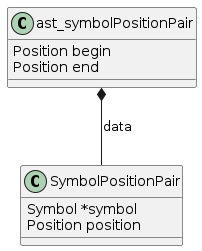
19.2. Navigation Architecture and Preloading
Date: 2025-12-22, updated 2026-02-21
19.2.1. How Symbol Navigation Works
Symbol navigation (PUSH/NEXT/PREVIOUS/POP) merges references from two sources:
-
Disk CXrefs Database - Reflects saved files on disk
-
In-Memory ReferenceableItem Table - Reflects current server state including preloaded editor buffers
When you PUSH on a symbol, the navigation menu creation (createSelectionMenuForOperation) does:
-
Load from disk - Scans CXrefs files for the symbol (via
scanReferencesToCreateMenu)-
Creates menu items with disk-based line numbers
-
-
Merge from memory - Maps over the in-memory table (via
putOnLineLoadedReferences)-
Adds references from parsed/preloaded buffers with current line numbers
-
Duplicate detection prevents the same reference appearing twice
-
-
Build session - Copies merged references to the navigation session
This dual-source approach allows navigation without full project parse while providing updated positions for modified files.
| Client preloading behavior and stale file detection are now documented in Chapter 12: Components under Server (Entry-Point Reparse) and Editor Extension (Preloading). |
| Several sections describing pre-memory-as-truth behaviour have been moved to Archive: |
-
"Architectural Invariants" and "RefactoryMode Internally Calls XrefMode" — the invariants described a model where the disk database was the source of truth.
-
"The lastParsedMtime Optimization and Refactoring Conflict" — the workaround it describes is no longer needed; under server-side refactoring,
callXref()is not in the refactoring path and entry refresh keeps both navigation and refactoring on the same in-memory table. -
"Stale File Refresh and Cross-File References" — describes
refreshStaleReferencesInSession(), no longer in the source. Current refresh is lazy vianeedsBrowsingStackRefreshandupdateSessionReferencesForFile(see Chapter 8). The dedup-key insight from that section is carried forward in a later investigation.
As of 2026-03, the in-memory reference table is authoritative — see Principles.
19.3. Unified In-Memory Table Discovery
Date: 2025-01-25
Investigation revealed that both XrefMode and ServerMode use the same in-memory ReferenceableItemTable. This is the key enabler for the incremental path to "Memory as Truth" (see Chapter 10: Roadmap).
handleFoundSymbolReference() in cxref.c handles references found during parsing. It calls isMemberInReferenceableItemTable() to check if a symbol exists; if not found, creates a new entry; if found, adds a reference to the existing entry. This same table is used by both modes — there is no separate "server table" vs "xref table".
The disk scan operations (ensureReferencesAreLoadedFor, scanReferencesToCreateMenu, etc.) read from .cx files on disk and also call isMemberInReferenceableItemTable() to check/merge with existing entries. If parsing has already populated the table, these operations find data already present — making them effective no-ops once all files are parsed.
19.4. Editor Buffer Lifecycle in the Server
Date: 2026-03-17
Editor buffers created by the server during parsing (e.g., entry refresh Pass 3 parsing sibling CUs, or refactoring loading files) have preLoadedFromFile == NULL — they were loaded from disk, not preloaded by the client. After each request, closeAllEditorBuffersIfClosable() in editor.c frees all buffers that are closeable: textLoaded && markers == NULL && preLoadedFromFile == NULL && !modified.
This means server-created editor buffers do not linger between requests. On the next request, files are reloaded from disk with fresh content. This is important because:
-
A user may edit and save a file between operations without triggering any c-xref action. The server must see the new disk content, not a stale buffer.
-
After a refactoring modifies editor buffers, markers are freed by the refactoring cleanup (e.g.,
freeEditorMarkerListAndMarkersat the end ofrenameAtPoint), making the buffers closeable. -
parseToCreateReferencesprefers an existing editor buffer over disk — so if a stale buffer lingered, it would parse old content even when the disk file had changed.
Client-preloaded buffers (preLoadedFromFile != NULL) are NOT freed — they represent the editor’s view of the file and survive until the client sends updated content or (eventually) a close notification.
Implication for didClose: A didClose protocol message (analogous to LSP textDocument/didClose) is not urgently needed for correctness — the existing cleanup handles server-created buffers. It would primarily benefit client-preloaded buffers that the user has closed in the editor, allowing the server to fall back to disk content. This is an architectural nicety, not a bug fix.
20. Archive
In this section you can find some descriptions and saved texts that described how things were before. They are no longer true, since that quirk, magic or bad coding is gone. But it is kept here as an archive for those wanting to do backtracking to original sources.
20.1. Legacy Update Strategies (XrefMode)
Before server mode, c-xrefactory used two explicit update strategies triggered by
command-line options. These are now replaced by the Entry Refresh algorithm which runs
automatically on every server request.
20.1.1. Fast Update
Used with -fastupdate. Checked which source files (.c) had changed (by comparing
modification times) and reparsed only those. Did not detect header file changes — if
foo.h changed but foo.c didn’t, foo.c would not be reparsed.
20.1.2. Full Update
Used with -update. Checked all files (source and headers) for changes. If a header
changed, used makeIncludeClosureOfFilesToUpdate to find all source files that included
it (transitively) and reparsed them all.
Both strategies used time_t (one-second resolution) for change detection, which caused
intermittent staleness when edits happened within the same second as the last parse.
20.2. Memory strategies
There were a multitude of specialized memory allocation functions. In principle there where two types, static and dynamic. The dynamic could be exteded using a overflow handler.
Also one type had a struct where the actual area was extended beyond the actual struct. This was very confusing…
20.2.1. Static memory allocation
Static memory (SM_ prefix) are static areas allocated by the compiler
which is then indexed using a similarly named index variable
(e.g. ftMemory and ftMemoryIndex), something the macros took
advantage of. These are
-
ftMemory -
ppmMemory -
mbMemory
One special case of static memory also exist:
-
stackMemory- synchronous with program structure and has CodeBlock markers, so there is a specialstackMemoryInit()that initializes the outermost CodeBlock
These areas cannot be extended, when it overruns the program stops.
20.3. Trivial Prechecks
The refactorer can call the server using parseBufferUsingServer() and add some extra options (in text form).
One example is setMovingPrecheckStandardEnvironment() where it calls the server with -olcxtrivialprecheck.
However parseBufferUsingServer() uses callServer() which never answerEditAction().
In answerEditAction() the call to (unused) olTrivialRefactoringPreCheck() also requires an options.trivialPreCheckCode which is neither send by setMovingPrecheckStandardEnvironment() nor parsed by processOptions().
The only guess I have is that previously all prechecks where handled by the -olcxtrivialprecheck option in calls to the server, and have now moved to their respective refactorings.
| This theory should be checked by looking at the original source of the precheck functions and compare that with any possible checks in the corresponding refactoring code. |
20.4. Caching System
The caching system described below has been archived as it is no longer part of the current architecture.
The c-xrefactory included a sophisticated caching system that enabled
incremental parsing by caching parsed input streams, parser state, and
file modification tracking. This optimization allowed for faster
re-analysis when only portions of source files had changed. It also
allowed the system to detect out-of-memory situations, discard, flush
and re-use memory during file processing.
20.4.1. Core Design Principles
Cache Point Model: The system placed strategic snapshots of parser state at external definition boundaries (functions, global variables, etc.). When files were re-processed, the system could validate cache integrity, recover from cache points, and resume parsing only from the first changed definition onward.
Separation of Concerns: Recent refactoring had separated file tracking from cache validation:
-
updateFileModificationTracking()- Updated file timestamps without side effects -
isFileModifiedSinceCached()- Pure validation function for cache integrity
20.4.2. Key Components
Cache Point Management (caching.c):
-
placeCachePoint(bool)- Placed strategic parser state snapshots -
recoverFromCache()- Restored parser state from cache points -
recoverCachePointZero()- Reset to initial cache state
File Modification Tracking:
The FileItem structure maintained multiple timestamp fields for tracking file modification:
struct FileItem {
    time_t lastModified;    // File's actual modification time
    time_t lastInspected;   // When we last checked the file
    // ... other fields
}
Input Stream Caching:
-
cacheInput()- Cached tokenized input from lexer -
cachingIsActive()- Checked if caching was currently enabled -
activateCaching()/deactivateCaching()- Controlled caching state
20.4.3. Parser Integration
C Parser Integration: Both C and Yacc parsers placed cache points after each external_definition, but only when not processing include files (includeStack.pointer == 0).
Parser-Specific Behavior:
-
C Parser: Full caching enabled with regular cache point placement
-
Yacc Parser: Explicitly deactivated caching via
deactivateCaching()but still placed strategic cache points -
Include Files: Cache points skipped during include processing
20.4.4. System Dependencies
The caching system was deeply integrated throughout the parsing pipeline:
| Component | Functions Used | Purpose |
|---|---|---|
|
|
Lifecycle control |
|
|
Input processing |
|
|
File tracking |
|
|
File management |
|
|
Cross-reference coordination |
|
|
C grammar integration |
|
|
Yacc grammar integration |
20.4.5. Performance Characteristics
Cache Hit Scenarios:
-
Full Cache Hit: No file modifications since last parse - parser state recovered from cache point zero with minimal re-processing
-
Partial Cache Hit: File modified after Nth definition - recovery from cache point N with re-parsing only from point of change onward
-
Cache Miss: File structure changed or timestamps invalid - full re-parse with new cache points placed
Optimization Benefits:
-
Memory usage scales with number of definitions, not file size
-
File modification checking minimizes unnecessary re-reads
-
Input stream caching reduces lexer overhead
-
Strategic cache point placement enables clean recovery at definition boundaries
20.5. HUGE Memory
Previously a HUGE model was also available (by re-compilation) to reach file numbers, lines and columns above 22 bits. But if you have more than 4 million lines (or columns!) you should probably do something radical before attempting cross referencing and refactoring.
20.6. Bootstrapping
20.6.1. BOOTSTRAP REMOVED!
Once the FILL-macros was removed, we could move the enum-generation to
use the actual c-xref. So from now on we build c-xref directly
from the sources in the repo. Changes to any enums will trigger a
re-generation of the enumTxt-files but since the enumTxt-files are
only conversion of enum values to strings any mismatch will not
prevent compilation, and it would even be possible to a manual
update. This is a big improvement over the previous situation!
20.6.2. FILLs REMOVED!
As indicated in FILL macros the bootstrapping of FILL-macros has finally and fully been removed.
Gone is also the compiler_defines.h, which was just removed without
any obvious adverse effects. Maybe that will come back and bite me
when we move to more platforms other than linux and MacOS…
Left is, at this point, only the enumTxt generation, so most of the
text below is kept for historical reasons.
20.6.3. Rationale
c-xref uses a load of structures, and lists of them, that need to be created and initialized in a lot of places (such as the parsers). To make this somewhat manageable, c-xref itself parses the strucures and generates macros that can be used to fill them with one call.
c-xref is also bootstrapped into reading in a lot of predefined header files to get system definitions as "preloaded definitions".
Why this pre-loading was necessary, I don’t exactly know. It might be an optimization, or an idea that was born early and then just kept on and on. In any case it creates an extra complexity building and maintaining and to the structure of c-xref.
So this must be removed, see below.
20.6.4. Mechanism
The bootstrapping uses c-xref's own capability to parse C-code and parse those structures and spit out filling macros, and some other stuff.
This is done using options like `-task_regime_generate' which prints a lot of data structures on the standard output which is then fed into generated versions of strFill, strTdef(no longer exists) and enumTxt by the Makefile.
The process starts with building a c-xref.bs executable from checked in sources. This compile uses a BOOTSTRAP define that causes some header files to include pre-generated versions of the generated files (currently strFill.bs.h and enumTxt.bs.h) which should work in all environments.
| if you change the name of a field in a structure that is subject to FILL-generation you will need to manually update the strFill.bs.h, but a "make cleaner all" will show you where those are. |
After the c-xref.bs has been built, it is used to generate strFill and enumTxt which might include specific structures for the current environment.
HOWEVER: if FILL macros are used for structures which are different on some platforms, say a FILE structure, that FILL macro will have difference number of arguments, so I’m not sure how smart this "smart" generation technique actually is.
TODO: Investigate alternative approaches to this generate "regime", perhaps move to a "class"-oriented structure with initialization functions for each "class" instead of macros.
20.6.5. Compiler defines
In options.h there are a number of definitions which somehow are sent to the compiler/preprocessor or used so that standard settings are the same as if a program will be compiled using the standard compiler on the platform. At this point I don’t know exactly how this conversion from C declarations to compile time definitions is done, maybe just entered as symbols in one of the many symboltables?
Typical examples include "__linux" but also on some platforms things like "fpos_t=long".
I’ve implemented a mechanism that uses "gcc -E -mD" to print out and
catch all compiler defines in compiler_defines.h. This was necessary
because of such definitions on Darwin which where not in the
"pre-programmed" ones.
TODO?: As this is a more general approach it should possibly
completely replace the "programmed" ones in options.c?
20.6.6. EnumTxt generation REMOVED!
To be able to print the string values of enums the module generate.c (called when regime was RegimeGenerate) could also generate string arrays for all enums. By replacing that with some pre-processor magic for the few that was actually needed (mostly in log_trace() calls) we could do away with that whole "generate" functionality too.
(Last commit with enum generation intact is https://github.com/thoni56/c-xrefactory/commit/aafd7b1f813f2c17c684ea87ac87a0be31cdd4c4.)
20.6.7. enumTxt
For some cases the string representing the value of an Enum is needed.
c-xref handles this using the "usual" 'parse code and generate' method.
The module generate.c does this generation too.
20.6.8. Include paths
Also in options.h some standard-like include paths are added, but there is a better attempt in getAndProcessGccOptions() which uses the compiler/preprocessor itself to figure out those paths.
TODO?: This is much better and should really be the only way, I think.
20.6.9. Problems
Since at bootstrap there must exist FILL-macros with the correct field
names this strategy is an obstacle to cleaning up the code since every
field is referenced in the FILL macros. When a field (in a structure
which are filled using the FILL macro) changes name, this will make
initial compilation impossible until the names of that field is also
changed in the strFill.bs.h file.
One way to handle this is of course to use c-xrefactory itself and
rename fields. This requires that the project settings also include a
pass with BOOTSTRAP set, which it does.
20.6.10. Removing
I’ve started removing this step. In TODO.org I keep a hierarchical list of the actions to take (in a Mikado kind of style).
The basic strategy is to start with structures that no other structure
depends on. Using the script utils/struct2dot.py you can generate a
DOT graph that shows those dependencies.
Removal can be done in a couple of ways
-
If it’s a very small structure you can replace a call to a
FILL_XXX()macro with a compound literal. -
A better approach is usually to replace it with a
fillXXX()function, or even better, with anewXXX(), if it consistently is preceeded with an allocation (in the same memory!). To see what fields vary you can grep all such calls, make a CSV-file from that, and compare all rows.
20.6.11. strTdef.h
The strTdef.h was generated using the option -typedefs as a part
of the old -task_regime_generate strategy and generated typedef
declarations for all types found in the parsed files.
I also think that you could actually merge the struct definition with the typedef so that strTdef.h would not be needed. But it seems that this design is because the structures in proto.h are not a directed graph, so loops makes that impossible. Instead the typedefs are included before the structs:
#include "strTdef.h"
struct someNode {
    S_someOtherNode *this;
    ...
struct someOtherNode {
    S_someNode *that;
    ...
This is now ideomatically solved using the structs themselves:
struct someNode {
    struct someOtherNode *this;
    ...
struct someOtherNode {
    struct someNode *that;
    ...
20.7. FILL macros
The FILL macros are now fully replaced by native functions or some other, more refactoring-friendly, mechanism. Yeah!
During bootstrapping a large number of macros named __FILL_xxxx is created. The intent is that you can fill a complete structure with one call, somewhat like a constructor, but here it’s used more generally every time a complex struct needs to be initialized.
There are even _FILLF_xxx macros which allows filling fields in sub-structures at the same time.
This is, in my mind, another catastrophic hack that makes
understanding, and refactoring, c-xrefactory such a pain. Not to
mention the extra bootstrap step.
I just discovered the compound literals of C99. And I’ll experiment with replacing some of the FILL macros with compound literals assignments instead.
FILL_symbolList(memb, pdd, NULL);
could become (I think):
memb = (SymbolList){.d = pdd, .next = NULL};
If successful, it would be much better, since we could probably get rid of the bootstrap, but primarily it would be more explicit about which fields are actually necessary to set.
20.8. Users
The -user option has now been removed, both in the tool and the
editor adaptors, and with it one instance of a hashlist, the
olcxTab, which now is a single structure, the sessionData.
There is an option called -user which Emacs sets to the frame-id. To
me that indicates that the concept is that for each frame you create
you get a different "user" with the c-xref server that you (Emacs)
created.
The jedit adapter seems to do something similar:
options.add("-user");
Options.add(s.getViewParameter(data.viewId));
Looking at the sources to find when the function
olcxSetCurrentUser() is called it seems that you could have
different completion, refactorings, etc. going on at the same time in
different frames.
Completions etc. requires user interaction so they are not controlled by the editor in itself only. At first glance though, the editor (Emacs) seems to block multiple refactorings and referencs maintenance tasks running at the same time.
This leaves just a few use cases for multiple "users", and I think it adds unnecessary complexity. Going for a more "one user" approach, like the model in the language server protocol, this could really be removed.
20.9. Architectural Invariants (Historical)
Moved from Insights chapter, 2026-03. These invariants described the model where the disk database was the source of truth. With "memory as truth" (2026-03), the in-memory reference table is authoritative and the disk snapshot is just a startup cache.
Original invariants:
-
Disk CXrefs = State of files on disk (from last tags generation)
-
ReferenceableItem Table = Disk state + preloaded editor buffers
-
Session references = Snapshot at PUSH time, refreshed on stale detection during NEXT/PREVIOUS
20.10. RefactoryMode Internally Calls XrefMode
Moved from Insights chapter, 2026-03. As of 2026-03, all refactorings run as server
operations (OP_REFACTORY). This section describes the original architecture.
Date: 2025-01-10
20.10.1. The Key Architectural Insight (Original Architecture)
RefactoryMode ran XrefMode as an internal sub-task to update the reference database before performing refactorings.
This was critical because:
-
Refactorings needed current cross-reference data to find all symbol occurrences
-
Server mode never created/updated references (it only served queries)
-
RefactoryMode was a separate process invocation, not part of the interactive server
20.10.2. How It Worked
When a refactoring was invoked:
refactory() [refactory.c:1337]
  │
  ├─ 1. Compute update strategy based on symbol scope/visibility
  │    updateOption = computeUpdateOptionForSymbol(point)
  │      • Local symbols: "" (no update - not in database)
  │      • Header symbols: "-update" (full update required)
  │      • Multi-file global: "-fastupdate" (incremental)
  │      • Single-file global: "" (no update needed)
  │
  ├─ 2. Perform the refactoring operation
  │    renameAtPoint() / parameterManipulation() / etc.
  │
  └─ 3. Update references via internal XrefMode call
       ensureReferencesAreUpdated(project) [line 146]
         ├─ Save current options
         ├─ Build argument vector with updateOption
         ├─ mainTaskEntryInitialisations(args)
         └─ callXref(args, true)  ← NESTS XREF MODE!
20.10.3. Why Refactorings Were Separate Processes
The Emacs client spawned a separate RefactoryMode process rather than using the interactive server because:
-
Xref update can be slow - Would block the interactive server for user operations
-
Options isolation - The nested
callXref()"messes all static variables including options" (code comment, line 143-145) -
Memory requirements - Refactorings need more memory than interactive operations (see
mainTaskEntryInitialisationsallocation logic)
20.10.4. The Three Modes Relationship
ServerMode (c-xref -server)
  - Loads .cx snapshot at startup, parses stale CUs
  - Reparses stale preloaded files before each request (ADR 20)
  - Long-running interactive process
  - Handles: completion, goto-definition, push/pop navigation

XrefMode (c-xref -create / -update)
  - Creates and updates .cx reference files
  - Batch operation over all scheduled files
  - Exits when complete

RefactoryMode (c-xref -refactory ...)
  - Separate one-shot process per refactoring
  - INTERNALLY calls XrefMode (via callXref) to update references
  - Applies source code edits
  - Exits when complete
20.10.5. Code Evidence
// From refactory.c:143-145
// be very careful when calling this function as it is messing all static variables
// including options, ...
// call to this function MUST be followed by a pushing action, to refresh options
void ensureReferencesAreUpdated(char *project) {
    // ...
    deepCopyOptionsFromTo(&options, &savedOptions);

    // Build xref arguments including update option
    argumentVector[argumentCount++] = updateOption;

    // Re-initialize as if starting fresh xref task
    mainTaskEntryInitialisations(args);

    // THE KEY CALL: Run XrefMode nested inside RefactoryMode
    callXref(args, true);

    // Restore options after the nested task
    deepCopyOptionsFromTo(&savedOptions, &options);
}
20.10.6. Implications (Historical)
These constraints applied under the original architecture:
-
RefactoryMode was a separate process — server mode could not perform refactorings
-
The nested
callXref()call corrupted global state, requiring process isolation -
Smart update strategies (local vs header vs multi-file) minimized the re-indexing cost
With server-side refactoring (2026-03), these constraints no longer apply. The server’s
entry refresh mechanism keeps references fresh, and refactorings execute within the
server process without a separate callXref() step.
20.11. The lastParsedMtime Optimization and Refactoring Conflict (Historical)
This section captures a conflict diagnosed in 2025-01 between navigation’s
lastParsedMtime optimization and refactoring’s callXref() reindexing path. The
workaround it describes (excluding OP_RENAME, OP_ARGUMENT_MANIPULATION,
OP_SAFETY_CHECK from the optimization) is no longer needed: under server-side
refactoring (2026-03), callXref() is not in the refactoring path, and entry refresh
keeps both navigation and refactoring reading from the same in-memory table. The two
sources of truth that the conflict arose from have been collapsed into one. The
material is preserved here because the diagnosis remains a useful illustration of how
shared-state optimizations can leak across operation boundaries.
Date: 2025-01-21
20.11.1. Problem Discovery
When implementing staleness detection for navigation (refreshing references when files are modified), an optimization was added to server.c:
// After parsing with preload, update lastParsedMtime
if (buffer != NULL && buffer->preLoadedFromFile != NULL) {
    FileItem *fileItem = getFileItemWithFileNumber(parsingConfig.fileNumber);
    fileItem->lastParsedMtime = buffer->modificationTime;
}
This optimization prevents navigation from thinking a file is "stale" immediately after parsing it with preloaded content.
20.11.2. The Conflict
This broke refactoring operations (test_delete_parameter_with_preload). The problem:
-
Server parses with preload → In-memory references have correct positions (e.g., line 3)
-
lastParsedMtimeupdated → File marked as "freshly parsed" -
Refactoring triggers
callXref()→ xref checks timestamps -
xref sees
editorFileModificationTime() == lastParsedMtime→ Concludes "file already indexed" -
xref skips re-indexing → Persistent
.cxkeeps old positions (e.g., line 2) -
Refactoring uses stale
.cxdata → Wrong positions, operation fails
20.11.3. Root Cause: Two Sources of Truth
The architecture had two sources of references:
-
In-memory references (ReferenceableItemTable) — populated by parsing, used by navigation
-
Persistent .cx database — populated by xref, used by refactoring
The lastParsedMtime optimization conflated these:
-
It correctly told navigation "in-memory is current"
-
But incorrectly told xref "persistent database is current" (when it wasn’t)
20.11.4. The Workaround
Refactoring operations were excluded from the optimization:
if (buffer != NULL && buffer->preLoadedFromFile != NULL
    && options.serverOperation != OP_RENAME
    && options.serverOperation != OP_ARGUMENT_MANIPULATION
    && options.serverOperation != OP_SAFETY_CHECK) {
    fileItem->lastParsedMtime = buffer->modificationTime;
}
This allowed:
-
Navigation to use the optimization (in-memory was sufficient)
-
Refactoring to trigger xref re-indexing (read preload, update .cx correctly)
20.11.5. Architectural Lesson
The workaround highlighted the underlying tension: navigation and refactoring used different sources of truth. The proper fix — eliminating callXref() from the refactoring path entirely — landed with server-side refactoring (Chapter 10: Roadmap).
20.12. Stale File Refresh and Cross-File References (Historical)
This section describes a refresh algorithm built around a function named
refreshStaleReferencesInSession() that no longer exists in the source. The current
refresh path is lazy session refresh via needsBrowsingStackRefresh and
updateSessionReferencesForFile, described in Chapter 8.
The material is preserved here because its core insight — that
addReferenceableToBrowsingMenu deduplicates by (linkName, includeFileNumber, type)
and so cannot safely re-scan from disk during refresh — is still relevant. That
deduplication is the same mechanism that would mask the header-position freshness gap
examined in Investigation: Does CU Reparse Leave Header-Position References Stale?.
Date: 2025-01-29
20.12.1. Stale Detection
When navigating (PUSH/NEXT), the server detected if the current file was "stale" by comparing:
-
fileItem→lastParsedMtime(from disk database or last parse) -
buffer→modificationTime(from preloaded editor buffer)
If buffer→modificationTime > lastParsedMtime, the file was considered stale and refreshStaleReferencesInSession() was called.
20.12.2. The Refresh Algorithm
refreshStaleReferencesInSession() in cxref.c had to preserve cross-file references while updating references from the modified file:
-
removeReferenceableItemsForFile()— remove old refs from in-memory table -
parseToCreateReferences()— re-parse with preload, add fresh refs to in-memory table -
Remove stale-file refs from menu — preserves cross-file refs, removes outdated positions
-
extendBrowsingMenuWithReferences()— merge fresh refs from in-memory table -
Mark file as freshly parsed (
lastParsedMtime = buffer→modificationTime) -
recomputeSelectedReferenceable()— rebuild session’s reference list from updated menu
Key insights:
-
The menu already had cross-file refs from the original PUSH operation (which scanned disk)
-
The refresh did NOT clear menu refs and re-scan from disk
-
Scanning from disk created problems:
addReferenceableToBrowsingMenucreates NEW menu items whenincludeFileNumberdiffers, and these new items haveselected=false -
Only SELECTED menu items contribute refs to the session’s reference list
-
So scanning would have added refs to new (unselected) items, leaving the original (selected) item empty
20.12.3. Why Scanning From Disk Failed
During PUSH, createSelectionMenu created menu items and added them to sessionEntry→menu.
These items were marked as selected. On NEXT, the menu’s reference list was what got
used for navigation (via recomputeSelectedReferenceable).
If during refresh we:
-
Cleared menu refs
-
Scanned from disk
The scan called createSelectionMenu which in turn called addReferenceableToBrowsingMenu.
This function compares incoming items by (linkName, includeFileNumber, type). If the
includeFileNumber from the disk scan differed from the existing menu item’s value,
a new menu item was created with selected=false.
The refs were then added to this new unselected item, while the original selected item
had empty refs. recomputeSelectedReferenceable only processed selected items, so
navigation lost most of its references.
20.12.4. Architectural Note (Historical)
This was a manifestation of the "two sources of truth" architecture. The long-term fix landed with memory-as-truth: all project files have references in the in-memory table, so the refresh just re-parses the single file and the table already holds the cross-file references. The dedup behaviour described above still applies — see Investigation: Does CU Reparse Leave Header-Position References Stale? for how it interacts with the header-position freshness gap.
20.13. Investigation: Does CU Reparse Leave Header-Position References Stale?
Date: 2026-05-12
A hypothesised correctness gap, investigated across May 2026 and parked rather than fixed — recorded so the question isn’t re-opened from scratch.
20.13.1. The structural fact
removeReferenceableItemsForFile(fileNumber) strips only references whose
position.file == fileNumber. A declaration that a compilation unit emits into a
header sits at position.file == header, so reparsing the CU never strips it. This
scoping is real and still holds. Whether it can leave a ghost — an old reference
lingering beside the current one — depends on what makes the header’s emission change,
and there are two distinct triggers.
20.13.2. Variant A — header edited (probed, did not reproduce)
The header’s own text changes (a declaration shifts line). Under the editor-buffer
content model an edit reaches the server as a -preload of the header, which strips the
header’s own references before any includer reparse re-emits them — so the old position
is cleaned by the header’s strip, not the CU’s, and the structural gap never bites. A
May 2026 probe (test_rename_ghost_from_unstale_sibling) confirmed nothing accumulates:
header identifiers aren’t even re-emitted on a stable-header reparse of an includer. The
dedup key in addReferenceableToBrowsingMenu — (linkName, includeFileNumber, type),
not (line, col) — would have masked parallel entries had any formed, but none did.
20.13.3. Variant B — includer preprocessor state changes (never probed)
The header text is unchanged, but the includer toggles a macro that gates a header
declaration (#define FOO guarding #ifdef FOO … int bar; #endif). The CU is edited,
so it is stripped and reparsed; the header is not, so nothing strips its references. If
the CU reparse re-walks the header under the new macro state and emits a different set,
the old conditionally-emitted reference could linger at a header position. This is the
one place the structural gap could still produce a true ghost — and it was never tested.
It is also entangled with an unresolved lexer question: whether a stable-content header
is re-walked at all when only the includer’s macros changed.
20.13.4. Status (updated 2026-06-19)
Variant A cleared. Variant B is confirmed — reproduced 2026-06-17 in
test_preprocess_edit_removes_ifdef_define: a CU that drops a #define orphans the
header declaration it had emitted under that macro. The "unresolved lexer question"
above is answered — the header is re-walked, as part of the reparsed CU’s own
translation unit, and the gated-out declaration is simply not re-emitted. The gap stayed
invisible so long because a separate bug — a search over a preloaded file discarded the
reparsed references — masked it; that was fixed 2026-06-18.
The live treatment is now in Entry Refresh (Cleaning Stale Emissions); the fix direction and the provenance-vs-reparse decision are in ADR-0025. This entry is retained for the investigation trail and superseded by those.
20.14. Memory-as-Truth Convergence: Implementation Path (Historical)
The path by which c-xrefactory reached "memory is truth" — now complete; see the
Roadmap Convergence section for the current state. Preserved for the
sequencing and dependencies.
Navigation and refactoring already shared the in-memory ReferenceableItemTable
(Insights), so the infrastructure was largely in place: include
structure tracked via TypeCppInclude references, mtime-based staleness detection, and
entry refresh before every operation. The steps taken:
-
Lightweight scanning replaced the mandatory
-create— discover CUs and include structure without full parsing (ADR-0022). An optional-createreturns as a deliberate batch prime (CreateMode, ADR-0024). -
Snapshot save/load —
.cxloaded at startup, saved on-exit; no manual-createafter the first session. -
Refactoring moved into the server (strangler fig) — all refactorings run as
OP_REFACTORY;RefactoryModeand the-refactoryprocess removed. Remaining: remove theparseBufferUsingServerbridge. -
.cxbecame a startup snapshot only — never consulted during operation; every operation reads the in-memory table.